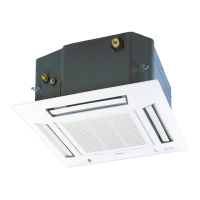
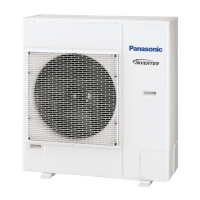
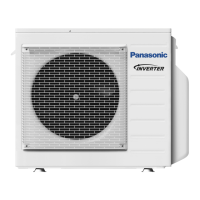
This document is an operating manual for Panasonic Air Conditioners, covering both single-split and multi-split systems.
Function Description
The Panasonic Air Conditioner is designed to provide cooling, heating, and dehumidification for indoor environments. It supports both single-split configurations, where one indoor unit connects to one outdoor unit, and multi-split systems, allowing multiple indoor units to connect to a single outdoor unit.
In a multi-split system, indoor units can be operated individually or simultaneously. The system prioritizes the operation of the first unit turned on. It's important to note that HEAT and COOL modes cannot be active simultaneously for different indoor units in a multi-split setup. If an indoor unit is standing by for a different operation mode, its power indicator will blink.
The air conditioner offers several operation modes:
- AUTO: For convenience, the unit automatically selects the operation mode every 10 minutes based on the set temperature and room temperature.
- HEAT: Provides warm air. The unit may take some time to warm up initially.
- COOL: Provides cool air. To optimize energy efficiency in COOL mode, it is recommended to use curtains to block sunlight and outdoor heat.
- DRY: Dehumidifies the environment. In this mode, the unit operates at a low fan speed to provide gentle cooling.
Additional features include:
- QUIET mode: Reduces airflow noise for a quieter operation.
- POWERFUL mode: Allows the unit to reach the desired temperature quickly. This mode automatically stops after 20 minutes in single-split systems. In multi-split systems, it can be stopped by pressing the button again or turning off the unit. Both QUIET and POWERFUL modes can be activated in all operation modes and cancelled by pressing their respective buttons again.
The remote control allows users to:
- Start/stop the operation.
- Select the desired operation mode (AUTO, HEAT, DRY, COOL).
- Set the desired temperature within a range of 16 °C to 30 °C.
- Select fan speed, with an AUTO option that adjusts fan speed based on the operation mode.
- Set daily and weekly timers to automatically turn the unit ON or OFF at preset times.
Important Technical Specifications
The manual provides operating conditions based on Dry Bulb Temperature (DBT) and Wet Bulb Temperature (WBT) for both indoor and outdoor units across different models and modes.
Single Split Models (CU-E12QD3R, CU-E18QD3R):
- COOL Mode:
- Indoor: Max DBT 32 °C, Max WBT 23 °C; Min DBT 16 °C, Min WBT 11 °C.
- Outdoor: Max DBT 46 °C, Max WBT 26 °C; Min DBT 5 °C.
- HEAT Mode:
- Indoor: Max DBT 30 °C; Min DBT 16 °C.
- Outdoor: Max DBT 24 °C, Max WBT 18 °C; Min DBT -15 °C.
Multi Split Outdoor Units (CU-4E23QBR, CU-4E27QBR, CU-5E34QBR):
- COOL Mode:
- Indoor: Max DBT 32 °C, Max WBT 23 °C; Min DBT 16 °C, Min WBT 11 °C.
- Outdoor: Max DBT 46 °C, Max WBT 26 °C; Min DBT -10 °C.
- HEAT Mode:
- Indoor: Max DBT 30 °C; Min DBT 16 °C.
- Outdoor: Max DBT 24 °C, Max WBT 18 °C; Min DBT -15 °C, Min WBT -16 °C.
The remote control temperature setting range is 16 °C to 30 °C.
Usage Features
The air conditioner is operated primarily via a remote control.
- Remote Control Preparation: To use the buttons, open the cover. The current day and time can be set using the TIMER and UP/DOWN buttons, followed by a confirmation press.
- Basic Operation:
- Start/stop the unit using the OFF/ON button. The OFF indication on the remote control shows the current status.
- Select the desired mode (AUTO, HEAT, DRY, COOL).
- Select the desired temperature (16 °C ~ 30 °C).
- Fan Speed Selection: The fan speed can be selected from the remote control display. In AUTO mode, the indoor fan speed adjusts automatically.
- Quiet/Powerful Operation: Dedicated buttons allow switching between QUIET mode (reduced noise) and POWERFUL mode (quick temperature reach).
- Timer Setting:
- Daily Timer: Allows setting the unit to turn ON or OFF at a preset time daily. The timer operation is based on the remote control's clock and repeats daily.
- Weekly Timer: Promotes energy saving by allowing up to 6 programs to be set for any given day of the week. This feature enables users to customize operation schedules for different days.
- Timer Management: Users can check, modify, add, or cancel timer programs. Daily and weekly timers cannot be set simultaneously.
- Temperature Display: Pressing and holding the TIMER/CLOCK button for approximately 10 seconds switches the temperature display between °C and °F.
Maintenance Features
Regular maintenance is crucial for optimal performance and longevity of the unit.
- General Cleaning:
- Always switch off the power supply before cleaning.
- Do not touch the aluminum fin, as sharp parts may cause injury.
- Avoid using benzine, thinner, or scouring powder.
- Use only soap (pH 7) or neutral household detergent.
- Do not use water hotter than 40 °C.
- Seasonal Inspection (after extended non-use):
- Ensure there are no obstructions at the air inlet and outlet vents.
- For ceiling-mounted units, consult an authorized dealer for seasonal inspection, especially regarding external air intake and outlet vents.
- After 15 minutes of operation, a normal temperature difference of ≥ 8 °C for COOL mode and ≥ 14 °C for HEAT mode should be observed between air inlet and outlet vents.
- Extended Non-Use Preparation:
- Activate HEAT mode for 2-3 hours to remove moisture from internal parts, preventing mold growth.
- Turn off the power supply after this process.
- Troubleshooting: The manual provides a list of common symptoms that do not indicate a malfunction (e.g., mist, water flowing sound, peculiar odor, delayed operation, blinking power indicator before startup, cracking sound). It also lists symptoms that require checking before calling for service (e.g., inefficient operation, noise, unit not working).
- Error Code Retrieval: In case of malfunction, users can retrieve an error code from the remote control by pressing the CHECK button for 5 seconds. This code should then be reported to an authorized dealer.
- Non-Serviceable Criterias: If any of the following occur, turn off the power supply and consult an authorized dealer: abnormal noise, water/foreign particles in remote control, water leaks from indoor unit, frequent circuit breaker trips, abnormally warm power cord, or malfunctioning switches/buttons.
Safety Precautions: The manual emphasizes safety, categorizing warnings into "WARNING" (risk of death or serious injury) and "CAUTION" (risk of injury or property damage). Prohibited actions include using modified cords, installing in explosive atmospheres, inserting objects into the unit, touching the outdoor unit during lightning, direct exposure to cold air, or sitting/stepping on the unit. Compulsory actions include consulting authorized dealers for cleaning/repair/installation, confirming refrigerant type, earthing the equipment, and switching off power before cleaning or during non-use/lightning activity.


 To Next Page

 General