10
CHECK ODOUR WASH VENTILATION TEST RUN FILTER RESET
TEMP/
A/C No.
UP
DOWN
MODE
SELECT
SET
CANCEL
OFF
/
ON
TIMER/CLOCK
AIR SWING
ECONOMY
AUTO
AUTO
AUTO 123
FAN SPEED
AIR SWING
MON TUE WED THU FRI SAT SUN
ON
UP
DOWN
FA N
SPEED
AUTO
MODE
MANUAL
CZ-RD513C
!$$2%33
!54/!54/
4)-%2
/.
3%42%3%4 !$$2%33
-/$%
-/$%
!)237).'
&!.30%%$
!)237).'
4)-%2
/&&/.
3%4
#!.#%,
3%,%#4
#,/#+
&!.30%%$
&),4%22%3%4
-!.5!,
/$/527!3(
-/$%
!54/
%#/./-9
Troubleshooting
● Timer indicator always on.
► The timer setting repeats once set.
● The unit does not work.
► The circuit breaker is tripped or the timer is set incorrectly.
● Operation starts after power resumes.
► Auto restart is in function and operates under previous setting.
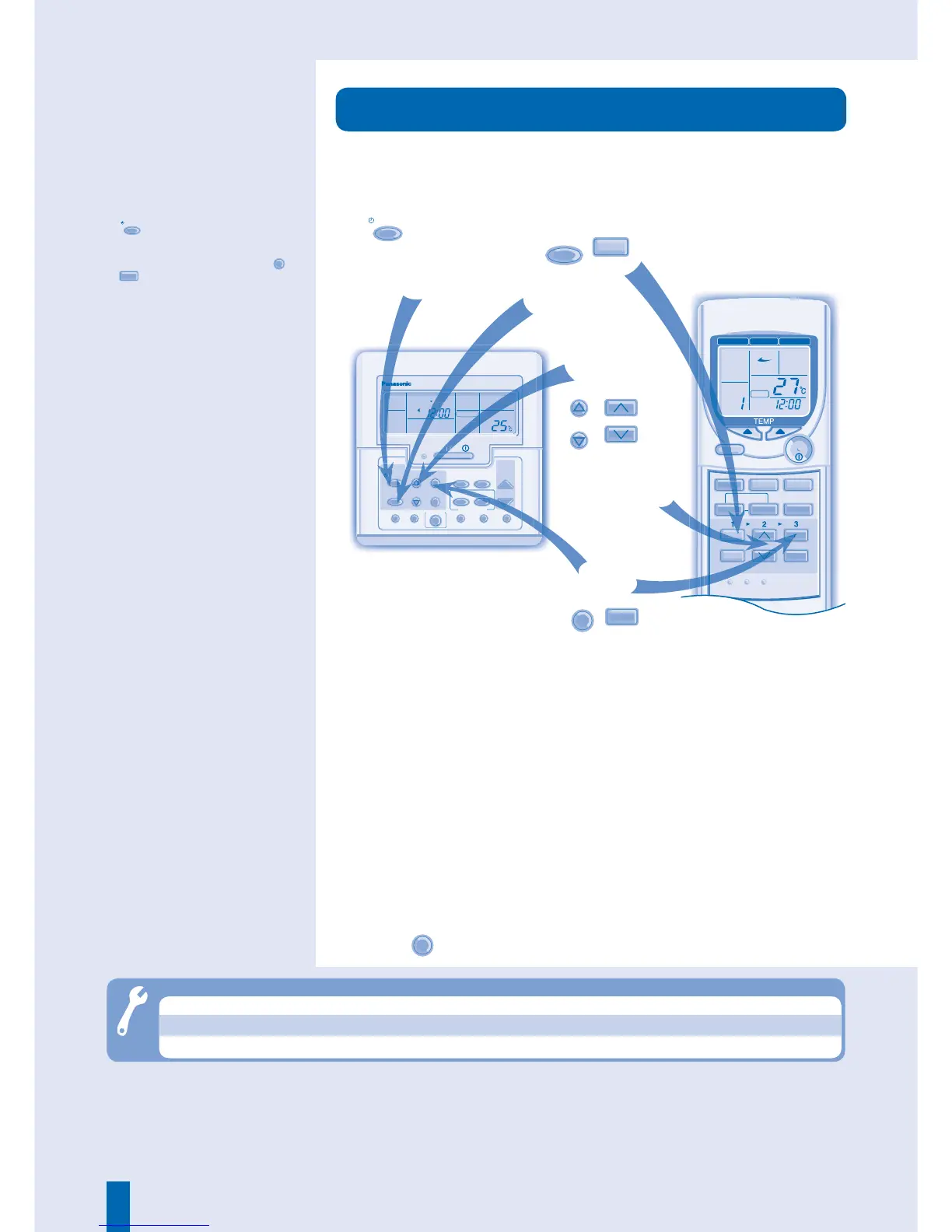
■ Operation Details
• The timer allows you to turn the air
conditioner on or off automatically.
• The set timer repeats daily once
set.
• For wired remote control, press
MODE
to change the display to daily
timer.
• If the timer is cancelled, press
SET
/
SET
to restore the previous setting.
• When the timer is activated, the
timer indicator appears on the
display.
• The timer closest to the current
time will be activated fi rst.
• If the main power is switched off
for an hour or more, the clock and
timer will need to be set again.
DAILY TIMER
●
The timer is valid only when the clock is set correctly.
●
You can set your preferred time for ON and OFF timers.
The unit will turn ON or OFF automatically, according to the
set timers.
●
Press
CANCEL
to cancel ON or OFF timer.
Select
OFF or ON
Timer.
SELECT
SELECT




 To Next Page