6
■ Operation Details
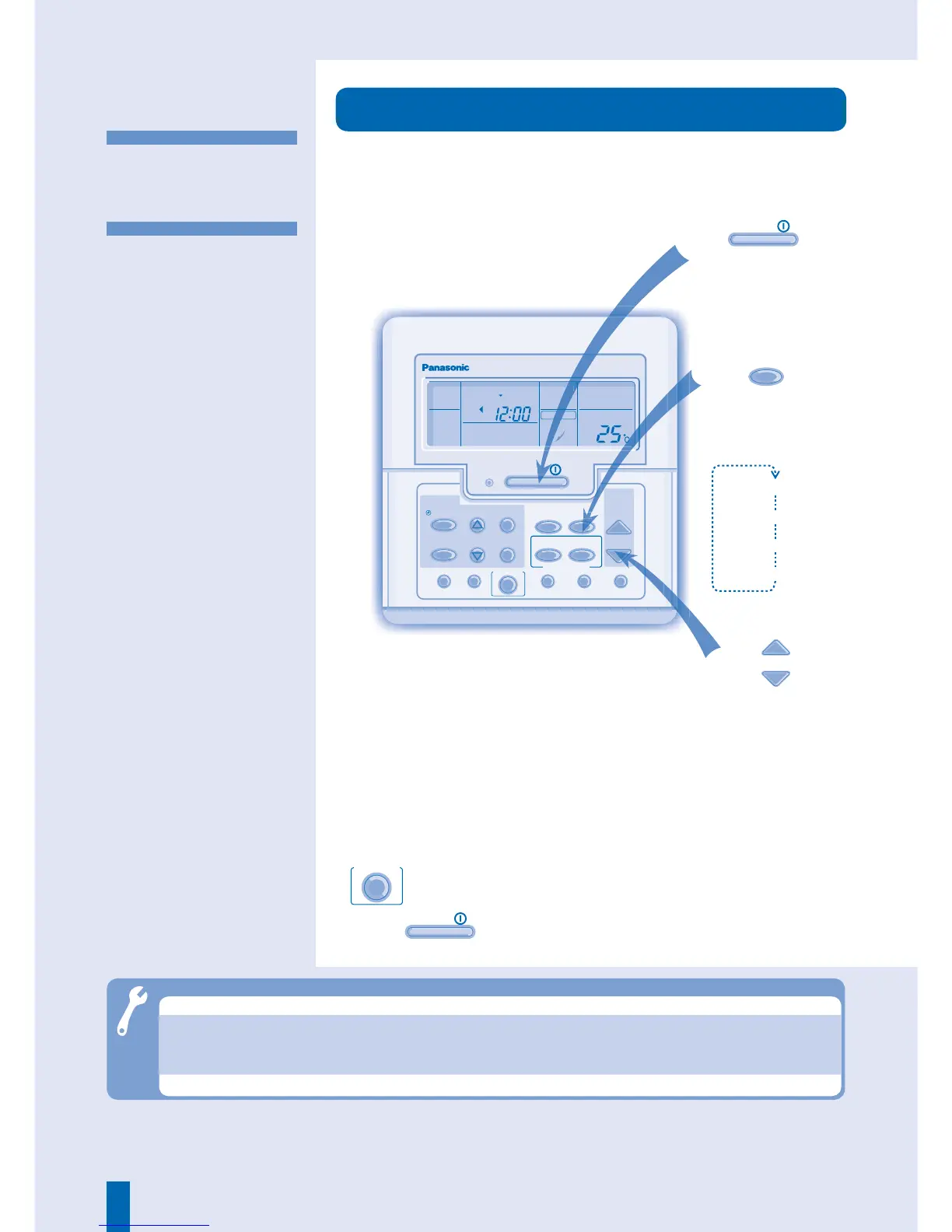
• Unit selects the operation mode
according to outdoor temperature,
room temperature and remote
control setting temperature.
AUTO - Automatic Mode
• Enjoy cool air at your desired
temperature.
COOL - Cooling Mode
AUTO, FAN, COOL, DRY
Troubleshooting
●
During Auto, Cooling and Drying modes, you can activate
ECONOMY
operation.
●
Press
OFF
/
ON
to stop the operation.
CHECK ODOUR WASH VENTILATION TEST RUN FILTER RESET
TEMP/
A/C No.
UP
DOWN
MODE
SELECT
SET
CANCEL
OFF
/
ON
TIMER/CLOCK
AIR SWING
ECONOMY
AUTO
AUTO
AUTO 123
FAN SPEED
AIR SWING
MON TUE WED THU FRI SAT SUN
ON
UP
DOWN
FAN
SPEED
AUTO
MODE
MANUAL
CZ-RD513C
● Mist emerges from indoor unit.
► Condensation effect due to cooling process.
● Cooling does not work.
► Ensure temperature is set correctly.
► Make sure windows and doors are closed.
► Make sure fi lters are cleaned and replaced.
► Make sure inlet and outlet vents are cleared.
● Water fl owing sound during operations.
► Cause by refrigerant fl ow inside the unit.




 To Next Page