EasyManua.ls Logo

Panasonic CU-M1403KE - Helpful Information

Panasonic CU-M1403KE
31 pages
Print Icon
To Next Page IconTo Next Page
To Previous Page IconTo Previous Page
Loading...
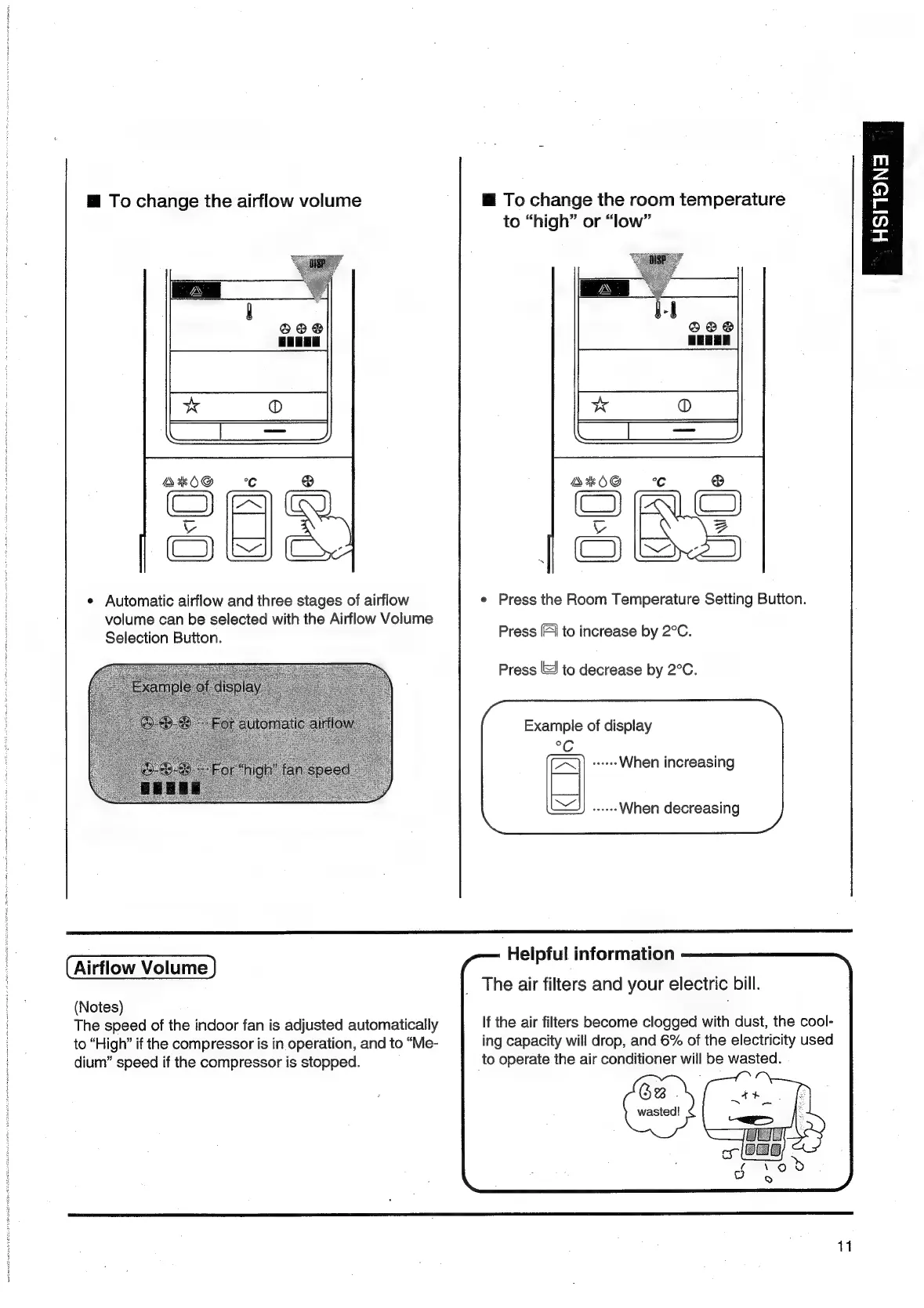
@
To
change
the
airflow
volume
To
change
the
room
temperature
to
“high”
or
“low”
*
Automatic
airflow
and
three
stages
of
airflow
¢
Press
the
Room
Temperature
Setting
Button.
volume
can
be
selected
with
the
Airflow
Volume
:
Selection
Button.
Press
[FI
to
increase
by
2°C.
Press
lS)
to
decrease
by
2°C.
Example
of
display
When
increasing
When
decreasing
Helpful
information
Airflow
Volume
(Notes)
The
speed
of
the
indoor
fan
is
adjusted
automatically
to
“High”
if
the
compressor
is
in
operation,
and
to
“Me-
dium”
speed
if
the
compressor
is
stopped.
The
air
filters
and
your
electric
bill.
If
the
air
filters
become
clogged
with
dust,
the
cool-
ing
capacity
will
drop,
and
6%
of
the
electricity
used
to
operate
the
air
conditioner
will
be
wasted.
Be
.
wasied!
11
m
z
7)
an
aE
=

Related product manuals