EasyManua.ls Logo

Panasonic CU-MC145KE - User Manual

Panasonic CU-MC145KE
127 pages
Print Icon
To Next Page IconTo Next Page
Loading...
1 Features 2
2 Functions
3
3 Product Specifications
6
4 Dimensions
16
5 Refrigeration Cycle Diagram
20
6 Block Diagram
23
7 Wiring Diagram
28
8 Operation Details
33
© 2000 Matsushita Industrial Corp. Sdn. Bhd.
(11969-T) All rights reserved. Unauthorized copying
and distribution is a violation of law.
CS-MC95KE CU-MC145KE
CS-MC95KE CU-MC185KE
CS-MC95KE CU-3MC205KE
CS-MC125KE CU-MC245KE
CS-MC76KE
CS-MC126KE CU-MC196KE
9 Operating Instructions 41
10 Installation Instructions
65
11 3-way Valve
76
12 2-way, 3-way Valve
83
13 Servicing Information
90
14 Troubleshooting Guide
94
15 Technical Data
96
16 Exploded View
104
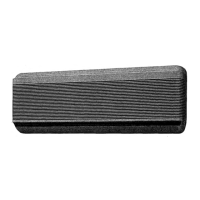
Multi-Split Air Conditioner
CONTENTS
Page Page
Order No: MAC0011057C2

Table of Contents

Question and Answer IconNeed help?

Do you have a question about the Panasonic CU-MC145KE and is the answer not in the manual?

Summary

Features

Functions

Product Specifications

Dimensions

Operation Details

Cooling Mode Operation

Details on how the air conditioner operates in cooling mode, including safety controls and fan speed.

Soft Dry Mode Operation

Explains the operation of the soft dry mode, including fan speed and cycle timings.

Economy or Powerful Mode

Describes the operation and purpose of economy and powerful modes for energy saving or quick cooling.

Operating Instructions

SAFETY PRECAUTIONS

Essential safety precautions for installation and operation to prevent injury or damage.

Installation Precautions

Guidelines to ensure safe and correct installation of the air conditioner unit.

Operation Precautions

Precautions to follow during operation to ensure safety and prevent damage.

Remote Control

Inserting batteries

Instructions on how to insert batteries into the remote control.

Setting the clock

Procedure for setting the current time on the remote control.

HOW TO OPERATE

Adjusting Airflow Direction And Fan Speed

Instructions on adjusting airflow direction and fan speed using the remote.

SETTING THE TIMER

Recommended Setting of Timer

Guidance on optimal timer settings for sleep, wake-up, and leaving home.

CARE AND MAINTENANCE

Cleaning the Air Filter

Step-by-step guide on how to clean the air filters for optimal performance.

Replacing the Air Purifying Filters

Instructions on how to remove and replace air purifying filters.

Recommended Inspection

Guidance on periodic inspections to maintain unit performance and prevent issues.

TROUBLESHOOTING

Abnormal Operation

Common issues encountered during operation and their potential causes.

Call the Dealer Immediately

Conditions requiring immediate shutdown and contact with a dealer.

10 Installation Instructions

10.1. Safety Precautions

Essential safety precautions to be followed during installation.

SELECT THE BEST LOCATION

Guidelines for selecting the optimal location for indoor and outdoor units.

10.2. INDOOR UNIT

Detailed instructions for installing the indoor unit.

10.3. OUTDOOR UNIT

Detailed instructions for installing the outdoor unit.

11 3-way Valve

11.1. Evacuation of Installation

Procedure for evacuating air from the system during installation.

11.2. Pumping down

Procedure for pumping down the refrigerant during installation.

11.6. Gas charging

Procedure for charging the system with refrigerant after installation.

13 Servicing Information

Indoor Fan Motor removal procedure

Detailed steps for removing and reinstalling the indoor fan motor.

Remote Control Reset

Instructions on how to reset the wireless remote control.

14 Troubleshooting Guide

14.1. Refrigeration cycle system

Diagnosing malfunctions by inspecting the refrigeration cycle and related components.

15 Technical Data

Thermostat characteristics

Charts showing thermostat characteristics for different operating conditions.

Sensible Capacity Chart

Charts detailing sensible capacity based on indoor and outdoor temperatures.

31 Electronic Circuit Diagram

31.1. REMOTE CONTROL

Schematic diagram for the remote control's electronic circuit.

31.2. PRINT PATTERN

Print pattern diagram for the indoor unit's printed circuit board (Top View).

TIMER TABLE

Summary

Features

Functions

Product Specifications

Dimensions

Operation Details

Cooling Mode Operation

Details on how the air conditioner operates in cooling mode, including safety controls and fan speed.

Soft Dry Mode Operation

Explains the operation of the soft dry mode, including fan speed and cycle timings.

Economy or Powerful Mode

Describes the operation and purpose of economy and powerful modes for energy saving or quick cooling.

Operating Instructions

SAFETY PRECAUTIONS

Essential safety precautions for installation and operation to prevent injury or damage.

Installation Precautions

Guidelines to ensure safe and correct installation of the air conditioner unit.

Operation Precautions

Precautions to follow during operation to ensure safety and prevent damage.

Remote Control

Inserting batteries

Instructions on how to insert batteries into the remote control.

Setting the clock

Procedure for setting the current time on the remote control.

HOW TO OPERATE

Adjusting Airflow Direction And Fan Speed

Instructions on adjusting airflow direction and fan speed using the remote.

SETTING THE TIMER

Recommended Setting of Timer

Guidance on optimal timer settings for sleep, wake-up, and leaving home.

CARE AND MAINTENANCE

Cleaning the Air Filter

Step-by-step guide on how to clean the air filters for optimal performance.

Replacing the Air Purifying Filters

Instructions on how to remove and replace air purifying filters.

Recommended Inspection

Guidance on periodic inspections to maintain unit performance and prevent issues.

TROUBLESHOOTING

Abnormal Operation

Common issues encountered during operation and their potential causes.

Call the Dealer Immediately

Conditions requiring immediate shutdown and contact with a dealer.

10 Installation Instructions

10.1. Safety Precautions

Essential safety precautions to be followed during installation.

SELECT THE BEST LOCATION

Guidelines for selecting the optimal location for indoor and outdoor units.

10.2. INDOOR UNIT

Detailed instructions for installing the indoor unit.

10.3. OUTDOOR UNIT

Detailed instructions for installing the outdoor unit.

11 3-way Valve

11.1. Evacuation of Installation

Procedure for evacuating air from the system during installation.

11.2. Pumping down

Procedure for pumping down the refrigerant during installation.

11.6. Gas charging

Procedure for charging the system with refrigerant after installation.

13 Servicing Information

Indoor Fan Motor removal procedure

Detailed steps for removing and reinstalling the indoor fan motor.

Remote Control Reset

Instructions on how to reset the wireless remote control.

14 Troubleshooting Guide

14.1. Refrigeration cycle system

Diagnosing malfunctions by inspecting the refrigeration cycle and related components.

15 Technical Data

Thermostat characteristics

Charts showing thermostat characteristics for different operating conditions.

Sensible Capacity Chart

Charts detailing sensible capacity based on indoor and outdoor temperatures.

31 Electronic Circuit Diagram

31.1. REMOTE CONTROL

Schematic diagram for the remote control's electronic circuit.

31.2. PRINT PATTERN

Print pattern diagram for the indoor unit's printed circuit board (Top View).

TIMER TABLE

Panasonic CU-MC145KE Specifications

General IconGeneral
BrandPanasonic
ModelCU-MC145KE
CategoryAir Conditioner
LanguageEnglish

Related product manuals