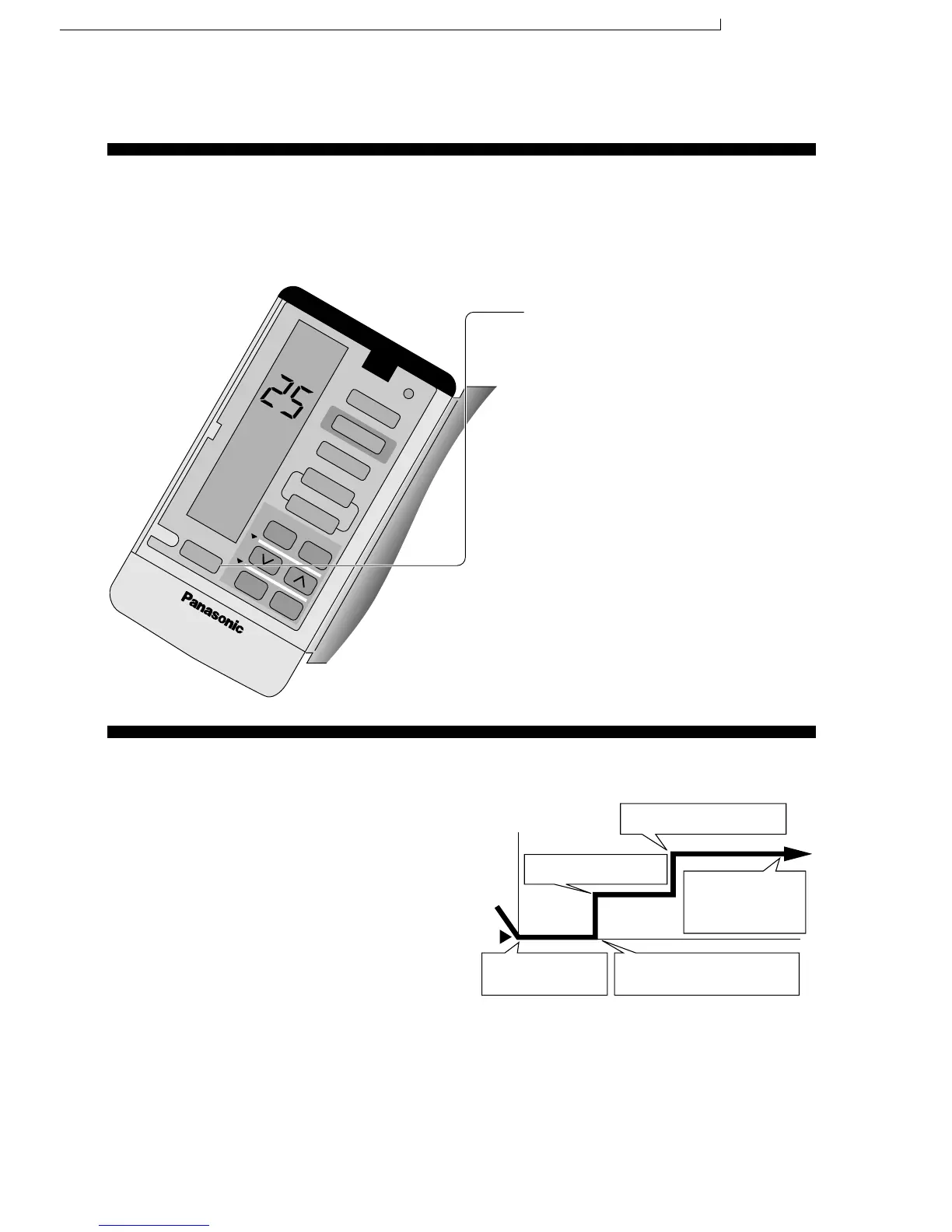
CONVENIENCE OPERATION
■ To set the sleep mode, press SLEEP.
* The sleep indicator on the indoor unit will
light up.
■ To cancel the sleep mode, press once
more.
AIR SWING
TIMER
C
LO
CK
1
2
3
COOL
MODE
ECONOMY
FAN SPEED
AUTO
MANUAL
ON OFF
SET
CANCEL
SLEEP
• When the room temperature reaches the setting
temperature, the airflow volume will automatically change
to low.
• Sleep Mode Operation time is 8 hours.
• When used together with the timer, the timer has priority.
• Cooling or Soft Dry Operation for sleep mode movement
will start to avoid overcooling.
■ Operation details
This is to obtain a comfortable room temperature while sleeping.
● Sleep Mode
Time
Approx. 0.5°C increase.
Setting temperature
Temperature
Sleep Operation button is
pressed.
Sleep shift operation starts.
0-1 hour
1 hour
Approx. 0.5°C increase.
Approx. 8 hours after sleep
shift operation starts, stops
automatically.
54
CS-MC95KE CU-MC145KE / CS-MC95KE CU-MC185KE / CS-MC95KE CU-3MC205KE / CS-MC125KE CU-MC245KE / CS-MC76KE / CS-MC126KE CU-MC196KE




 To Next Page