Advanced (Playback)
- 110 -
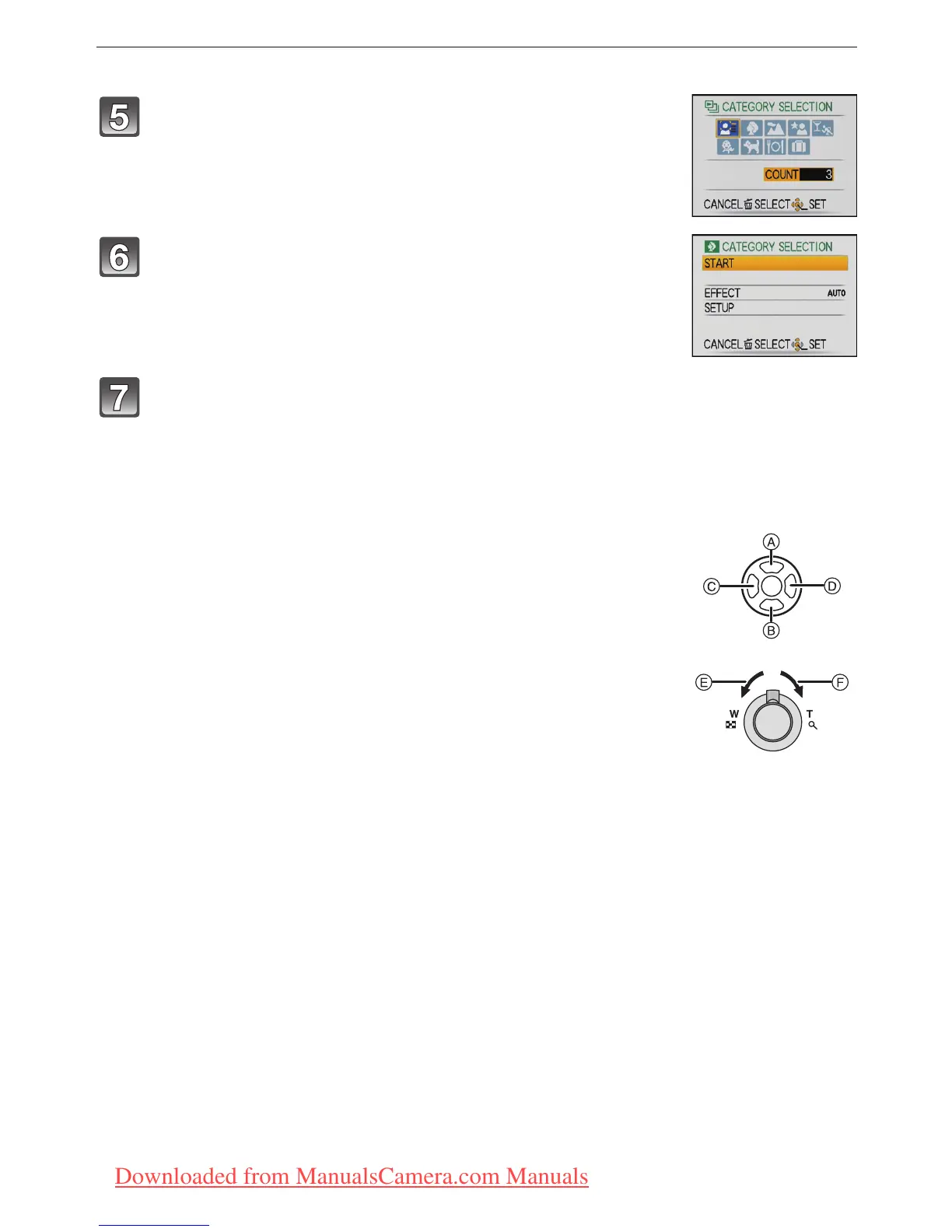
When [CATEGORY SELECTION] has been selected in step 4
∫ Operations performed during slide show
The cursor displayed during playback is the same as 3/4/2/1.
•
The menu screen is restored when [‚] is pressed.
Press 3/4/2/1 to select the category to play back
and then press [MENU/SET] to set.
• For details on categories, refer to P112.
Press 3 to select [START] and then press [MENU/
SET].
Press 4 to finish the slide show.
• Normal playback resumes after the slide show finishes.
A Play/Pause
B Stop
C Back to previous picture
¢
D Ahead to next picture
¢
¢ These operations can be performed only in the Pause Mode or during
motion picture playback.
E Reduce volume level
F Increase volume level
Downloaded from ManualsCamera.com Manuals













 To Next Page