Advanced (Playback)
- 112 -
[PLAYBACK] Mode: ¸
Selecting Pictures and Playing them Back
([CATEGORY PLAY]/[FAVORITE PLAY])
This mode allows you to search images by Scene Mode or other categories (such as
[PORTRAIT], [SCENERY] or [NIGHT SCENERY]) and sort the pictures into each of the
categories. You can then play back the pictures in each category.
Perform steps 1 and 2 on page 109.
Press 3/4 to select [CATEGORY PLAY], and then press [MENU/SET].
.
[CATEGORY PLAY]
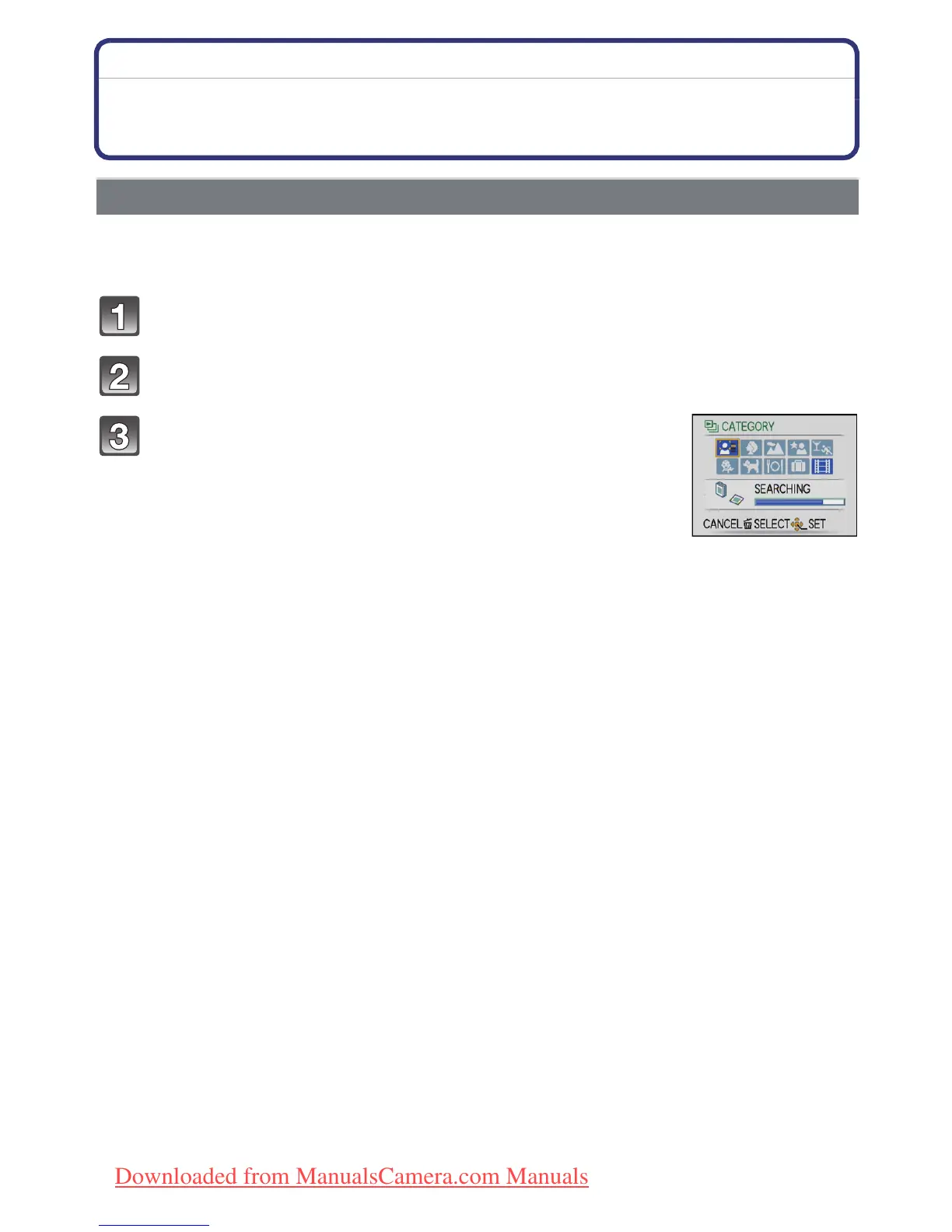
Press 3/4/2/1 to select the category and then
press [MENU/SET] to set.
• If a picture is found in a category, the category icon turns blue.
• It may take time to search the picture files if there are a lot on the
card or the built-in memory.
• If you press [‚] while searching, the searching will stop halfway.
• Pictures are sorted into the categories shown below.
Downloaded from ManualsCamera.com Manuals











 To Next Page