EasyManua.ls Logo

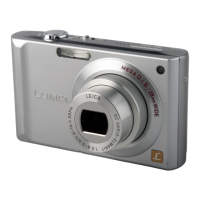
Panasonic Lumix DMC-FX7 - User Manual

Panasonic Lumix DMC-FX7
112 pages
Print Icon
To Next Page IconTo Next Page
Loading...
Operating Instructions
Digital Camera
Model No.DMC-FX7PP
Before use, please read these
instructions completely.
VQT0M16
For USA assistance, please call: 1-800-272-7033 or send e-mail to : digitalstillcam@panasonic.com
For Canadian assistance, please call: 1-800-561-5505 or visit us at www.panasonic.ca
FX7PP.book 1 ージ 2004年7月30日 金曜日 午前10時37分

Table of Contents

Questions and Answers

  • J
    James RoseAug 19, 2025
    Why won't my Panasonic Digital Camera turn on?
    • W
      watsoncassandraAug 19, 2025
      Your Panasonic Digital Camera might not be turning on because the battery isn't inserted correctly. Make sure to check the battery's direction. Also, ensure that the battery is sufficiently charged. Try using a fully charged battery.
  • H
    hudsontoddAug 21, 2025
    Why can't I transfer pictures from my Panasonic Digital Camera to my PC?
    • L
      Lisa DuffyAug 21, 2025
      If you're having trouble transferring pictures from your Panasonic Digital Camera to your PC, check if the camera is connected correctly. Also, ensure the camera is recognized by the PC and that the USB mode is set correctly.
  • N
    Nathan ClarkAug 23, 2025
    What to do if the picture is not displayed on the LCD monitor of my Panasonic Lumix DMC-FX7?
    • J
      jared77Aug 23, 2025
      If the picture isn't showing on your Panasonic Digital Camera's LCD monitor, it could be due to a few reasons. First, check if the power save mode or economy mode is activated; if so, press the shutter button halfway to deactivate them. Also, ensure the battery is sufficiently charged. Finally, if the built-in flash is charging in economy mode, the LCD monitor will be off until charging is complete.
  • M
    Michelle JacksonAug 26, 2025
    Why can't I record a picture on my Panasonic Lumix DMC-FX7?
    • B
      Brenda PhillipsAug 26, 2025
      You might not be able to record a picture with your Panasonic Digital Camera if the card isn't inserted or if there's no memory capacity left on the card. Before recording, try deleting some pictures to free up space.
  • U
    utaylorAug 28, 2025
    Why does the clock setting keep resetting on my Panasonic Lumix DMC-FX7 Digital Camera?
    • J
      Jeremiah MayAug 28, 2025
      If you do not use the Panasonic Digital Camera for a long time, the clock setting may be reset. When the message [PLEASE SET THE CLOCK] appears, set the clock again.
  • D
    Donald BradleyAug 30, 2025
    What to do if the picture is not played back on my Panasonic Lumix DMC-FX7?
    • C
      christyramirezAug 30, 2025
      If you cannot play back a picture on your Panasonic Digital Camera, ensure that the card is inserted and contains pictures. Also, verify that the mode dial is set to playback.
  • K
    Kenneth CoxSep 1, 2025
    How to fix a Panasonic Digital Camera that is not focusing properly?
    • C
      csmithSep 1, 2025
      If your Panasonic Digital Camera isn't focusing properly, the subject may be out of the focus range. If you still can't focus after trying multiple times, turn the camera off and then on again.
  • D
    David HaleSep 4, 2025
    How to activate the flash on my Panasonic Digital Camera?
    • M
      mathewbowmanSep 4, 2025
      The flash on your Panasonic Digital Camera might not be activated because the flash mode is set to Forced OFF. Change the flash mode.
  • L
    Lindsay TaylorSep 6, 2025
    Why are my pictures blurred on my Panasonic Lumix DMC-FX7 Digital Camera?
    • C
      Charles BurkeSep 6, 2025
      If your pictures are blurred when taken in shaded areas or indoors, it's because the shutter speed becomes slow, and the optical Image Stabilizer function may not work properly. Hold the camera firmly with both hands to take pictures. When the slow shutter is set, using a tripod is recommended.
  • N
    Nicholas TannerSep 8, 2025
    How to display pictures from my Panasonic Digital Camera on my TV?
    • X
      xduffySep 9, 2025
      If the picture from your Panasonic Digital Camera isn't showing on the television, verify that the camera is correctly connected to the TV and set the TV to video input mode.

Summary

Before Use

Information for Your Safety

General safety information, including warnings about fire/shock, exposure to elements, and user-serviceable parts.

Copyright Laws and Disclaimers

Advises on observing copyright laws and notes on potential differences in camera illustrations.

Product Notices and Cautions

Specific notices regarding mercury/lead content and battery replacement cautions.

Camera Care and Handling

Care for the Camera

Instructions on handling and cleaning the camera to prevent damage from impact, dust, or moisture.

LCD Monitor Precautions

Guidance on handling the LCD monitor, including avoiding pressure and understanding condensation effects.

Lens Care and Condensation

Advice on protecting the lens and managing condensation for optimal performance.

Long-Term Storage Recommendations

Recommendations for storing the camera and battery when not in use for extended periods.

Preparation

Standard Accessories

Lists and illustrates the standard accessories provided with the digital camera.

Names of the Components

Identifies and labels the various components and buttons of the digital camera.

Quick Guide to Basic Operation

Provides a quick overview of essential steps for operating the camera, with references to detailed pages.

Battery and Card Management

Instructions for charging, inserting, removing, and managing the battery and memory card.

Setting Date;Time and Setup Menu

Instructions for setting the camera's internal clock and navigating the setup menu.

LCD Monitor Display Options

Explains how to select different display modes for the LCD monitor in various camera modes.

Histogram and Recording Guide Lines

Details the histogram and guide lines for exposure assessment and photo composition.

Recording Pictures (Basic)

Taking Pictures with Mode Dial

Introduces the mode dial and basic steps for capturing images.

Focusing and Exposure Control

Covers focusing techniques, exposure indications, and compensation methods.

Simple Mode for Beginners

Introduces the Simple Mode for beginners, highlighting its simplified operations.

Flash and Self-Timer Usage

Instructions on using the built-in flash and self-timer for various shooting scenarios.

Exposure Compensation and Auto Bracket

How to adjust exposure and use auto bracketing for optimal results.

Optical Image Stabilizer and Burst Mode

How to use image stabilization and burst mode for sharper and faster shooting.

Recording Pictures (Advanced)

Macro and Motion Image Modes

Explains Macro mode for close-ups and Motion Image mode for recording videos.

Scene Modes Overview

Introduces various scene modes for specific shooting environments like portraits, landscapes, and night shots.

Advanced Recording Settings Menu

Overview of the REC mode menu for adjusting White Balance, ISO, Picture Size, and Quality.

AF Modes and Slow Shutter

Details autofocus modes, AF assist lamp, and slow shutter speed settings.

Digital Zoom, Color Effects, and Picture Adjustment

How to use digital zoom, apply color effects, and adjust picture tone.

Flip Animation Creation Process

How to create short motion picture files by sequencing still images.

Playback (Basic)

Playing Back Recorded Pictures

How to select, view, and navigate through recorded pictures.

Multi Picture Playback and Zoom

How to display multiple pictures and zoom in for detailed viewing during playback.

Deleting Pictures

Guides on how to delete single or multiple pictures from the memory card.

Playback (Advanced)

Playing Back Audio;Motion Images

How to play back pictures with audio and motion images.

Picture Rotation and DPOF Printing Setup

How to rotate pictures and set up DPOF for printing.

Protecting Pictures and Creating Slideshows

How to protect pictures from deletion and set up slideshows.

Adding Audio and Resizing Pictures

How to add audio to pictures and reduce their file size.

Trimming Pictures and Formatting Card

How to crop pictures and format the memory card.

Viewing Pictures on a TV Screen

How to connect the camera to a TV to view pictures and motion images.

Connecting to PC and Printer

USB Connection Mode Selection

How to select the correct USB mode for connecting to a PC or printer.

Connecting Camera to a PC

Detailed steps for connecting the camera to a PC via USB cable.

Direct Printing via PictBridge

How to connect the camera directly to a PictBridge-compatible printer for direct printing.

Print Settings and Layouts

Options for setting paper size, number of prints, date printing, and page layouts.

Others

Screen Display Indicators

Explains the various icons and information displayed on the camera's screen during recording and playback.

Cautions for Use and Battery Care

Important warnings and guidelines for safe and optimal camera operation, battery, and charger.

Card Handling and Troubleshooting

Guidelines for memory card care, folder structure, and common troubleshooting steps.

Message Display and Troubleshooting

Lists common camera messages and provides solutions for operational problems.

Technical Specifications

Lists the technical specifications of the digital camera, including dimensions, resolution, and features.

Accessory System and Customer Service

Lists available accessories and contact information for product support and service.

Panasonic Lumix DMC-FX7 Specifications

General IconGeneral
TypeCompact
Sensor TypeCCD
Megapixels5.0 MP
Optical Sensor Size1/2.5"
Optical Zoom3x
Digital Zoom4x
LCD Resolution114, 000 pixels
Image StabilizationOptical
Shutter Speed8 - 1/2000 sec
Focal Length5.8 mm - 17.4 mm
Screen Size2.5 inches
LCD Screen Size2.5 inches
ISO SensitivityAuto, 80, 100, 200, 400
Storage MediaSD
Supported Flash MemorySD
Battery TypeLithium ion
Video Resolution640 x 480
Effective Pixels5.0 MP
Optical Sensor Resolution5.0 MP
ISO Range80 - 400

Related product manuals