Preparation
- 18 -
Setting Date/Time (Clock Set)
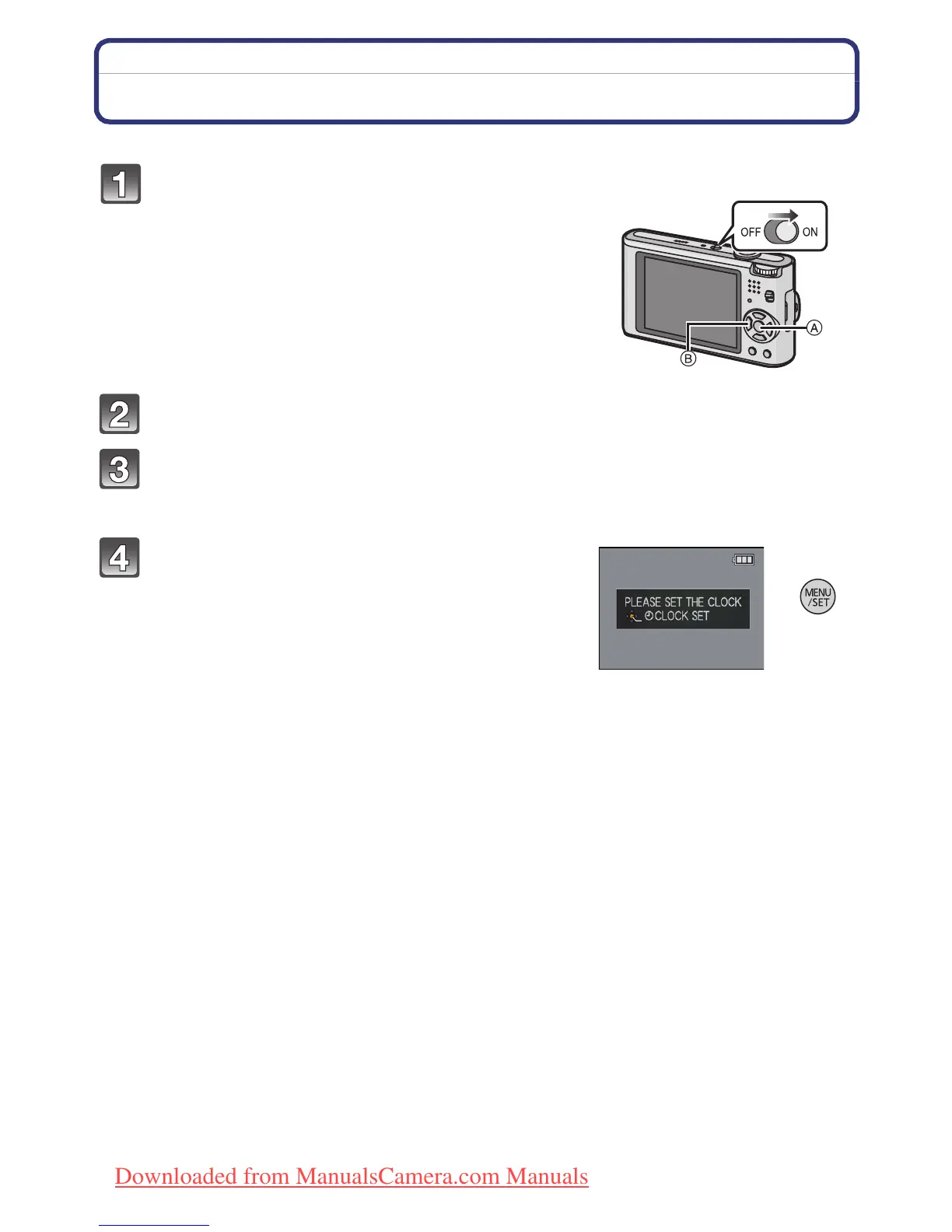
• The clock is not set when the camera is shipped.
Press [MENU/SET].
Press 3/4 to select the language, and press [MENU/SET].
• The [PLEASE SET THE CLOCK] message appears. (This message does not appear in
[PLAYBACK] Mode.)
Press [MENU/SET].
Turn the camera on.
A [MENU/SET] button
B Cursor buttons
• If the language select screen is not displayed, proceed
to step
4.
Downloaded from ManualsCamera.com Manuals








 To Next Page