Others
- 162 -
• When digital red-eye reduction ([ ], [ ], [ ]) is in operation, if you take a picture of
subject with red colour surrounded by a skin tone colour, that red part may be corrected to
black by the digital red-eye reduction function.
> It is recommend to take picture with flash mode set to [‡], [‰] or [Œ], or
[RED-EYE REMOVAL] on the [REC] Mode menu set to [OFF]. (P103)
• Is it a picture that has been recorded with other equipment? In such cases, these pictures may
be displayed with a deteriorated picture quality.
• This unit automatically adjusts the aperture during motion picture recording. At such times, a
clicking sound is heard, and this sound may be recorded on the motion pictures. This is not a
malfunction.
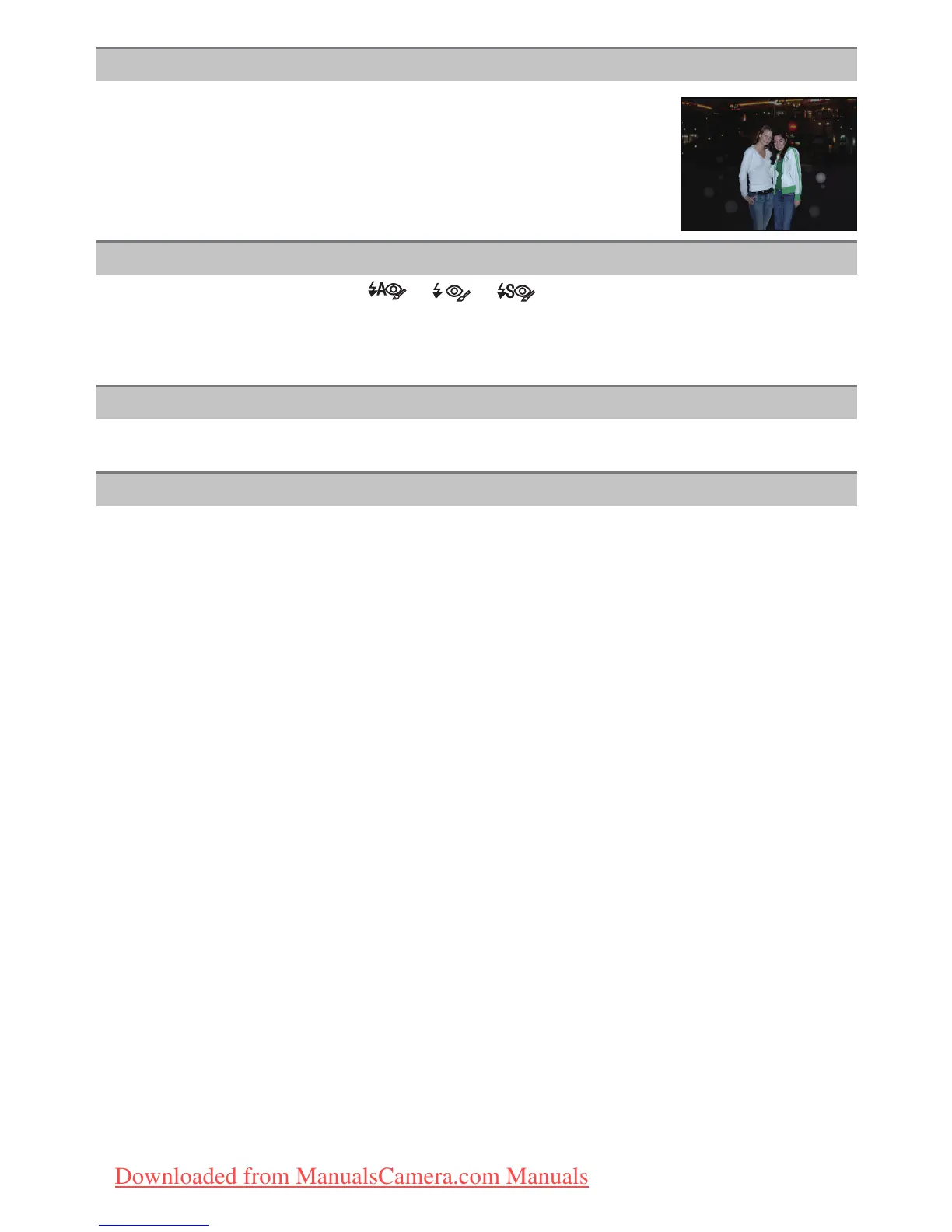
White round spots like soap bubbles appear on the recorded picture.
• If you take a picture with the flash in a dark place or indoors, white
round spots may appear on the picture caused by the flash reflecting of
particles of dust in the air. This is not a malfunction.
A characteristic of this is that the number of round spots and their
position differ in every picture.
Red part of the recorded image has changed colour to black.
[THUMBNAIL IS DISPLAYED] appears on the screen.
A clicking sound is recorded in the motion pictures.
Downloaded from ManualsCamera.com Manuals







 To Next Page