- 87 -
Advanced (Recording pictures)
Note
•
Return the setting to [HOME] when the vacation is finished by performing steps 1, 2 and 3.
• If [HOME] is already set, change only the travel destination, and use.
• If you cannot find the travel destination in the areas displayed on the screen, set by the time
difference from the home area.
• The travel destination icon [“] appears when playing back pictures taken at the travel
destination.
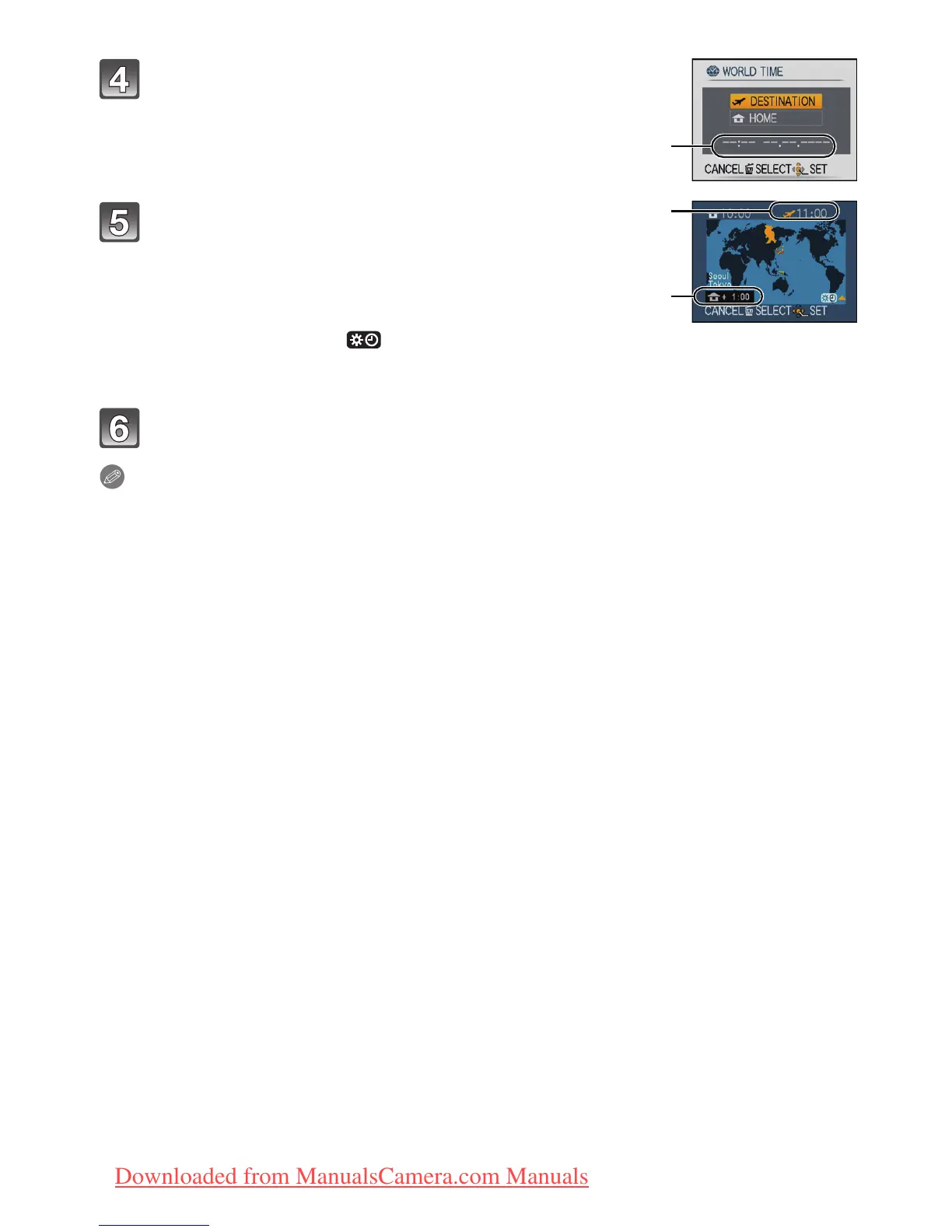
Press 3 to select [DESTINATION] and then
press [MENU/SET] to set.
C Depending on the setting, the time at the travel destination
area or the home area is displayed.
Press 2/1 to select the area the travel
destination is in and then press [MENU/SET] to
set.
D Current time of the destination area
E Time difference
• If daylight saving time [ ] is used at the travel destination,
press 3. (The time advances by one hour.) Press 3 again to
return to the original time.
Press [MENU/SET] to close the menu.




 To Next Page