Getting started
7
VQT3V91
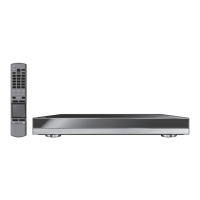
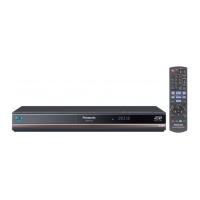
Control reference guide
1 Turn the unit on and off
2 TV operation buttons
You can operate the Panasonic TV through
the unit’s remote control. (Depending on the
TV these buttons may not work.)
[Í TV] : Turn the television on and off
[AV] : Switch the input select
[ijVOL] : Adjust the volume
3 Show the Home screen of the VIERA
Connect (> 22)
4 Select title numbers, etc./Enter numbers or
characters
[CANCEL] : Cancel
5 Basic playback control buttons (> 19)
6 Show Top menu (> 20)
7 Show HOME menu (> 17)
8 Touchpad (> 8)
Used for various operation
Move the highlight, confirm the selection, etc.
9 Show Option menu (> 25)
10 Colored buttons
Used for various purposes depending on the
display
11 Video option buttons (> 26)
12 Transmit the remote control signal
13 Open or close the disc tray (> 17)
14 Show status messages (> 20)
15 Show NETFLIX screen (> 22)
16 Start up a video communication (> 22)
17 Show Pop-up menu (> 20)
18 Show KEYS screen on the screen (> 9)
19 Return to previous screen
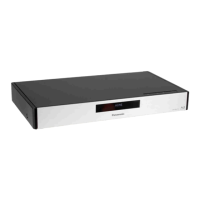
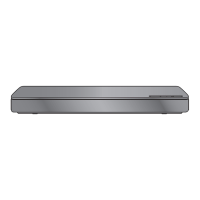
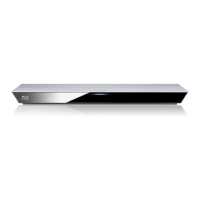
1 Standby/on switch* (Í/I) (> 14)
Touch to switch the unit from on to standby
mode or vice versa. In standby mode, the unit
is still consuming a small amount of power.
2 Display
3 CALL LED
The LED will light up when this unit receives
incoming call etc. of the video
communication. (> 22)
4 V.OFF LED (Video off LED)
It is possible to set the LED to turn on/off.
(> 33)
5 Remote control signal sensor
Distance: Within approx. 7 m (23 feet)
Angle: Approx. 20e up and down, 30e left and
right
6 Disc tray (> 17)
7
Open or close the disc tray* (> 17)
8 Stop* (> 19)
9 Start play* (> 19)
10 SD card slot (> 17)
11 USB port (> 17)
* These buttons work just by touching the marks.
The volume of operation sound can be adjusted by “Unit
Operation Sound” . (> 33)
ヰヱユワチ
チヤロヰヴユ
チ
1
2
3
4
5
8
7
6
17
9
18
19
15
13
14
16
12
11
10
162 345
789
11
10
Pull to flip down
the front panel.
DMP-BDT500_VQT3V91_eng.book 7 ページ 2012年2月14日 火曜日 午後1時9分




 To Next Page
