EasyManua.ls Logo

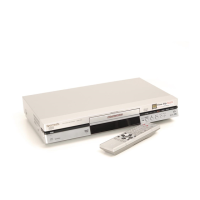
Panasonic DMR-E30 - User Manual

Panasonic DMR-E30
40 pages
Print Icon
To Next Page IconTo Next Page
Loading...
DVD Video Recorder
Operating Instructions
Model No.
DMR-E30
Before connecting, operating or adjusting this product,
please read these instructions completely.
Please keep this manual for future reference.
RQT6593-B
(For UK Customers Only)
EB GH
G-CODE
g

Table of Contents

Other manuals for Panasonic DMR-E30

Questions and Answers

  • P
    pollardshannonJul 26, 2025
    How to adjust display brightness on Panasonic DVR?
    • P
      Patrick PughJul 26, 2025
      If the display on your Panasonic DVR is dim, adjust the brightness using the “FL Display” setting in the Display section of the SETUP menus. If “12:00” is flashing, the clock hasn't been set; configure it via “Clock Settings” in the Set Up section of the SETUP menus. A slight difference between displayed and actual recording time is normal due to minute variations in the number of frames recorded per second.
  • T
    Tiffany MeyerJul 30, 2025
    What causes ghosting with progressive output on Panasonic DMR-E30 DVR?
    • J
      Jeffrey JensenJul 30, 2025
      If you notice ghosting with progressive output on your Panasonic DVR, select “Video” in the on-screen menu and set “Progressive” to “OFF”. This issue can be caused by the editing method or material used on the DVD, but using interlace output should correct it. Also, the effect of video adjustments may be less noticeable with certain types of video.
  • E
    Emily MorrisonAug 3, 2025
    Why is my Panasonic DMR-E30 remote control not working?
    • R
      robert67Aug 3, 2025
      If your Panasonic DVR remote isn't working, ensure the [DVD, TV] switch is correctly set to “DVD” for operating the unit or “TV” for controlling the television's channel selection. Also, verify that the remote control and the main unit are using the same code. If the issue persists, try replacing the batteries with new ones, pointing the remote directly at the sensor on the main unit, and removing any obstructions. If you still cannot operate the television, try changing the manufacturer code, although some televisions may not be compatible.
  • C
    Christina WalkerAug 7, 2025
    How to fix no sound on Panasonic DVR?
    • A
      Ashley PhillipsAug 7, 2025
      If you're experiencing sound issues with your Panasonic DVR, such as no sound, low volume, or distortion, first check all connections and the input mode on your amplifier, if one is connected. If distortion occurs, try turning V.S.S. off. To select a specific audio type, press the [AUDIO] button. In the SETUP menus, under Audio, ensure the correct setting is chosen with “Select MTS for DVD-R or LPCM”. If using a digital connection and encountering issues, set “Dolby Digital” to “PCM” or use analog audio cables. Note that you cannot change the audio type when using DVD-R or LPCM recordings.
  • A
    ann61Aug 11, 2025
    Why does my Panasonic DMR-E30 DVR have no power?
    • C
      Charles LeeAug 11, 2025
      If your Panasonic DVR has no power or switches to standby mode, first ensure the AC power supply cord is securely inserted into a working AC outlet. If the unit is in standby, it may be due to a power-saving feature; you can disable this in the SETUP menus under Off Timer (Set Up—Off Timer— Off). Press [Í, DVD POWER] to turn the unit on. If neither of these solutions work, one of the unit's safety devices may have been activated, so press [Í, DVD POWER] again to attempt to turn it on.
  • R
    robbinsjulianAug 20, 2025
    What to do if Panasonic DVR is on but not responding?
    • J
      Jennifer ThorntonAug 20, 2025
      If your Panasonic DVR is on but not responding, and “U14” appears on the display, wait for “U14” to disappear. If this doesn't resolve the issue, a safety device may have been activated. To reset the unit, press [Í, DVD POWER] to switch it to standby. If it doesn't switch to standby, press and hold [Í, DVD POWER] for about 10 seconds to forcibly switch it off. Alternatively, disconnect the AC power supply cord, wait one minute, then reconnect it. After completing either of these steps, press [Í, DVD POWER] to turn the unit on again.
  • M
    Matthew FriedmanNov 14, 2025
    Why won't my Panasonic DMR-E30 DVR play?
    • T
      taylortravisNov 15, 2025
      If your Panasonic DVR is failing to start playback, ensure the disc is correctly inserted with the label facing up and that it is a compatible format (DVD-RAM, DVD-R, DVD-Video, Video CD, or CD). Clean the disc if it's dirty, and check for scratches. Ensure you haven't inserted a blank DVD-RAM or DVD-R. If condensation has formed, wait 1 to 2 hours for it to evaporate. Note that some titles and chapters may not play if the ratings level has been changed. Some distortion during search is normal. If alternative soundtracks or subtitles cannot be selected, it may be because the languages or subtitles are not recorded on the disc; use the disc's menus to select languages or turn subtitles on. Angle changes depend on software availability and are only possible during scenes recorded with differ...

Summary

Control Reference Guide

Remote Control Overview

Details the buttons and functions of the remote control.

Main Unit Components

Identifies the main components and indicators on the DVD recorder.

Warning and Important Information

Safety Guidelines

Covers crucial safety precautions for operating the product.

The Remote Control

Auto Setup

With Q Link TV (New)

Initial setup procedure for a new Q Link TV.

With Q Link TV (Existing)

Setup procedure for an existing Q Link TV.

Video Plus+ Codes for Satellite Receivers;Cable TV

Playing Discs

Basic Playback and Management

Inserting, playing, and erasing discs and programmes.

Playing While You Are Recording

Chasing Playback

Start playing a programme while it is still being recorded.

Simultaneous Recording and Playback

Play recorded programmes while recording a new one.

Timer Recording

Programming Timer Recordings

Using VIDEO Plus+/G-CODE or manual methods to set recordings.

Recording from a Video Cassette Player

Connecting and Recording from External Equipment

Steps to record audio/video from VCR or camera.

DISC INFORMATION

Disc Protection and Release

How to protect discs from erasure and how to release protection.

Erasing Programmes and Formatting Discs

Procedures to erase all programmes or format a disc.

Using the DIRECT NAVIGATOR

Panasonic DMR-E30 Specifications

General IconGeneral
TypeDVD Recorder
Recording FormatDVD-RAM, DVD-R, DVD-RW
Video FormatMPEG-2
Video SystemPAL
Hard DriveNo
Remote ControlYes
Audio FormatDolby Digital
ConnectivityComposite Video, S-Video
Playback FormatsDVD-Video, DVD-RAM, DVD-R, DVD-RW, CD, CD-R, CD-RW
Storage CapacityNot applicable (DVD based)
TunerAnalog

Related product manuals