EasyManua.ls Logo

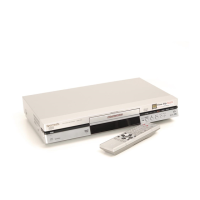
Panasonic DMR-E30S - User Manual

Panasonic DMR-E30S
68 pages
Print Icon
To Next Page IconTo Next Page
Loading...
Region number supported by this unit
Region numbers are allocated to DVD players and software
according to where they are sold.
The region number of this unit is “1”.
The unit will play DVDs marked with labels containing “1” or
ALL”.
1
ALL
2
4
1
Example:
This manual was printed with soy based ink.
DVD VIDEO RECORDER
Operating Instructions
Model No. DMR-E30
[For\U.S.A.]
The warranty can be found on page 64.
[For\Canada]
The warranty can be found on page 65.
En las páginas 66 y 67 hay una guía de referen-
cia rápida en español.
RQT6559-P
PP
Dear customer
Thank you for purchasing this product. For optimum performance
and safety, please read these instructions carefully.
Before connecting, operating or adjusting this product, please read
these instructions completely. Please keep this manual for future ref-
erence.

Table of Contents

Other manuals for Panasonic DMR-E30S

Questions and Answers

  • A
    antoniobellJul 26, 2025
    How to fix no sound on my Panasonic DMR-E30S?
    • J
      jmcdonaldJul 26, 2025
      If you have no sound on your Panasonic DVR, or experience low or distorted sound, first check the connections and the input mode on the amplifier if one is connected. If the distortion is caused by V.S.S., turn it off. Press [AUDIO] to select the desired audio type. In the SETUP menus, go to Audio and choose the correct setting with “Select MTS for DVD-R or LPCM”. If you are using a digital connection, set “Dolby Digital” to “PCM” or use audio cables (analog connection). Note that you cannot change the audio type when using DVD-R or LPCM recordings.
  • T
    Terry SmithAug 16, 2025
    Why is my Panasonic DMR-E30S DVR remote control not working?
    • D
      Danielle MeyerAug 16, 2025
      Your Panasonic DVR remote control might not be working because the [DVD, TV] switch is not set to “DVD”. Ensure it is switched to “DVD” when operating the unit. It could also be due to depleted batteries, so try replacing them. Also, make sure to point the remote control at the sensor on the main unit and remove any obstacles between the remote and the unit. The remote control and main unit may be using different codes; try changing the code on the remote control or main unit. If you cannot operate the television, ensure [DVD, TV] is switched to “TV” when selecting the receiving channel for the television. Some televisions cannot be operated even if you change the code; try changing the manufacturer code.
  • A
    Alexander WhiteNov 3, 2025
    What to do if my Panasonic DVR won't play?
    • J
      Jessica RoseNov 3, 2025
      If your Panasonic DVR won't play, ensure the disc is inserted correctly with the label facing up. Confirm that the disc is a supported type, such as DVD-RAM, DVD-R, DVD-Video, Video CD, or CD. Clean the disc if it is dirty. If condensation has formed, wait 1 to 2 hours for it to evaporate. If you have forgotten your ratings password, return the ratings setting to “8” by pressing and holding [:/6] and [5/9] on the main unit simultaneously for 5 or more seconds while the disc tray is open. If you can't select alternative soundtracks or subtitles, the languages may not be recorded on the disc, so use the disc’s menus to select languages. If there are no subtitles, turn the subtitles on. Angle changes are only possible during scenes recorded with different angles. Some distortion during search...

Summary

Getting Started: Setup and Basic Operations

Important Safety Instructions

Read and follow all safety instructions carefully before using the unit.

Antenna and TV Connections

Connect the unit to your antenna and television for proper signal reception.

Automatic Channel Tuning

Automatic process to tune in channels and set the clock upon initial setup.

Playing and Recording: Core Functions

Playing Discs

Instructions for inserting discs and starting playback of various disc types.

Flexible Recording Feature

Record at the best picture quality within a set time, automatically adjusting recording rate.

Advanced Play Features

Advanced Playback Methods

Explore advanced playback features like fast forward, rewind, slow-motion, and frame-by-frame viewing.

Timer Recording: Schedule Your Recordings

Manual Timer Recording Setup

Step-by-step guide to program daily or weekly recordings using timer functions.

Editing and Disc Management

Disc Settings and Protection

Manage disc protection, formatting, and finalization for DVD-Video compatibility.

Advanced Operation and Settings

Using the FUNCTIONS Window

Access main functions quickly and easily through the FUNCTIONS window.

Home Theater Connections

Connect to amplifiers for surround sound and enjoy enhanced audio experiences.

Reference and Support

Troubleshooting Common Issues

Solutions for common problems related to sound, playback, display, and remote control.

Panasonic DMR-E30S Specifications

General IconGeneral
BrandPanasonic
ModelDMR-E30S
CategoryDVR
LanguageEnglish

Related product manuals