EasyManua.ls Logo

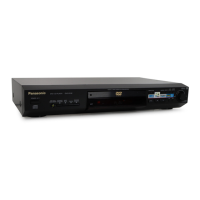
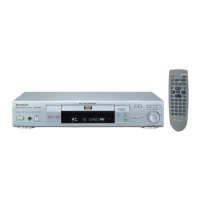
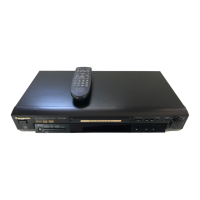
Panasonic DVD-RV22 - User Manual

Panasonic DVD-RV22
25 pages
Print Icon
To Next Page IconTo Next Page
Loading...
DVD/CD PLAYER
Operating Instructions
Model No.
DVD-RV32/DVD-RV27/DVD-RV22
Before connecting, operating or adjusting this product,
please read these instructions completely.
Please keep this manual for future reference.
As an
E
NERGY
S
TAR
®
Partner, Panasonic
has determined that this product meets the
E
NERGY
S
TAR
®
guidelines for energy
efficiency.
This manual was printed with soy based ink.
Region number supported by
this player
Region numbers are allocated to DVD players
and software according to where they are sold.
For U.S.A., Canada, and units with
PX printed on the outer packaging
The region number of this player is 1.
The player will play DVDs marked with
labels containing 1 or ALL.
Example:
For the Middle East and South
Africa
The region number of this player is 2.
The player will play DVDs marked with
labels containing 2 or ALL.
Example:
For Asia
The region number of this player is 3.
The player will play DVDs marked with
labels containing 3 or ALL.
Example:
For Australia and N.Z.
The region number of this player is 4.
The player will play DVDs marked with
labels containing 4 or ALL.
Example:
2
4
1
1
ALL
3
5
2
2
ALL
3
6
2
3
ALL
4
6
2
4
ALL
[For\U.S.A.\only]
The warranty can be found on page 21.
En la página 23 hay una guía de referen-
cia rápida en español.
RQT6236-1P
P PC PP PX GC
GCS
GN

Questions and Answers

  • D
    daniel72Jul 29, 2025
    What to do if my Panasonic DVD-RV22 DVD Player is not responding to remote or buttons?
    • K
      Kevin ReynoldsJul 29, 2025
      If your Panasonic DVD Player isn't responding to button presses or the remote, it could be due to a few reasons. First, the unit may have been affected by lightning or static electricity; try resetting it by switching it to standby mode and then back on, or disconnecting and reconnecting the AC power cord. If using the remote, replace the batteries. Also, condensation may have formed inside the unit; wait 1 to 2 hours for it to evaporate. Ensure you are using a compatible disc (DVD, CD, or Video CD). Clean the disc if it is dirty. Finally, you can try resetting all settings to the Factory Preset.
  • D
    Dean McdowellAug 3, 2025
    How to fix sound issues (no sound, distorted sound) on Panasonic DVD Player?
    • M
      Mary AtkinsonAug 4, 2025
      If you're experiencing no sound, distorted sound, or piercing noise from the speakers with your Panasonic DVD Player, try these steps: * Check the connections to ensure they are secure. * Verify the volume level on all connected equipment. * Make sure the input settings on your television and stereo system are correct. * If Advanced Surround is causing distortion, turn it off. * Confirm that the 'Dolby Digital', 'DTS Digital Surround', and 'MPEG' settings are correctly configured in the SETUP menu's Audio section.
  • J
    Joshua WilkinsAug 8, 2025
    Why is the picture distorted or there is no picture on my Panasonic DVD-RV22?
    • M
      melaniebakerAug 8, 2025
      If you're experiencing a distorted picture, no picture, or poor picture quality with your Panasonic DVD Player, start by ensuring all equipment is connected properly and that your television is turned on and set to the correct video input. Next, adjust the 'TV Aspect' setting in the Video menu of the SETUP screen to match your television. If you see black bands or cut-off sides, the 4:3 TV ZOOM function might be enabled. If colors appear faded, and the unit and television are using different video systems, use a multi-system or PAL television.
  • M
    Mallory StarkAug 13, 2025
    What to do if my Panasonic DVD-RV22 displays 'NO PLAY', 'CHECK DISC', 'NO DISC'?
    • E
      Edward SandersAug 13, 2025
      If your Panasonic DVD Player displays 'NO PLAY', 'CHECK DISC', or 'NO DISC', it could be due to several reasons. First, ensure that the disc you've inserted is compatible with the unit. If it is, wipe the disc clean. If the issue persists, try resetting the unit by switching it to standby mode and then back on, or by disconnecting and reconnecting the AC power cord. Also, make sure you have inserted a disc correctly.
  • J
    Jason CookAug 18, 2025
    Why Panasonic DVD Player has no power or switches to standby mode?
    • A
      Amanda EscobarAug 18, 2025
      If your Panasonic DVD Player has no power or automatically switches to standby mode, ensure the AC power supply cord is securely inserted into the household AC outlet. Also, the unit automatically switches to standby after approximately 30 minutes in stop mode to conserve power; turn the power back ON. The unit might have also been switched to standby by the SLEEP timer.
  • C
    Charlene SmithAug 23, 2025
    How to fix no on-screen display on Panasonic DVD-RV22 DVD Player?
    • M
      Michael CarpenterAug 23, 2025
      If you're not seeing an on-screen display or the menu icons are not fully displayed on your Panasonic DVD Player, go to the Display settings in the SETUP menu and ensure that 'On-Screen Messages' is set to 'On'. If the on-screen menu icons are only partially displayed, press the [3, 4] buttons while the rightmost icon is highlighted to move them down. If the disc’s menu is displayed in a different language, go to the Disc settings in the SETUP menu and select your preferred language for 'Menus'.

Summary

Getting Started and Setup

Connecting to Your Television

Explains how to connect the unit to a television for audio and video.

Quick Setup Process

Guides users through initial setup of language, TV aspect, etc.

Safety Precautions and Warnings

General Safety Warnings

Covers laser safety, avoiding water, ventilation, and battery disposal.

Electrical Safety and Plug Insertion

Warns about electric shock, not opening covers, and proper plug insertion.

Important Safety Instructions

Power Cord and Plug Safety

Details safe connection and handling of the power cord and plug.

Connecting to Your Television

Video Output Connections

Explains using S-Video and Component Video OUT terminals for better picture quality.

Remote Control and Initial Setup

Quick Setup Procedure Steps

Step-by-step guide for initial TV aspect and language settings.

Basic Playback Operations

Disc Playback, Pause, Stop, and Resume

Covers basic playback, pause, stop, and resume functions.

MP3 Disc Playback and Memory Functions

Playing MP3 Discs Using Menus

Guides on navigating and playing MP3 files from discs using menus.

Advanced Playback and Zoom Features

Convenient Playback Modes

Program, Repeat, and Random Play

Explains program, repeat (chapter/track/disc), and random playback modes.

A-B Repeat Section Playback

Repeats a specific section between points A and B.

Enhancing Movie Experience

Subtitle and Angle Selection

How to change subtitle language and camera angles during playback.

Audio Track Selection

How to select different audio tracks or languages during playback.

Audio and Video Enhancement Features

Changing Unit Settings

Advanced Settings and Digital Output

Home Theater Sound Setup

Troubleshooting Common Issues

Power and Operation Problems

Solutions for power-related problems and unresponsive controls.

Playback and Disc Error Solutions

Addresses issues like playback failure, language selection, and menu display.

Troubleshooting and Glossary

Picture Quality and Display Errors

Solves problems related to distorted pictures, no picture, or error messages.

Limited Warranty (USA)

Product Service and Support

Technical Specifications

Panasonic DVD-RV22 Specifications

General IconGeneral
BrandPanasonic
ModelDVD-RV22
CategoryDVD Player
LanguageEnglish

Related product manuals