RQT7258
6
Basic play
[Note]
≥“D.MIX” on the display indicates that a soundtrack with three or more
channels can be down-mixed to two channels (➜ page 16, Glossary).
≥Discs continue to rotate while menus are displayed. Press [∫] when you
finish to preserve the unit’s motor and your television screen.
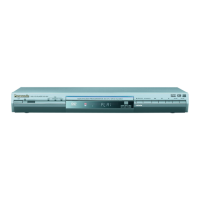
∫ Standby/on switch (Í/I)
Press to switch the unit from on to standby mode or vice versa. In
standby mode, the unit is still consuming a small amount of power.
Standby/on indicator (Í)
When the unit is connected to the AC mains supply, this indicator
lights up in standby mode and goes out when the unit is turned on.
750p/1125i
Press to skip.
Press and hold to
–search (during play)
–slow-motion.
(during pause)
PauseStop
≥
Load double-sided discs
so the label for the side you
want to play is facing up.
≥[RAM] Remove discs from
their cartridges before
use.
1
Power ON.
2
Open the disc tray.
3
Load the disc.
4
Start play.
FL SELECT
TV
AV
CH
VOLUME
PLAY SPEED
CANCEL
POSITION MEMORY
QUICK REPLAY
SKIP
SLOW/SEARCH
STOP
PAUSE
PLAY
DIRECT NAVIGATOR
TOP MENU
PLAY LIST
MENU
ENTER
DISPLAY
RETURN
CONTRAST
BRIGHTNESS
SHARPNESS
COLOR
SUBTITLE
AUDIO
ANGLE/PAGE
SETUP
AV ENHANCER
MULTI
RE-MASTER
AUDIO ONLY
Remote control
signal sensor
(➜ page 7)
Stop
The position is memorized when
“!” flashes on the display.
≥Press [1] (PLAY) to resume.
[DVD-V]
To review the previous
chapters
(➜ page 9, Position
memory).
≥Press [∫] to clear the position.
Pause
≥Press [1] (PLAY) to restart
play.
Skip
Skips items.
≥[RAM] Can also skip to the
markers [➜ page 12, Marker
(VR)].
Group skip
[WMA] [MP3] [JPEG] [MPEG4]
Skips groups.
≥Does not work while paused.
Search
(during play)
≥Up to 5 steps.
≥Press [1] (PLAY) to start play.
≥[VCD] Slow motion: Forward
direction only.
≥[MPEG4] Slow motion: Does not
work.
Slow-motion
(during pause)
Frame-by-
frame
(during pause)
[RAM] [DVD-V] [VCD]
≥[VCD] forward direction only.
On-screen
item select
If you are experiencing problems, refer to troubleshooting guide
(➜ page 18, 19).
STOP
PAUSE
SKIP
ENTER
SLOW/SEARCH
ENTER
ENTER
Select
Register
Enter number
[RAM] [DVD-A] [DVD-V] [VCD] [CD]
e.g. To select 12:
[S10] ➜ [1] ➜ [2]
[WMA] [MP3] [JPEG] [MPEG4]
e.g. To select 123:
[1] ➜ [2] ➜ [3] ➜ [ENTER]
≥Press [CANCEL] to cancel the
number(s).
Disc menu
[DVD-A] [DVD-V]
Shows a disc top menu.
[RAM]
Plays the programs (
➜
page 11).
[DVD-V]
Shows a disc menu.
[RAM]
Plays a play list (➜ page 11).
[VCD] with playback control
Shows a disc menu.
Return to
previous
screen
Main unit
display
Number display
:;
Time display
Information
screen
[RAM]
Turns subtitle on/off (➜ page 9).
[DVD-V] [VCD] (SVCD only)
Selects the subtitle languages
(➜ page 9).
[WMA] [MP3] [JPEG] [MPEG4]
[CD] (CD text only)
Turns the information screen on/
off.
123
456
789
0
10
CANCEL
ENTER
TOP MENU
DIRECT NAVIGATOR
MENU
PLAY LIST
RETURN
RETURN
FL SELECT
SUBTITLE
Basic play



 To Next Page