ENGLISH - 9
Attaching the Lens Hood
If you need to attach the lens hood, attach it after attaching the lens xing attachment.
Attention
z
When mounting the lens hood supplied with the projector to the projector, be sure to request installation from
your dealer or certied personnel.
Be sure to hand this manual and the "Mounting the lens hood" document supplied with the projector to the
personnel performing the installation. After installation, have the installation personnel return these documents
to you, and store them for future reference.
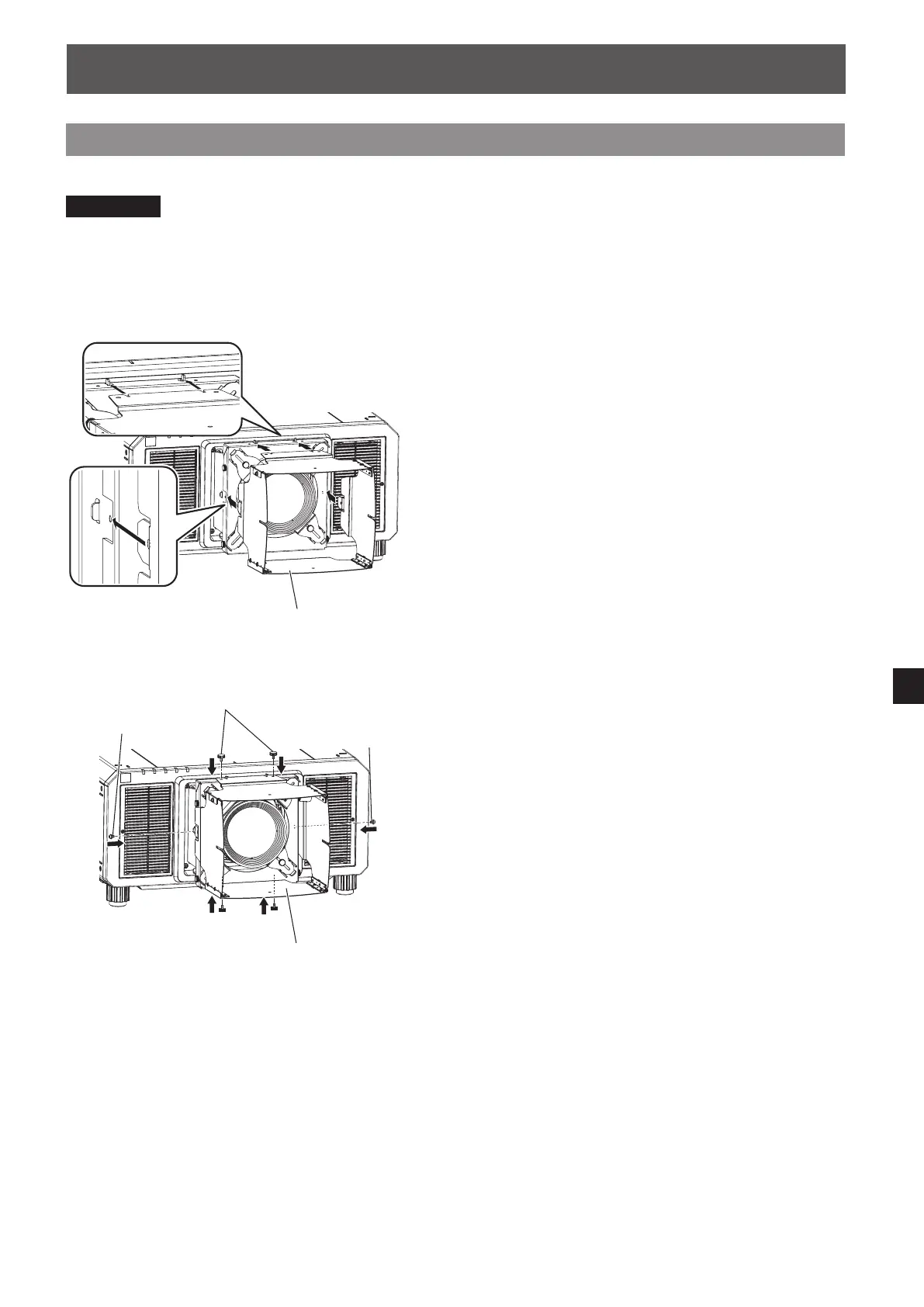
1) Attach lens hood 1 to the lens xing
attachment.
2) Tighten the lens hood screws (two places)
and thumbscrews (two places) to x lens
hood 1.
Attaching (continued)
Lens hood 1
Thumbscrews
Lens hood 1
Lens hood screw
Lens hood screw









 To Next Page