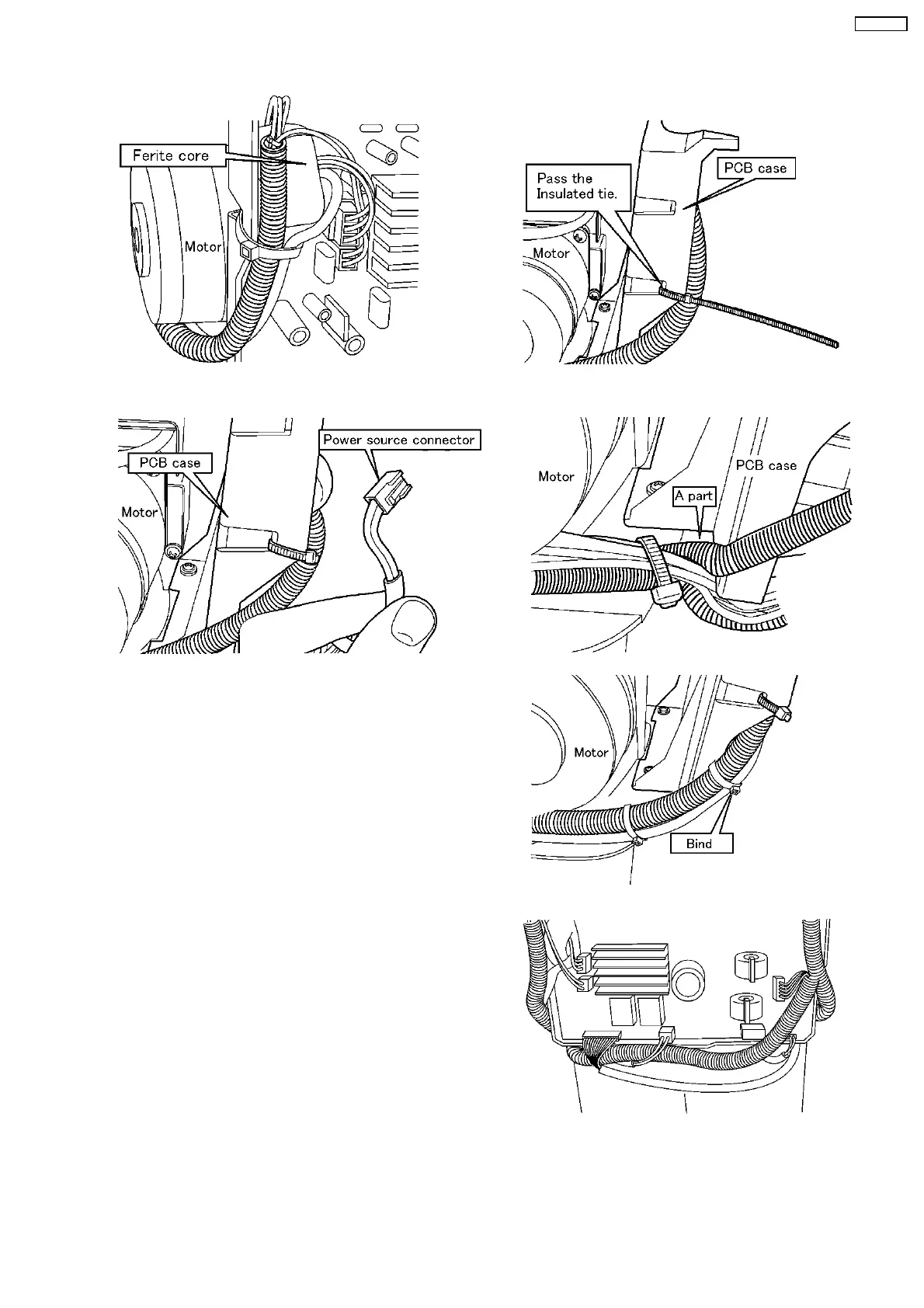
3. Align the Wires.(2)
4. Align the Wires.(3)
a. Bind the Power source wire and the Driving motor wire
with the Insulated tie middle.
b. Insert the Sensor wire to the Main PCB and bind the
pink wire and black thick wire with the Insulated tie
small.
a. Pass the Insulated tie middle though the bottom hole on the side of the PCB case and bind/fix it under the Ferite core. (Align
the Wires inside the B-PCB case.)
b. Pass the Power source wire connector from the A part to the bottom of the PCB case and insert the Connector to the Main
PCB firmly.
15
EU6441-U1



 To Next Page