4.10 Second Program Area (FP2SH, FP10SH)
4-35
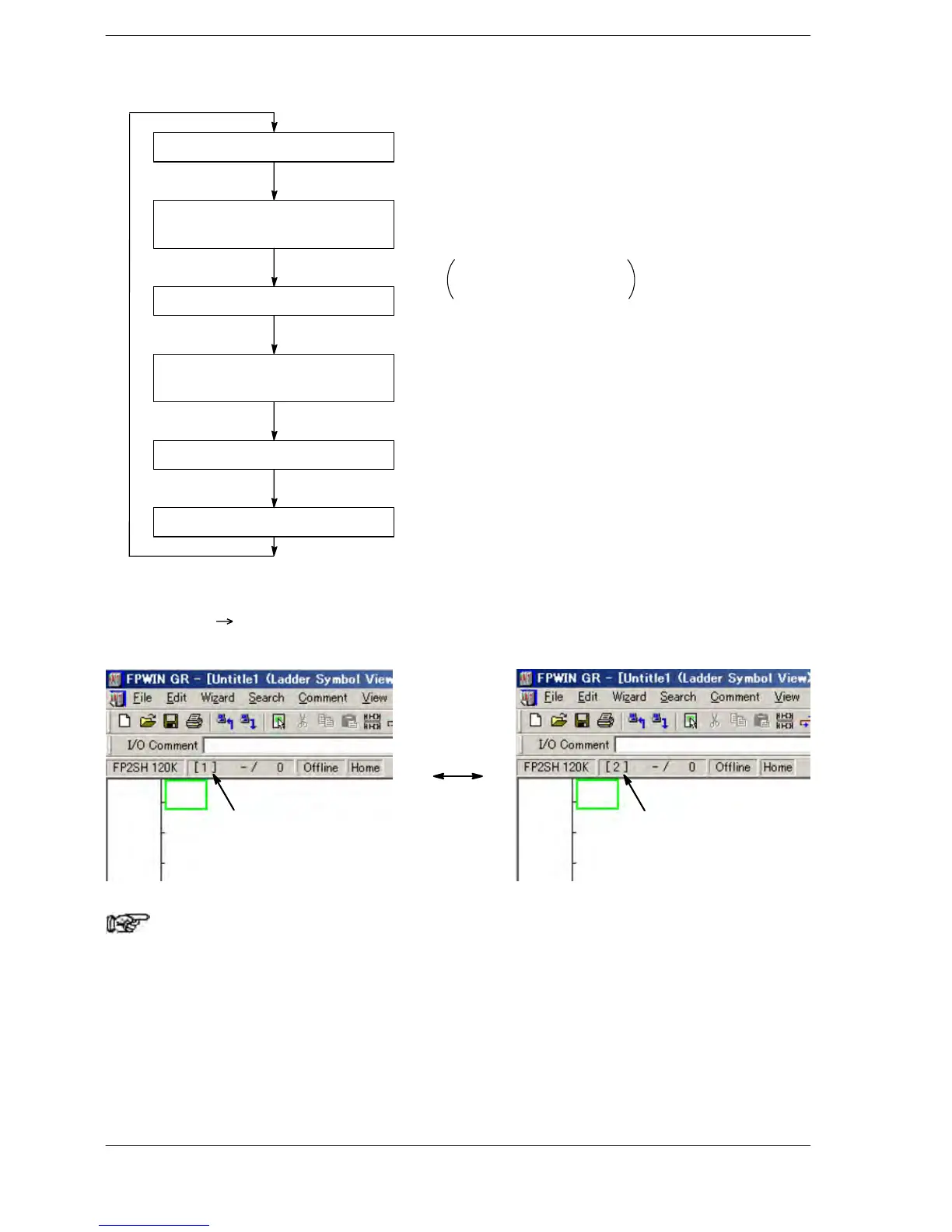
Operation flow diagram of FP2SH and FP10SH
I/O update
Index register bank = 0
File register bank = 0
First program operation
Index register bank = 0
File register bank = 0
Second program operation
Tool service
As shown in the left diagram, the second program is
executed after the first program has completed.
At the points when the first program or the second
program starts, the following settings will be auto-
matically selected.
Index register bank = 0
File register bank = 0
Program switching method with FPWIN GR
Select “Edit”
“Switch Programming Area” in the menu bar to change the program
area.
First program
Second program
Note
The monitor data in the tool software is the data monitor when
both first and second programs complete.





 To Next Page