Basic Instructions
2 − 81
The execution state (start/stop) for processes are stored in special data registers:
Type Special data register
FP0 C10, C14, C16, C32/
FP−e
DT9060 to DT9067
FP0 T32/FP0R DT90060 to DT90067
FPΣ/FP−X/FP2/FP2SH/
FP10SH
DT90060 to DT90122
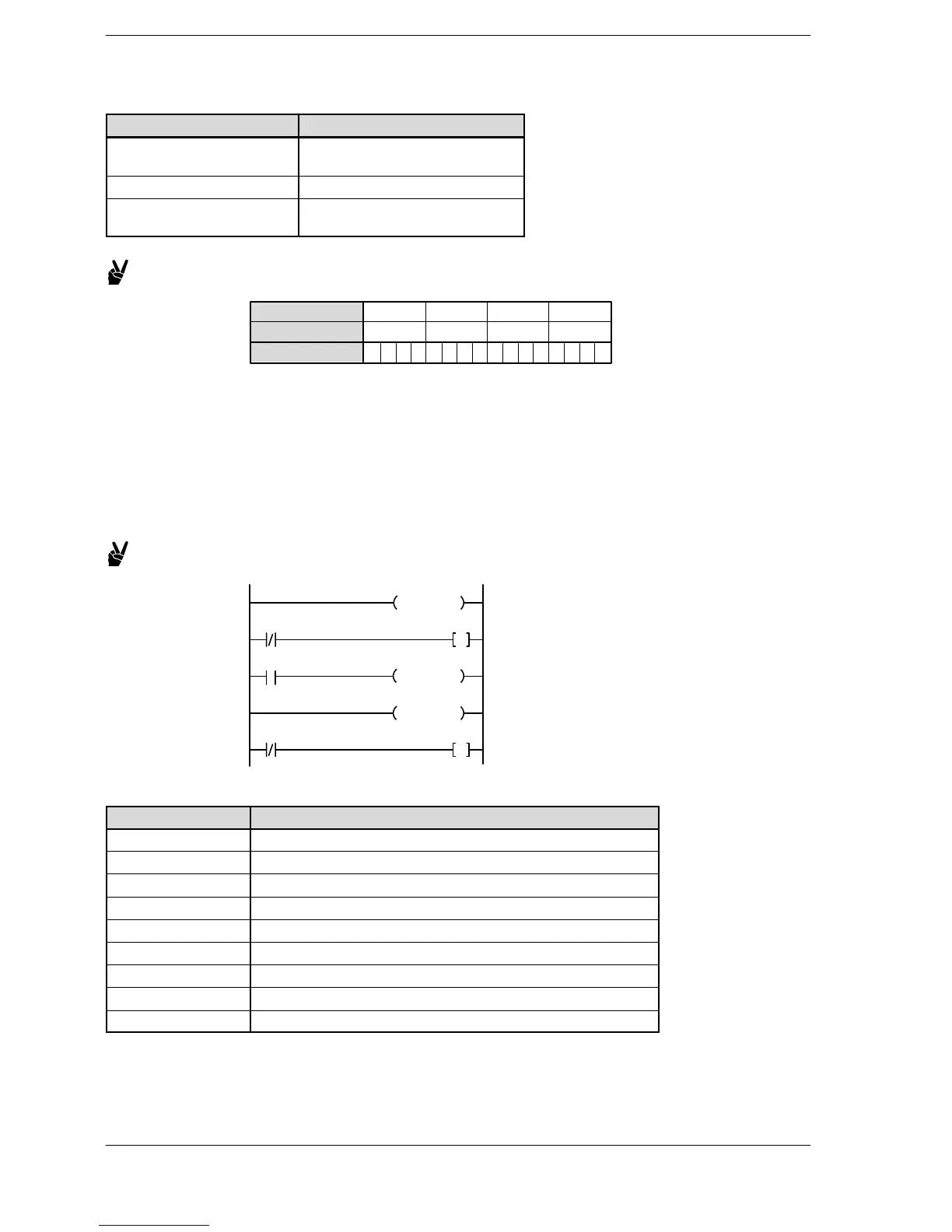
Example: The start−up conditions for processes No. 16 through No. 31
DT9061/DT90061
Bit position
Process number
.. .. .. ..
.. .. .. ..
When bit position 8 of DT9061/DT90061 is “1”, the process no. 24 is starting.
24 23 2019 1628 2731
87 43 012 1115
1 000000000000000
Notes on process clear
If the next step instruction is executed in an active process, that process is automatically cleared. However,
the actual clear operation does not occur until the next scan. Therefore, for one scan during the process
transition, there will be two simultaneously active processes. If you do not want them to be on at the same
time, program with an interlock circuit. If there is a possibility of processes being simultaneously on because
of hardware response delays, adapt hardware processing to take the response delay into account.
Example:
Y11
SSTP 0
SSTP 1
Y10
NSTP 1
X0
Y10
Y11
If the process is cleared, the instructions in that process operate as follows.
Instruction Operation status
OT All off
KP Holds the state.
SET Holds the state.
RST Holds the state.
TM Reset the elapsed value and timer contact output.
CT Holds the state at the time just before the trigger turns off.
SR Holds the state at the time just before the trigger turns off.
DF and DF/ (*) Remembers the state of execution condition (trigger).
Other instructions Not executed.
(*): Same operation as when the execution condition (trigger) for the MC instruction turns off. Refer to the
explanation of the MC and MCE instructions.












 To Next Page