Basic Instructions
2 − 142
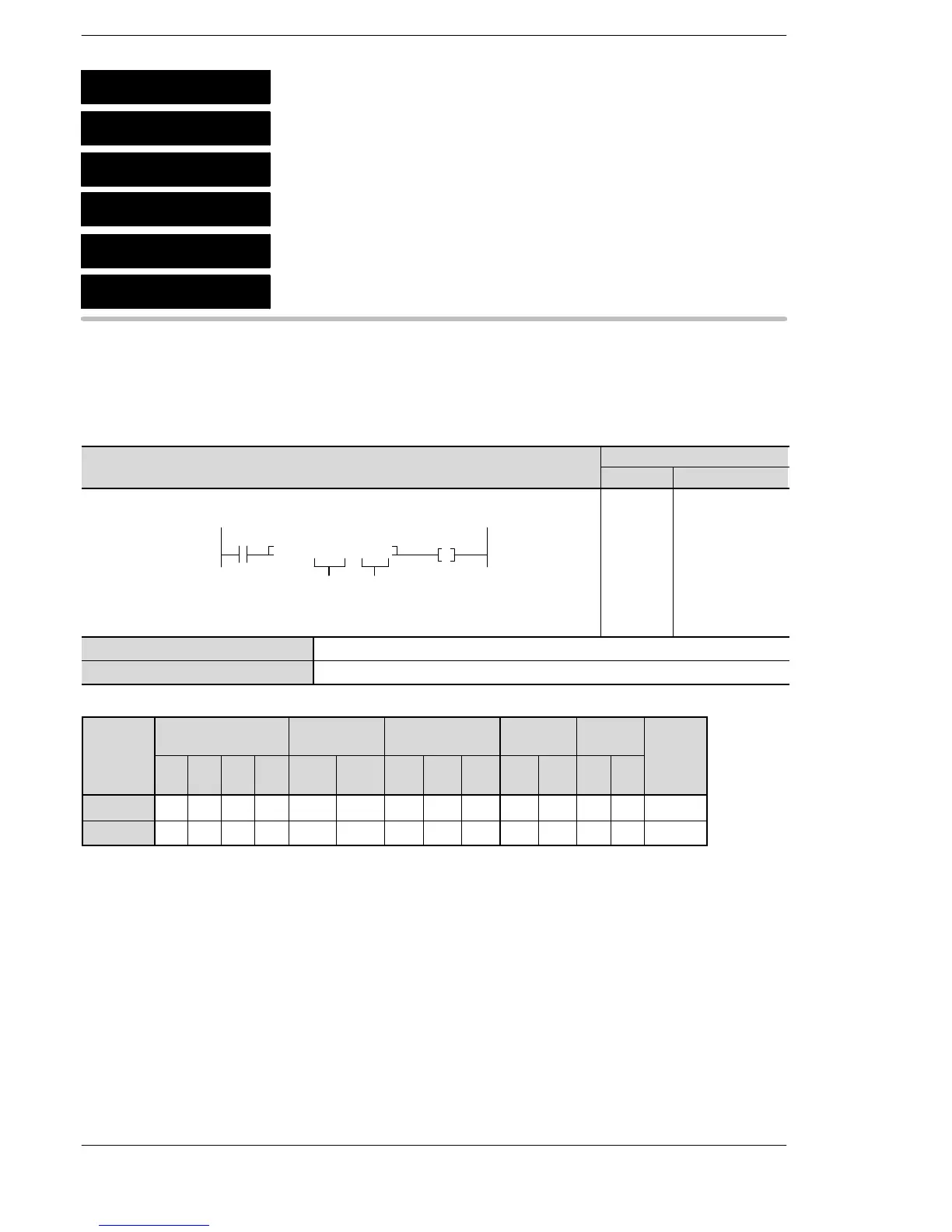
Outline Performs AND operation by comparing two word data items with the
comparison condition. The contact goes on or off depending on the
result of the comparison. The contacts are connected in series.
15
Program example
Boolean
Ladder Diagram
Address Instruction
Y30
0
>=, DT0, K60
S1 S2
X0
0
1
6
ST X 0
AN > =
DT 0
K60
OT Y 30
S1 16-bit equivalent constant or 16-bit area to be compared
S2 16-bit equivalent constant or 16-bit area to be compared
Operands
modifier
S1 A A A A A A A A A A A A A A
S2 A A A A A A A A A A A A A A
(*1) This cannot be used with the FP0/FP−e.
(*2) This cannot be used with the FP0/FP0R/FP−e/FPΣ/FP−X.
(*3) With the FPΣ,FP−X, FP0R, FP2, FP2SH, and FP10SH, this is I0 to IC.
(*4) With the FPΣ,FP−X, FP0R, FP2, FP2SH, and FP10SH, this is ID.
5
AN =
AN <>
AN >
AN >=
AN <
AN <=
16−bit data comparison: AND equal
16−bit data comparison: AND equal not
16−bit data comparison: AND larger
16−bit data comparison: AND equal
or larger
16−bit data comparison: AND smaller
16−bit data comparison: AND equal
or smaller
A: Available







 To Next Page