High−level Instructions
3 − 174
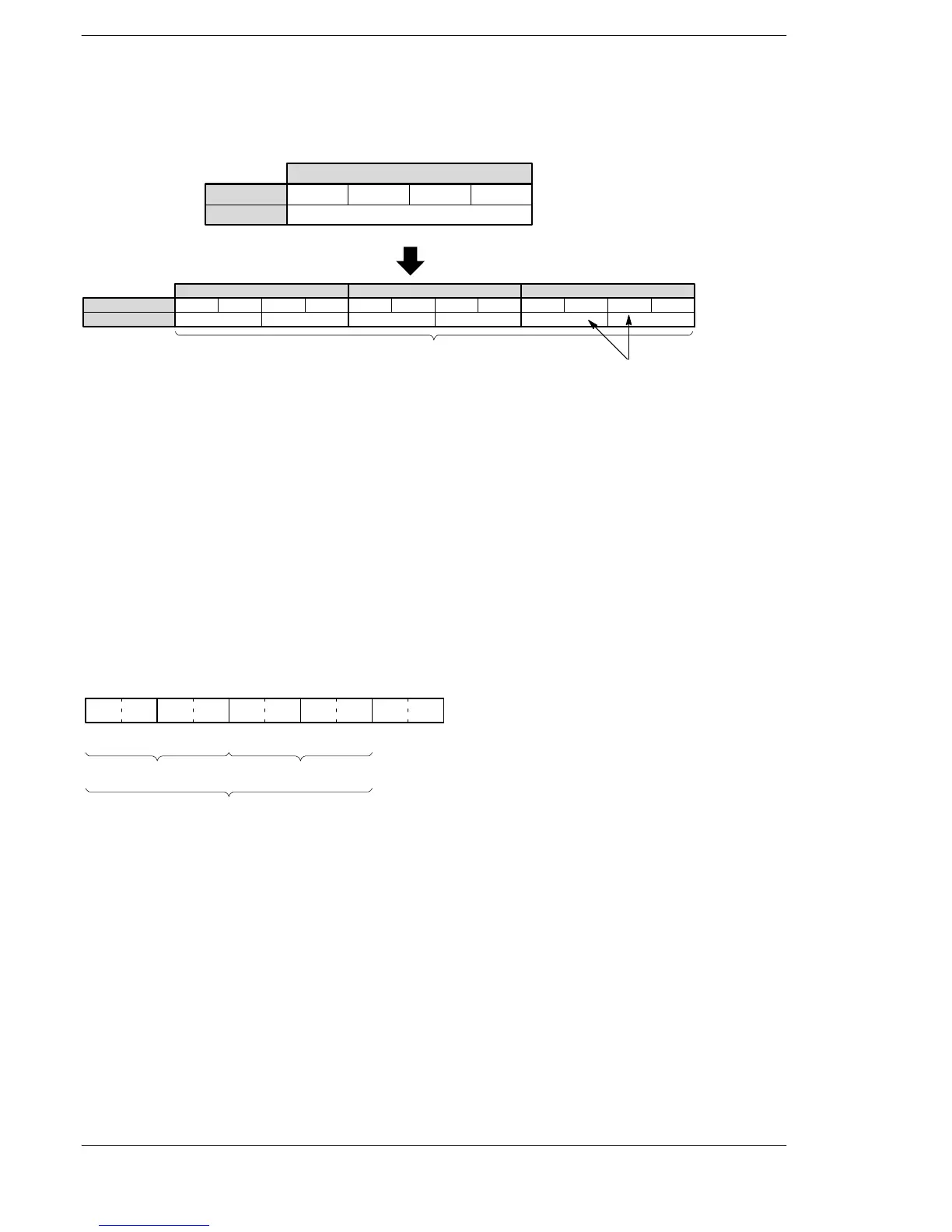
Explanation of example
Converts the 16-bit data stored in data register DT0 to ASCII codes that express the equivalent decimals
when trigger R0 turns on. The converted data is stored in data registers DT52 to DT50.
····
Decimal data
Bit position
·····
K−100
15 1211 8 7 4 3 0
DT0
Source
Destination
SPACE
ASCII HEX code
ASCII character
3
0
03
0
0 3
1
12
−
D
DT52 DT51
6 bytes
DT50
2020
Description
Converts the 16-bit data specified by S1 to ASCII codes that express the equivalent decimals. The converted
result is stored in the area starting from the 16-bit area specified by D as specified by S2.
Specify the number of bytes in decimal number in the S2. (This specification cannot be made with BCD data.)
Precautions during programming
If a positive number is converted, the “+” sign is not converted.
When a negative number is converted, the “−” sign is also converted to ASCII code (ASCII HEX code: H2D).
If the area specified by S2 is more than that required by the converted data, the ASCII code for “SPACE”
(ASCII HEX code: H20) is stored in the extra area.
Data is stored in the direction towards the final address, so the position of the ASCII code may change,
depending on the size of the data storage area.
2D313030 2020 2020
D+2 D+1 D
1 −
When S2=K8 (8 bytes)
ASCII code
00
Extra bytes
Range specified by S2
D+3
(Space) (Space) (Space) (Space)
If the number of bytes of ASCII codes following conversion (including the minus sign) is larger than the
number of bytes specified by the S2, an operation error occurs. Make sure the sign is taken into consideration
when specifying the object of conversion for the S2.





 To Next Page