High−level Instructions
3 − 332
2) Setting the baud rate
For FP10SH
The baud rate (transmission speed) for serial transmission is initially set to 9600 bps.
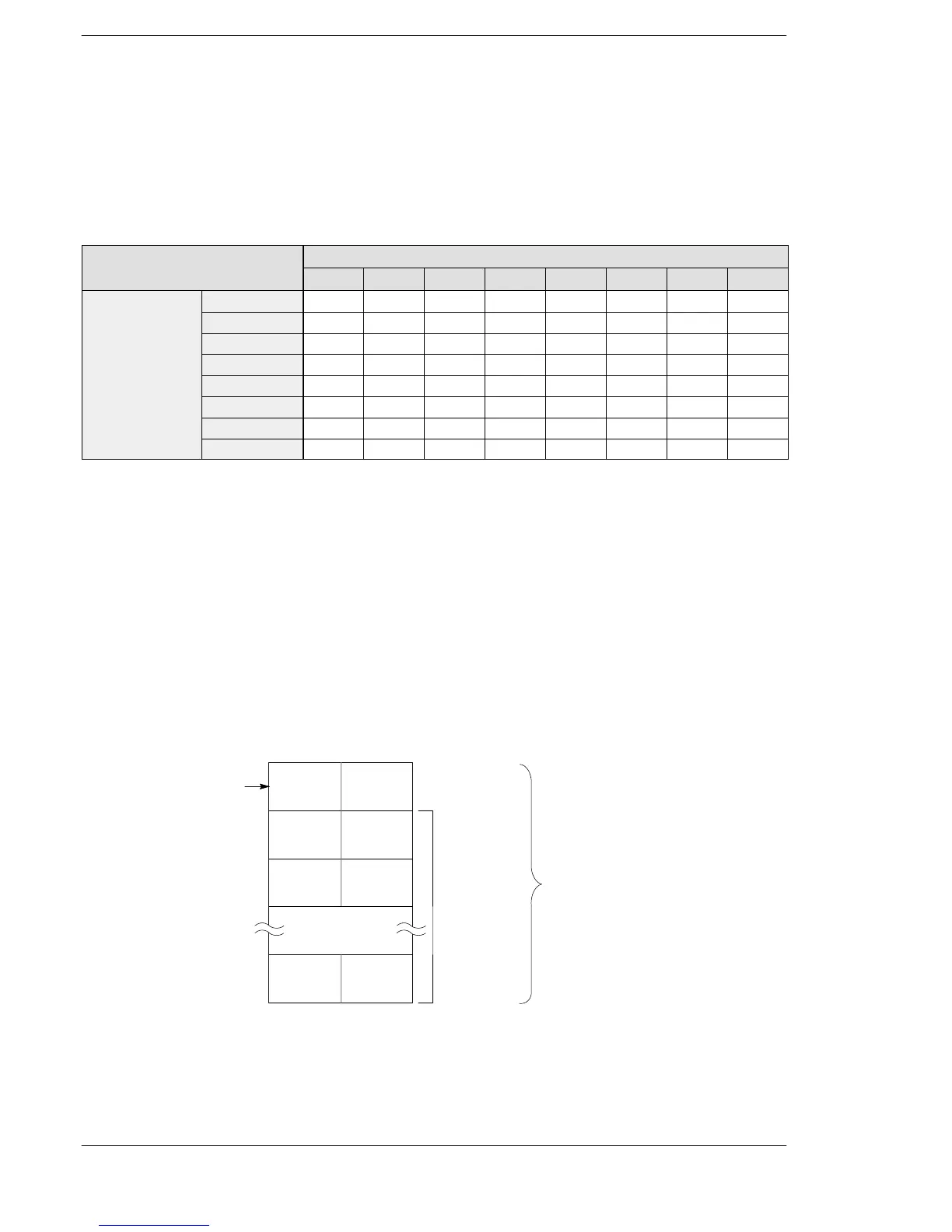
To change the baud rate to match the external device connected to the COM. port, set the lower row of
operation mode switches as shown below.
Operation mode switches (using lower dip switch)
Functions
Settings
SW1 SW2 SW3 SW4 SW5 SW6 SW7 SW8
Transmission
115,200 bps — — — — — off off off
speed
57,600 bps — — — — — on off off
38,400 bps — — — — — off on off
19,200 bps — — — — — on on off
9,600 bps — — — — — off off on
4,800 bps — — — — — on off on
2,400 bps — — — — — off on on
1,200 bps — — — — — on on on
For FP2/FP2SH
Set the transmission speed so that the “COM Port Baud Rate Setting” of system register 414 matches the
external device connected to the COM. port. The default setting is “19200 bps”.
3) Setting the use of the COM. port
Set system register 412 for serial transmission (general purpose port).
The use of the COM. port can be changed by executing an F144 (TRNS) instruction.
4) Setting the reception buffer: System register 417 and 418
All areas of the data register are initially set for use as the reception buffer. To change the reception buffer, set
the starting area number in system register 417 and the size (number of words, Max. 1,024 words) in system
register 418.
The reception buffer will be as follows:
Number of
bytes received
Area used
for storing
received
data
Number of words
specified in system
register 418
Starting area specified
in system register 417
FP2/FP2SH/FP10SH





 To Next Page