High−level Instructions
3 − 572
Timer set time
The timer setting is entered as a value of 0.01 x (timer set value).
The timer set value is specified as a K constant within the range of K1 to K2147483647.
The F183 (DSTM) is set between 0.01 and 21,474,836.47 seconds, in units of 0.01 seconds.
If the set value is K500, the set time will be 0.01 x 500 = 5 seconds.
Precautions during programming
The area in which the set value is stored must be set so that the area specified for the elapsed value does not
overlap any areas reserved for other timer or counter instructions, or memory areas used for high−level
instruction operations.
Because addition is carried out when operations are carried out, the program should be set up so that
operations are carried out every scan.
(In cases such as programs where division is carried out, or for jump or loop instructions, where several
operations are carried out during one scan, or where it was not possible to carry out any operation during the
scan, correct results cannot be obtained.)
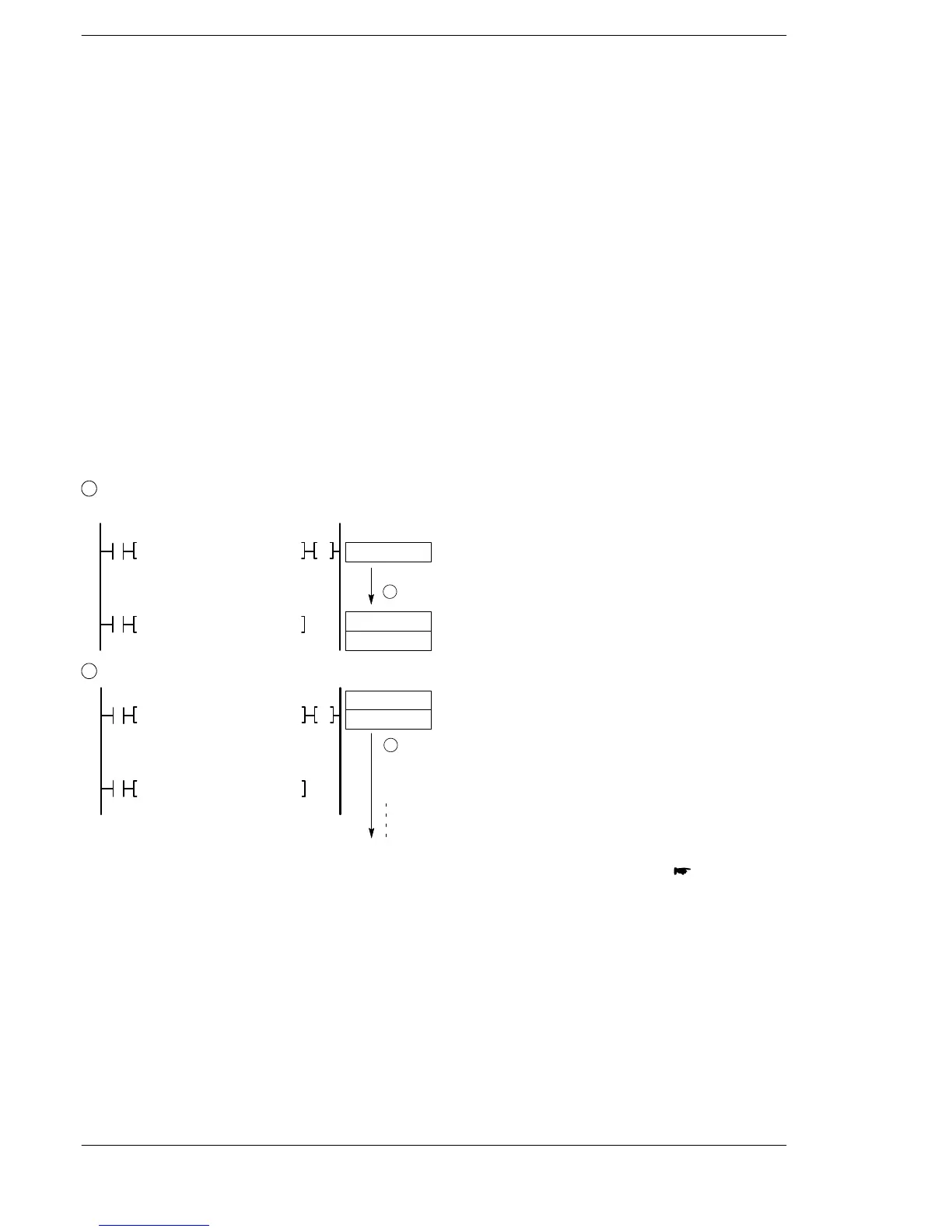
How the Auxiliary Timer Works
1
When the execution condition (trigger) changes from off to on, values of 0 are sent to the elapsed
value area (D + 1, D).
0
R0
R900D
R5
F183 DSTM, K500, DT5
F0 MV, DT50, WR50
1
Sent to (D + 1, D)
DT5, DT6
0
2
If the execution condition (trigger) stays on, the values in the elapsed value area (D + 1, D) are added.
R0
R900D
R5
F183 DSTM, K500, DT5
F0 MV, DT50, WR50
2
Addition
0
1
2
DT5, DT6
K500
next page






 To Next Page