EasyManua.ls Logo

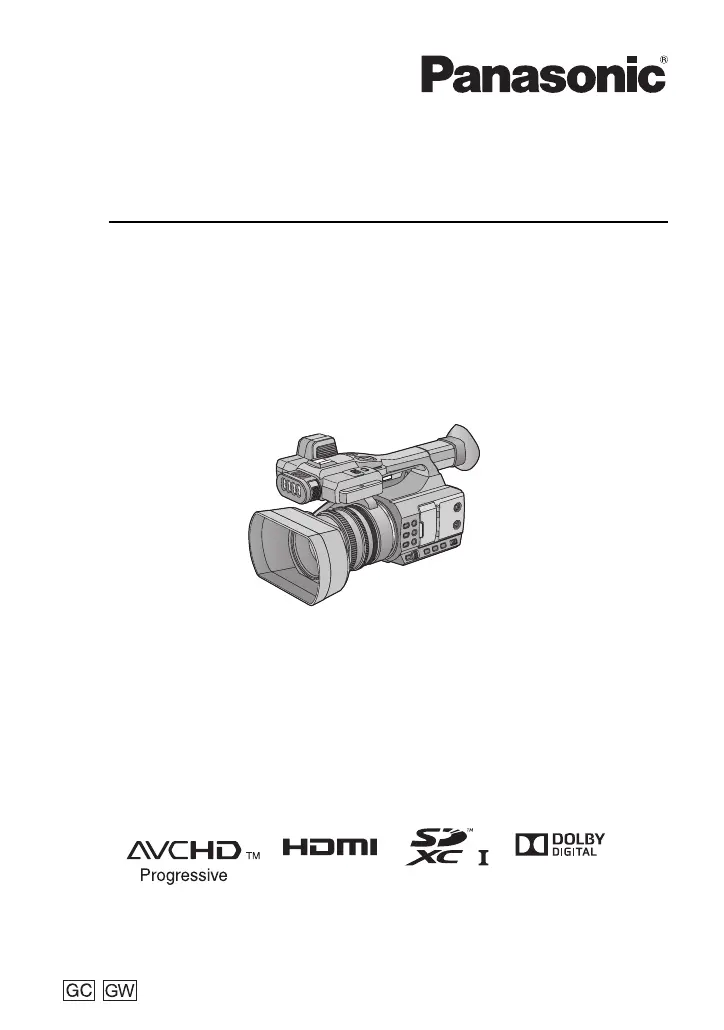
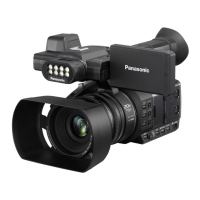
Panasonic HC-PV100 - User Manual

Panasonic HC-PV100
160 pages
Print Icon
To Next Page IconTo Next Page
Loading...
Operating Instructions
High Definition Video Camera
Model No.
HC-PV100
Please read these instructions carefully before using this product, and save this manual for future
use.
SQW0750-2
HC-PV100_GC_GW_SQW0750-2_eng.book 1 ージ 020年9月17日 木曜日 午後6時1分

Table of Contents

Other manuals for Panasonic HC-PV100

Questions and Answers

  • A
    Alyssa ReedSep 3, 2025
    Why can't I see images from my Panasonic HC-PV100 on TV, or why are the images squeezed?
    • V
      Victoria LuceroSep 4, 2025
      If you cannot see images, or the images are squeezed horizontally when your Panasonic Camcorder is connected to a TV, ensure you have selected the correct channel on your TV that corresponds to the input used for the connection. Also, change the setting of the unit depending on the cable connecting to the TV.
  • A
    Adam BurnsSep 18, 2025
    Why is my SD card not recognized when inserted in another device from Panasonic HC-PV100?
    • J
      John ButlerSep 18, 2025
      If the SD card from your Panasonic Camcorder is not recognized when inserted into another device, ensure that the device is compatible with the capacity or type of SD card (SDHC Memory Card/SDXC Memory Card) you are using. Refer to the operating instructions of the device for more details.
  • C
    camerondawnSep 16, 2025
    What to do if an error message appears on my PC when the USB Cable is disconnected from Panasonic HC-PV100 Camcorder?
    • A
      adam93Sep 16, 2025
      To safely disconnect the USB Cable from your Panasonic Camcorder and avoid error messages on your PC, double-click the icon in the task tray and follow the on-screen instructions.
  • R
    Robert JohnsonSep 14, 2025
    Why can't I delete scenes/still pictures on my Panasonic Camcorder?
    • D
      David NortonSep 14, 2025
      If you cannot delete scenes or still pictures on your Panasonic Camcorder, first release the protect setting. It may not be possible to delete scenes/still pictures where the thumbnails are displayed as . If the scenes/still pictures are unnecessary, format the SD card to erase the data. Be aware that formatting the SD card will erase all data, and it cannot be recovered; back up any important data to a PC beforehand.
  • B
    Barbara MitchellSep 12, 2025
    Why does the color or brightness of the image change on my Panasonic HC-PV100?
    • S
      sduncanSep 12, 2025
      If the color or brightness of the image changes, or you see horizontal bars, or the LCD monitor flickers indoors on your Panasonic Camcorder, it may be due to recording under fluorescent, mercury, or sodium light. This is not a malfunction. You can record in Auto Shutter Mode or adjust the shutter speed to 1/50, 1/60, or 1/100.
  • E
    Edward EricksonSep 12, 2025
    Why can't I play back scenes/still pictures on my Panasonic HC-PV100 Camcorder?
    • C
      Christine RobbinsSep 12, 2025
      Scenes or still pictures that display thumbnails as cannot be played back on your Panasonic Camcorder. This often occurs with scenes recorded or edited with other devices or software, or scenes with damaged data. Thumbnails indicated with were recorded on other devices with different system frequencies and cannot be played back by this unit.
  • A
    Anthony RichardsSep 9, 2025
    Why is audio not being recorded on my Panasonic HC-PV100 Camcorder?
    • C
      cynthia05Sep 9, 2025
      If audio is not being recorded on your Panasonic Camcorder, check if Super Slow Recording or Interval Recording is enabled. Audio is not recorded during these modes.
  • G
    gwilliamsSep 7, 2025
    How to fix Panasonic HC-PV100 Camcorder auto focus?
    • M
      Maurice TaylorSep 7, 2025
      If the Auto Focus function on your Panasonic Camcorder is not working, and you're trying to record a scene that is hard to bring into focus in Auto Focus Mode, switch to Manual Focus Mode and adjust the focus manually.
  • G
    Gina HernandezSep 5, 2025
    Why does my Panasonic HC-PV100 Camcorder arbitrarily stop recording?
    • E
      Eric BarrettSep 5, 2025
      If your Panasonic Camcorder stops recording unexpectedly, ensure you are using an SD card suitable for motion picture recording. The recordable time may also be reduced due to the data writing speed deterioration or repeated recording and deletion. Try formatting the SD card using the unit.
  • K
    kimberly49Aug 20, 2025
    How to fix Panasonic Camcorder that won't turn on?
    • W
      whernandezAug 21, 2025
      If your Panasonic Camcorder won't turn on, first, ensure the battery is sufficiently charged by charging it again. Note that in cold environments, battery life may be shorter. If the operating time remains short even after a full charge, the battery may be worn out and require replacement.

Summary

Information for Your Safety

Cautions for use

General precautions for operating the video camera safely and preventing damage.

About the battery

Safety guidelines and precautions related to the rechargeable lithium-ion battery pack.

About the AC adaptor

Safety information and usage guidelines for the AC adaptor and its connection.

Preparation

Names and Functions of Main Parts

Detailed identification of buttons, terminals, and components on the camera.

Power supply

Information on compatible batteries, insertion, removal, and charging procedures.

Preparation of SD cards

Guidance on compatible SD cards and their formatting for recording.

Turning the unit on;off

Step-by-step instructions for powering the camera on and off.

Using the LCD monitor;Viewfinder

How to switch and adjust the LCD screen and viewfinder for optimal viewing.

Recording

Before recording

Essential checks and tips before starting video recording.

Recording motion picture

Steps to start and stop recording motion pictures.

Intelligent Auto Mode;Manual Mode

Explanation of automatic and manual shooting modes for optimal results.

Focus

Methods for adjusting focus, including manual and auto focus features.

White Balance

How to adjust white balance for accurate color reproduction under various lighting.

Audio Input

Connecting and configuring external microphones or audio equipment.

USER button

Assigning and using custom functions to USER buttons for quick access.

Playback

Motion picture;Still picture playback

How to play back recorded motion pictures and still pictures.

Useful functions

Features like creating stills from motion pictures and repeat playback.

Playing back scenes or still pictures by date

How to browse and play back media based on recording date.

Linking to external devices

Connecting Headphones, a Remote Control or an External Monitor

Connecting audio and control accessories to the camera's terminals.

Connecting to a PC

Transferring data and performing editing via USB connection.

Copying;playing back with an external media device

Instructions for copying and playing back media on USB storage devices.

Menu

Using the Menu

General guide to navigating and operating the camera's menu system.

Camera Setup

Configuring basic camera settings like scene mode, sharpness, and color.

System mode

Managing recording modes (MOV, MP4, AVCHD) and formats.

Audio Setup

Adjusting audio input levels, noise reduction, and ALC functions.

Output Setup

Configuring video output resolution and display on external devices.

Display setting

Customizing on-screen display elements like zebra patterns and guide lines.

Other Functions

Accessing media status, formatting, and system information.

Maintenance

Information on firmware updates and unit operational data.

Display

Indications

Explanation of icons and indicators shown during recording and playback.

Messages

Confirmation and error messages displayed on the screen during operation.

Warning Indications

Displays and solutions for system errors, battery depletion, and card issues.

Others

Troubleshooting

Common problems and their solutions for power, recording, and playback issues.

Specification

Technical details and specifications of the video camera.

Panasonic HC-PV100 Specifications

General IconGeneral
Sensor typeMOS BSI
Total megapixels6 MP
Optical sensor size1/3.1 \
Digital zoom10 x
Optical zoom20 x
Image stabilizerYes
Camcorder media typeMemory card
Compatible memory cards-
Maximum memory card size2000 GB
Internal storage capacity32 GB
Built-in flashNo
Display diagonal3 \
Viewfinder typeHybrid
Viewfinder screen size0.24 \
Camcorder typeHandheld camcorder
Product colorBlack
Maximum video resolution1920 x 1080 pixels
Maximum image resolution- pixels
Headphone outputs1
USB 2.0 ports quantity2
Battery voltage7.2 V
Battery capacity2900 mAh
Video recording time- h
Weight and Dimensions IconWeight and Dimensions
Depth335 mm
Width170 mm
Weight1500 g

Related product manuals