EasyManua.ls Logo

Panasonic KX-A16B - Location of Controls and Components; Operating Instructions; Voltage Selector; Packing Materials

Panasonic KX-A16B
8 pages
Print Icon
To Next Page IconTo Next Page
To Previous Page IconTo Previous Page
Loading...
When
you
mention
the
serial
number,
write
down
the
11
digits.
The
serial
number
may
be
found
on
the
label
affixed
to
the
rear
of
the
unit.
LOCATION
OF
CONTROLS
AND
COMPONENTS
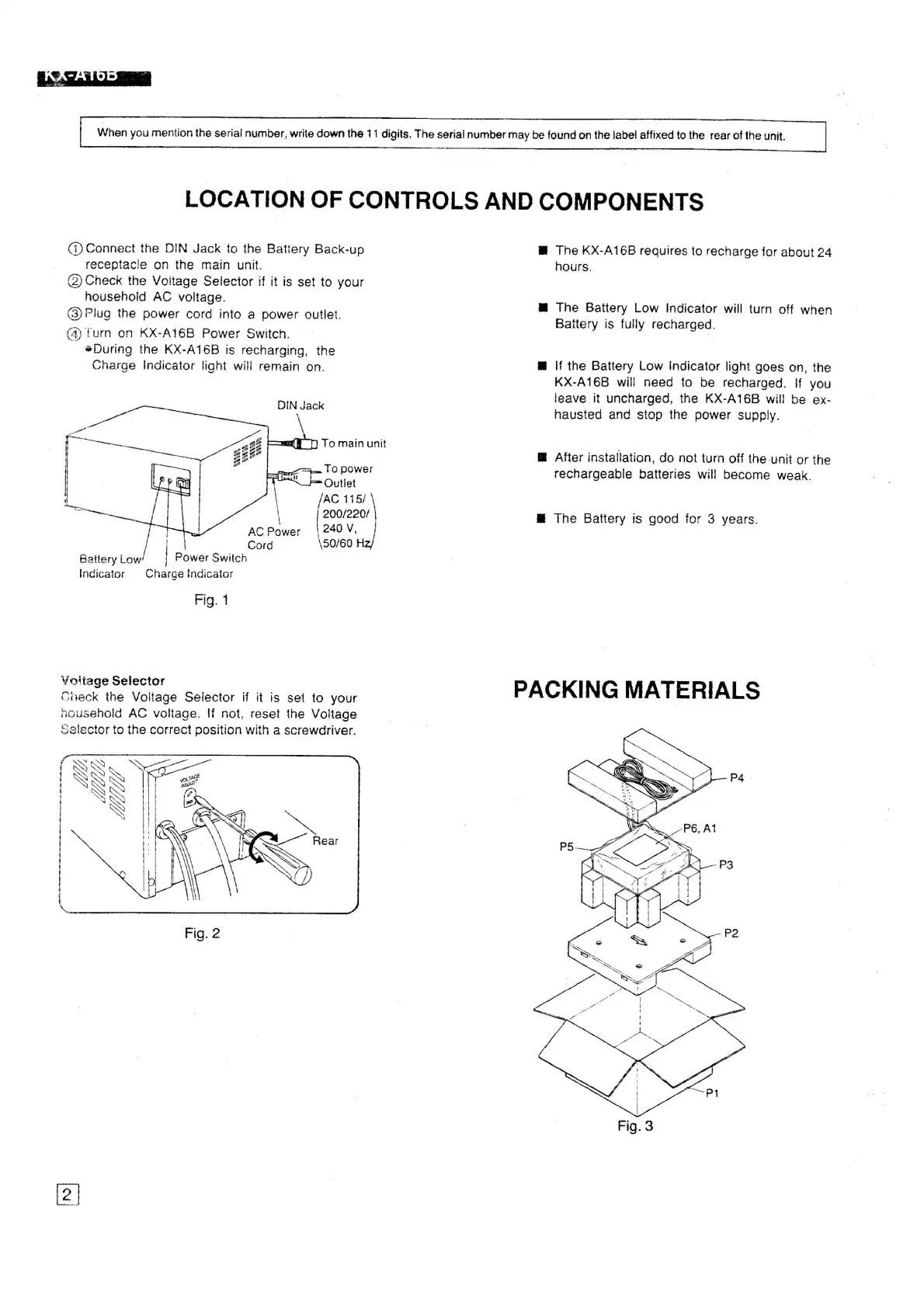
(i)
Connect
the
DIN
Jack
to
the
Battery
Back-up
receptacle
on
the
main
unit.
(2)
Check
the
Voltage
Selector
if
it
is
set
to
your
household
AC
voltage.
(3)
Plug
the
power
cord
into
a
power
outlet.
(4)
furn
on
KX-A16B
Power
Switch.
®During
the
KX-A16B
is
recharging,
the
Charge
Indicator
light
will
remain
on.
DIN
Jack
mY
[)
To
main
unit
|O
power
=
Outlet
soz
200/220/
|
"
AC
Power
240
V,
Cord
\50/60
H2/
Battery
Low
|
Power
Switch
Indicator
Charge
Indicator
Fig.
1
¥oiltage
Selector
Check
the
Voltage
Selector
if
it
is
set
to
your
nousehold
AC
voltage.
If
not,
reset
the
Voltage
selector
to
the
correct
position
with
a
screwdriver.
@
The
KX-A16B
requires
to
recharge
for
about
24
hours.
M@
The
Battery
Low
Indicator
will
turn
off
when
Battery
is
fully
recharged.
@
\f
the
Battery
Low
indicator
light
goes
on,
the
KX-A16B
will
need
to
be
recharged.
If
you
leave
it
uncharged,
the
KX-A16B
will
be
ex-
hausted
and
stop
the
power
supply.
@
After
installation,
do
not
turn
off
the-unit
or
the
rechargeable
batteries
will
become
weak.
@
The
Battery
is
good
for
3
years.
PACKING
MATERIALS
Ww
Fig.
3

Related product manuals