EasyManua.ls Logo

Panasonic WX-CC411A - User Manual

Panasonic WX-CC411A
90 pages
Print Icon
To Next Page IconTo Next Page
Loading...
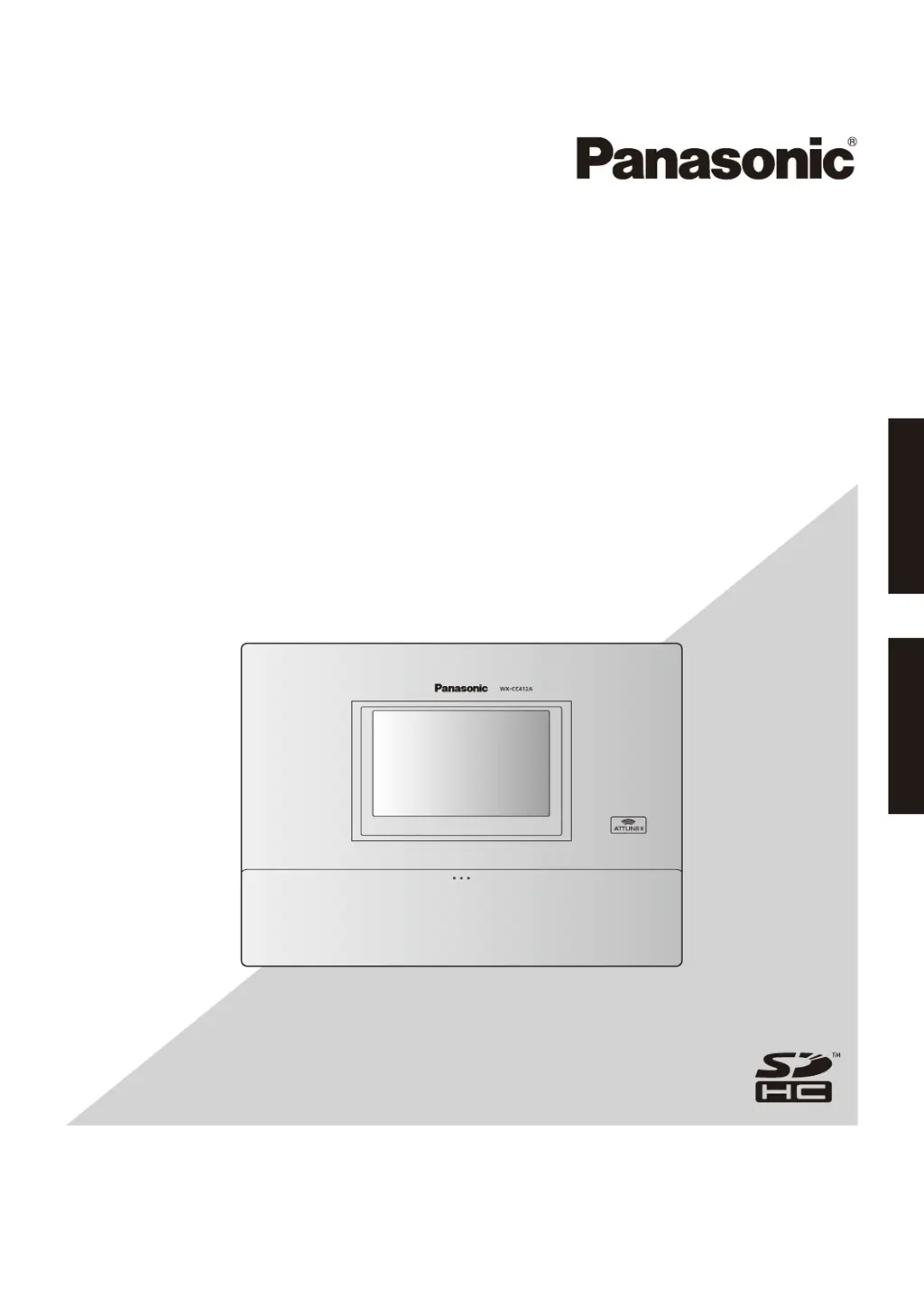
Operating Instructions <Setup Instructions>
Center Module
Model No.
WX-CC411A
WX-CC412A
English Français

Table of Contents

Questions and Answers

Summary

Before use

Preface

Introductory text about the product and its purpose.

Features

Highlights the key capabilities and specifications of the system.

System diagram

Illustrates the connectivity and components of the intercom system.

Before use

Operation

Describes the different operational modes like single, dual, and tandem lanes.

Single lane

Operations in an environment with only one order post.

Dual lane

Operations in an environment with parallel order posts.

Before use

Tandem lane

Operations where order posts are installed in series for sequential flow.

Concerning the Operating Instructions

Information on the manual's structure and required software.

Trademarks and registered trademarks

Lists intellectual property rights and ownership.

Abbreviations

Defines common abbreviations used throughout the document.

Screen operations

Basic screen operations

Explains fundamental interaction methods with the unit's display.

Entering the settings

Guides users on how to confirm or apply settings via the interface.

Screen operations

Inputting characters

Details the process of entering text using the on-screen keyboard.

Inputting the date and time

Explains how to set the system's date and time values.

Adjusting the volume level

Describes how to control the audio output levels of the system.

Displaying the Settings screen

Settings screen display

Outlines the steps to access and view the main settings menu.

Setting the Center Module

Installation settings [Installation Settings]

Covers initial setup and basic configuration required after installation.

Setting the date and time

Procedure to set the current date and time for accurate logging and scheduling.

Setting the current date and time

Specific steps to input the correct current date and time.

Setting the Center Module

Setting the daylight saving time

Configuration for automatic time adjustments based on daylight saving rules.

Setting the Center Module

Changing the password

Steps to modify the access password for security.

Setting the network address

Configuration of IP address, subnet mask, and gateway for network connectivity.

Setting the Center Module

Setting the help contact

Inputting emergency contact information for quick access.

Setting the Center Module

Setting the screen and touch panel

Adjustments for display language and touch panel calibration.

Setting the Center Module

Setting the All-In-One Headset or Belt Pack [Headset]

Procedure for registering wireless headsets or belt packs.

Setting the Center Module

How to delete an ID

Steps to remove registered headset or belt pack IDs from the system.

How to register groups

Method for assigning registered devices into specific communication groups.

Setting the Center Module

Setting the Wireless Repeater [Wireless Repeater]

Procedure for registering wireless repeaters to extend communication range.

Store settings [Store Settings]

Setting the nighttime volume

Reduces speaker volume during off-peak hours to minimize noise.

Store settings [Store Settings]

Setting the store hours

Configures business hours to control greeter messages.

Store settings [Store Settings]

Setting business hours

Details how to set the daily schedule for store operations.

Setting the tandem lane (WX-CC412 A only)

Dual lane

Describes operations where order posts are side-by-side.

Tandem lane

Explains operations for order posts arranged in a line.

Setting the tandem lane (WX-CC412 A only)

Tandem Lane

Configuration setting for the tandem lane operational mode.

Message

Selection of specific messages for the tandem lane setup.

Setting each lane [Lane]

Setting the volume of input sound

Adjusts microphone and line input audio levels.

Setting the volume of output sound

Adjusts speaker and line output audio levels.

Setting each lane [Lane]

Setting the AUX SP

Configures audio routing and volume for the kitchen speaker.

Setting each lane [Lane]

Setting the DSP

Adjusts audio processing parameters like echo cancellation and noise reduction.

Setting the messages [Message]

Greeter message

Sets automated greeting messages played for customers.

Reminder message

Configures messages to prompt store personnel at set times.

Alert message

Sets messages to notify staff during security alerts.

Recording messages

Instructions for recording custom audio messages for the system.

Setting the messages [Message]

Confirmation playback

Allows playback and verification of recorded messages.

Setting the messages [Message]

Setting the greeter message

Overall configuration for greeter message playback.

Setting the messages [Message]

Setting individual greeter message

Customization of specific greeter messages.

Setting the greeter message schedule

Schedules different greeter messages based on time zones.

Setting the messages [Message]

Setting the reminder message

Overall configuration for reminder message playback.

Setting individual reminder message

Customization of specific reminder messages.

Setting the messages [Message]

Setting the reminder message schedule

Schedules reminder messages to play at fixed times.

Setting the messages [Message]

Setting the alert message

Overall configuration for alert message playback.

Setting individual alert message

Customization of specific alert messages.

Setting the security alert [Security Alert]

Message

Specifies the alert message to be played during a security event.

Camera Monitoring

Configures display of camera feeds during security alerts.

Device Control

Manages external device outputs based on security alert status.

TALK & PAGE Recording

Records communications during security alerts.

Send E-mail

Configures email notifications for security alerts.

Using an SD card [SD Memory Card]

Back up the settings data and messages

Saves system configuration and recorded messages to an SD card.

Using an SD card [SD Memory Card]

Restoring the backup data

Loads saved settings and messages from an SD card.

Using an SD card [SD Memory Card]

Formatting an SD card

Prepares an SD card for use with the unit by erasing all data.

Maintenance [Maintenance]

Displaying the software version

Shows the current firmware version installed on the unit.

Data initialization

Resets the unit to its factory default settings.

Summary

Before use

Preface

Introductory text about the product and its purpose.

Features

Highlights the key capabilities and specifications of the system.

System diagram

Illustrates the connectivity and components of the intercom system.

Before use

Operation

Describes the different operational modes like single, dual, and tandem lanes.

Single lane

Operations in an environment with only one order post.

Dual lane

Operations in an environment with parallel order posts.

Before use

Tandem lane

Operations where order posts are installed in series for sequential flow.

Concerning the Operating Instructions

Information on the manual's structure and required software.

Trademarks and registered trademarks

Lists intellectual property rights and ownership.

Abbreviations

Defines common abbreviations used throughout the document.

Screen operations

Basic screen operations

Explains fundamental interaction methods with the unit's display.

Entering the settings

Guides users on how to confirm or apply settings via the interface.

Screen operations

Inputting characters

Details the process of entering text using the on-screen keyboard.

Inputting the date and time

Explains how to set the system's date and time values.

Adjusting the volume level

Describes how to control the audio output levels of the system.

Displaying the Settings screen

Settings screen display

Outlines the steps to access and view the main settings menu.

Setting the Center Module

Installation settings [Installation Settings]

Covers initial setup and basic configuration required after installation.

Setting the date and time

Procedure to set the current date and time for accurate logging and scheduling.

Setting the current date and time

Specific steps to input the correct current date and time.

Setting the Center Module

Setting the daylight saving time

Configuration for automatic time adjustments based on daylight saving rules.

Setting the Center Module

Changing the password

Steps to modify the access password for security.

Setting the network address

Configuration of IP address, subnet mask, and gateway for network connectivity.

Setting the Center Module

Setting the help contact

Inputting emergency contact information for quick access.

Setting the Center Module

Setting the screen and touch panel

Adjustments for display language and touch panel calibration.

Setting the Center Module

Setting the All-In-One Headset or Belt Pack [Headset]

Procedure for registering wireless headsets or belt packs.

Setting the Center Module

How to delete an ID

Steps to remove registered headset or belt pack IDs from the system.

How to register groups

Method for assigning registered devices into specific communication groups.

Setting the Center Module

Setting the Wireless Repeater [Wireless Repeater]

Procedure for registering wireless repeaters to extend communication range.

Store settings [Store Settings]

Setting the nighttime volume

Reduces speaker volume during off-peak hours to minimize noise.

Store settings [Store Settings]

Setting the store hours

Configures business hours to control greeter messages.

Store settings [Store Settings]

Setting business hours

Details how to set the daily schedule for store operations.

Setting the tandem lane (WX-CC412 A only)

Dual lane

Describes operations where order posts are side-by-side.

Tandem lane

Explains operations for order posts arranged in a line.

Setting the tandem lane (WX-CC412 A only)

Tandem Lane

Configuration setting for the tandem lane operational mode.

Message

Selection of specific messages for the tandem lane setup.

Setting each lane [Lane]

Setting the volume of input sound

Adjusts microphone and line input audio levels.

Setting the volume of output sound

Adjusts speaker and line output audio levels.

Setting each lane [Lane]

Setting the AUX SP

Configures audio routing and volume for the kitchen speaker.

Setting each lane [Lane]

Setting the DSP

Adjusts audio processing parameters like echo cancellation and noise reduction.

Setting the messages [Message]

Greeter message

Sets automated greeting messages played for customers.

Reminder message

Configures messages to prompt store personnel at set times.

Alert message

Sets messages to notify staff during security alerts.

Recording messages

Instructions for recording custom audio messages for the system.

Setting the messages [Message]

Confirmation playback

Allows playback and verification of recorded messages.

Setting the messages [Message]

Setting the greeter message

Overall configuration for greeter message playback.

Setting the messages [Message]

Setting individual greeter message

Customization of specific greeter messages.

Setting the greeter message schedule

Schedules different greeter messages based on time zones.

Setting the messages [Message]

Setting the reminder message

Overall configuration for reminder message playback.

Setting individual reminder message

Customization of specific reminder messages.

Setting the messages [Message]

Setting the reminder message schedule

Schedules reminder messages to play at fixed times.

Setting the messages [Message]

Setting the alert message

Overall configuration for alert message playback.

Setting individual alert message

Customization of specific alert messages.

Setting the security alert [Security Alert]

Message

Specifies the alert message to be played during a security event.

Camera Monitoring

Configures display of camera feeds during security alerts.

Device Control

Manages external device outputs based on security alert status.

TALK & PAGE Recording

Records communications during security alerts.

Send E-mail

Configures email notifications for security alerts.

Using an SD card [SD Memory Card]

Back up the settings data and messages

Saves system configuration and recorded messages to an SD card.

Using an SD card [SD Memory Card]

Restoring the backup data

Loads saved settings and messages from an SD card.

Using an SD card [SD Memory Card]

Formatting an SD card

Prepares an SD card for use with the unit by erasing all data.

Maintenance [Maintenance]

Displaying the software version

Shows the current firmware version installed on the unit.

Data initialization

Resets the unit to its factory default settings.

Panasonic WX-CC411A Specifications

General IconGeneral
BrandPanasonic
ModelWX-CC411A
CategoryControl Unit
LanguageEnglish

Related product manuals