EasyManua.ls Logo

Panasonic KX-B620 - Page 24

Panasonic KX-B620
75 pages
Print Icon
To Next Page IconTo Next Page
To Previous Page IconTo Previous Page
Loading...
KX-B620
Series
KX-B520
Series
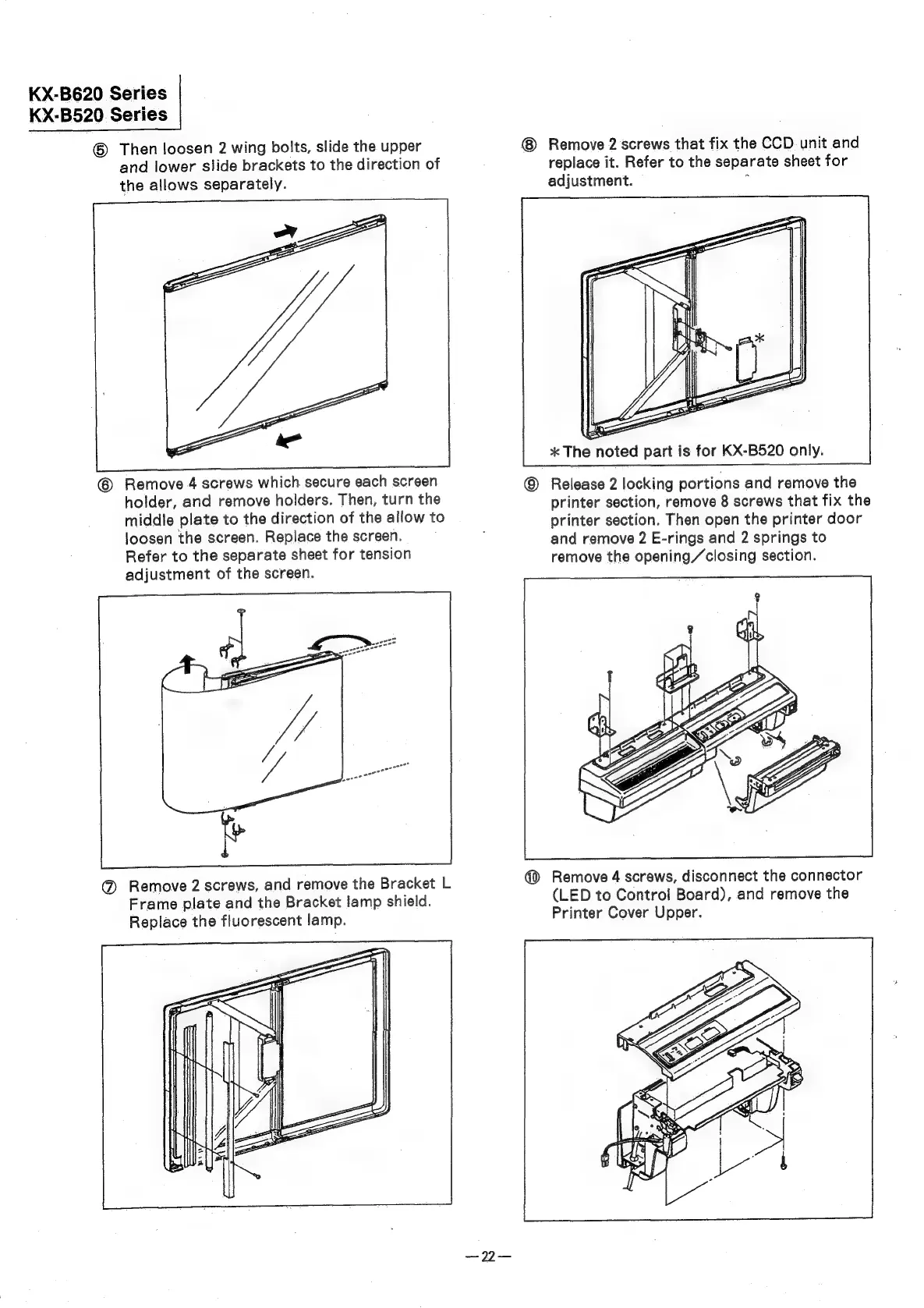
©
Then
loosen
2
wing
bolts,
slide
the
upper
Remove
2
screws
that
fix
the
CCD.
unit
and
and
lower
slide
brackets
to
the
direction
of
replace
it.
Refer
to
the
separate
sheet
for
the
allows
separately.
adjustment.
:
*
The
noted
part
is
for
KX-B520
only.
©
Remove
4
screws
which
secure
each
screen
©
Release
2
locking
portions
and
remove
the
holder,
and
remove
holders.
Then,
turn
the
printer
section,
remove
8
screws
that
fix
the
middle
plate
to
the
direction
of
the
allow
to
orinter
section.
Then
open
the
printer
door
loosen
the
screen.
Replace
the
screen.
:
and
remove
2
E-rings
and
2
springs
to
Refer
to
the
separate
sheet
for
tension
remove
the
opening/closing
section.
adjustment
of
the
screen.
@
Remove
4
screws,
disconnect
the
connector
(LED
to
Control
Board),
and
remove
the
Printer
Cover
Upper.
@
Remove
2
screws,
and
remove
the
Bracket
L
Frame
plate
and
the
Bracket
lamp
shield.
Replace
the
fluorescent
lamp.

Related product manuals