EasyManua.ls Logo

Panasonic KX-PRX120 - User Manual

Panasonic KX-PRX120
103 pages
Print Icon
To Next Page IconTo Next Page
Loading...
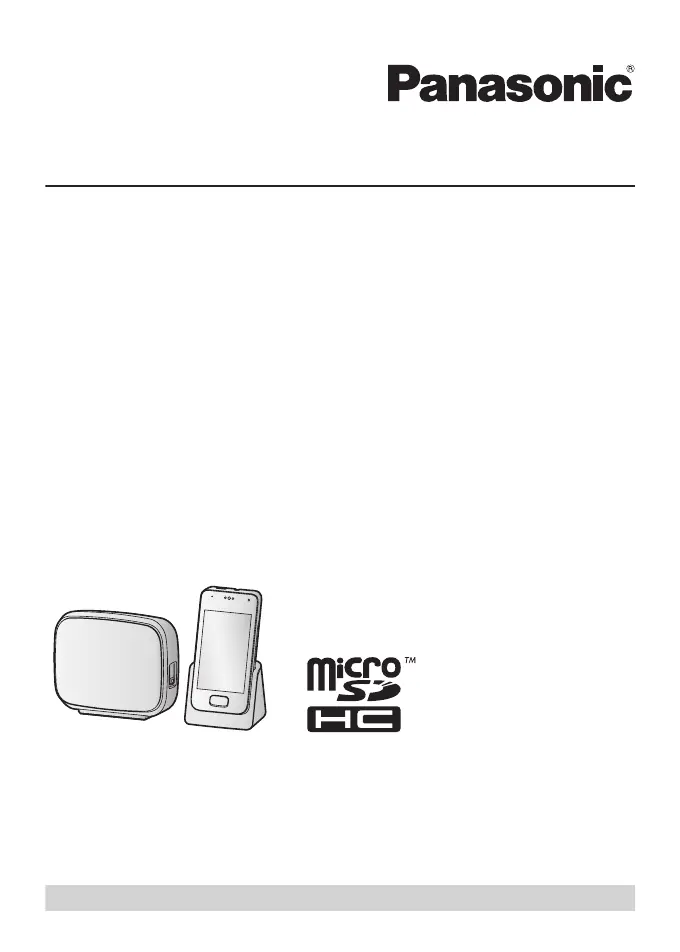
Operating Instructions
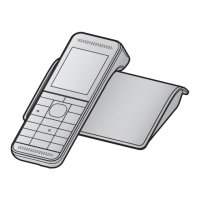
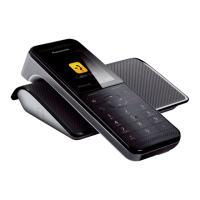
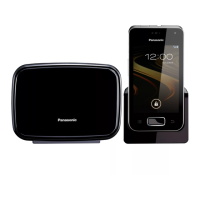
Premium Design Phone with Touchscreen
Model No. KX-PRX120
Thank you for purchasing a Panasonic product.
Please read this document and save it for future reference.
For assistance, visit our Web site: http://www.panasonic.com/help for customers
in the U.S.A. or Puerto Rico.
Please register your product: http://www.panasonic.com/prodreg

Table of Contents

Other manuals for Panasonic KX-PRX120

Questions and Answers

  • C
    Cameron FranklinSep 23, 2025
    What to do if my Panasonic Cordless Telephone gets wet?
    • A
      Ashley MitchellSep 23, 2025
      If liquid or other form of moisture has entered the handset or charger of your Panasonic Cordless Telephone, disconnect the AC adapter from the charger, and remove the microSD card and battery from the handset. Allow the unit exposed to liquid to dry for at least 3 days. After the exposed unit is completely dry, reconnect the AC adaptor, insert the microSD card and battery into the handset, and charge the battery fully before use. If the exposed unit does not work properly, contact your place of purchase or nearest Panasonic service center. To avoid permanent damage, do not use a microwave oven to speed up the drying process.
  • S
    Sharon ArmstrongAug 25, 2025
    Why can't I make calls on my Panasonic KX-PRX120?
    • A
      adam05Aug 25, 2025
      If you cannot make calls on your Panasonic Telephone, the tone/pulse setting may be set incorrectly. Change the setting.
  • K
    Kimberly MartinezAug 25, 2025
    Why doesn't my Panasonic Cordless Telephone system work?
    • J
      Jeremy WatsonAug 26, 2025
      There could be several reasons why your Panasonic cordless phone system isn't working. First, ensure the handset's DECT connection to the base unit is turned on. If you were using the handset away from the base unit, allow several minutes for reconnection upon returning. You can also turn the DECT connection off and on again in the control panel to expedite reconnection. Verify the battery is correctly installed and fully charged. Check all connections, and try resetting the base unit by unplugging its AC adapter, then turning the handset off and on again. Finally, ensure the handset is registered to the base unit.
  • L
    Lynn RobinsonAug 27, 2025
    How to fix no dial tone on my Panasonic Cordless Telephone?
    • K
      Kristopher HillAug 27, 2025
      If you cannot hear a dial tone on your Panasonic Cordless Telephone, make sure you are using the supplied telephone line cord and that all connections are properly secured. Try disconnecting the base unit from the telephone line and connecting the line to a known working telephone. If the working telephone operates properly, the unit may need repair. If the working telephone does not operate properly, contact your service provider.
  • M
    Matthew CooperAug 27, 2025
    How to enable ringer on Panasonic Cordless Telephone?
    • K
      Kimberly EricksonAug 27, 2025
      If your Panasonic Cordless Telephone handset isn't ringing, first check if the ringer volume is turned off. Press the volume button on the side of the handset up and down to adjust the volume. Also, check if silent mode is turned on and, if so, turn it off.
  • A
    Ashley ParkerSep 14, 2025
    How to display the 2nd caller's info on my Panasonic Cordless Telephone?
    • N
      nelsoncarrieSep 14, 2025
      If the 2nd caller’s information is not displayed during an outside call on your Panasonic Cordless Telephone, in order to use Caller ID, call waiting, or Call Waiting Caller ID (CWID), you must first contact your phone service provider and subscribe to the desired service. After subscribing, you may need to contact your phone service provider again to activate this specific service.
  • A
    Angela KellySep 12, 2025
    How to fix remote access to answering system on Panasonic Cordless Telephone?
    • Y
      Yvette DouglasSep 12, 2025
      If you cannot operate the answering system remotely on your Panasonic Cordless Telephone, the remote access code may not be set, or you are entering the wrong remote code. Set the remote access code. Also, ensure that the answering system is turned on.
  • D
    Dr. Jennifer HenrySep 13, 2025
    Why is the sound quality bad on my Panasonic Cordless Telephone?
    • A
      Alicia MorganSep 13, 2025
      If the sound quality seems to be getting worse on your Panasonic Cordless Telephone, you may have registered a handset that is not recommended for use with the base unit. The clearest sound quality is only possible when using a recommended handset.
  • J
    Joanna MerrittSep 5, 2025
    How to turn on Panasonic Telephone if it doesn't turn on?
    • S
      Shawn JacksonSep 5, 2025
      If your Panasonic Telephone handset does not turn on even after charging the battery, the handset might be turned off. Press and hold the power button on the top of the handset.
  • S
    Steven JohnsonSep 2, 2025
    What to do if Panasonic Cordless Telephone handset does not turn on?
    • G
      georgeaustinSep 2, 2025
      If the handset does not turn on even after charging the battery on your Panasonic Cordless Telephone, the handset may be turned off. Press and hold the power button on the top of the handset.

Summary

Important Information

For your safety

Essential safety precautions to prevent injury and property loss.

Operating safeguards

Safeguards for safe operation, cleaning, and environmental conditions.

Installation and location

Precautions for installing the phone and choosing a suitable location.

Battery

Instructions on battery use, handling, charging, and safety.

For best performance

Guidance on optimal base unit placement and environmental factors.

Specifications

Technical details on connectivity, frequency, power, OS, and hardware.

Getting Started

Preparing the base unit

Connecting AC adaptor and telephone line cord to the base unit.

Preparing the charger

Connecting the AC adaptor to the charger unit.

Preparing the handset

Inserting a microSD card and the battery into the handset.

Charging the handset

How to charge the handset and its indicator lights.

Information about power and charging

Details on AC adaptor connection, power failure, and battery replacement.

Getting to know your phone system

Introduction to the phone system's components and basic functions.

Turning the handset on and off

Procedures for powering the handset on and off.

Setup wizard

Guides through initial handset configuration, including language and accounts.

Phone Features

Making calls

Overview of the Phone app for making and receiving calls.

Answering calls

Procedures for answering and declining incoming calls.

Using the call logs

How to view and use call history from both handset and base unit.

Phonebook Features

Adding contacts

Overview of using the People app to store contact information.

Answering System Features (KX-PRX120 only)

Answering system

Overview of the base unit's answering system functionality.

Turning the answering system on and off

How to enable or disable the answering system.

Playing your messages

How to listen to recorded caller messages.

Remote operation features

How to access messages and settings remotely using a phone.

Answering system settings

How to configure various answering system settings.

Other Features and Settings

Ringtones and audio settings

How to adjust ringtones, volumes, and save settings as profiles.

Silent mode

How to set a period where the handset will not ring for calls.

Blocking incoming calls (call block)

How to block unwanted calls using criteria.

Expanding Your Phone System

Adding handsets

Information on registering additional handsets to the base unit.

Using key detectors

How to use key detectors to locate misplaced items.

Other Information

Troubleshooting

Guide for resolving common product operation problems.

Updating the software

Guide on how to download and install system software updates.

Appendix

Warranty (For United States and Puerto Rico)

Details of the limited warranty coverage for the product.

Limited Warranty Coverage

Explains what the warranty covers, exclusions, and duration.

Limited Warranty Limits And Exclusions

Specific limitations and exclusions of the product's limited warranty.

Panasonic KX-PRX120 Specifications

General IconGeneral
BrandPanasonic
ModelKX-PRX120
CategoryTelephone
LanguageEnglish

Related product manuals