
 Need help?
Do you have a question about the Panasonic KX-TC2100AL and is the answer not in the manual?
Lists included accessories like handset, base unit, cords, and adapters for setup.
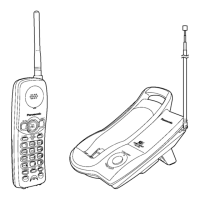
Identifies buttons and indicators on the handset and base unit for operation.
Details installing the stand, connecting cords, battery insertion, and initial charging.
Explains the procedure to initiate a phone call using the handset.
Describes how to receive incoming phone calls on the handset.
Details how to save frequently used phone numbers for quick dialing.
Explains how to access and dial numbers saved in memory stations.
Instructions on assigning a phone number to the DIRECT button for one-touch dialing.
How to use the DIRECT button for rapid dialing of a stored number.
How to locate a misplaced handset using paging tones from the base unit.
Explains using the PAUSE button for PBX access or long-distance call dialing.
Using the RECALL button for call transfer or accessing optional telephone services.
Guidance on charging, maintaining, and replacing the handset battery for optimal life.
Instructions for mounting the unit on a wall and selecting an optimal base unit location.
Lists power supply, consumption, frequency, dimensions, and weight details of the unit.
Provides solutions for common operational problems and error indications.
Essential precautions for safe operation, installation, and environmental considerations.
 General
| Standby Time | Up to 7 days |
|---|---|
| Number of Handsets | 1 |
| Caller ID | Yes |
| Display | LCD |
| Answering Machine | No |
| Intercom | No |
| Call Waiting | Yes |
| Call Transfer | No |
| Redial | Yes |
| Keypad | Yes |
| Type | Cordless Phone |
| Phonebook Capacity | 50 names and numbers |
| Range | Up to 100 meters |
| Power Source | AC Adapter and Battery |







 To Next Page