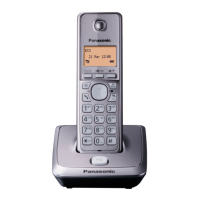
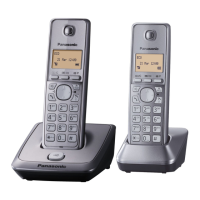
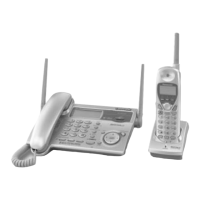
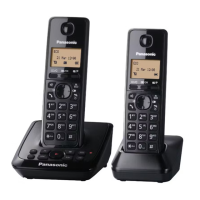
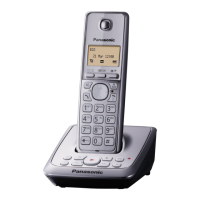
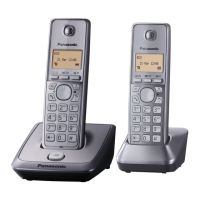
This document describes the Panasonic Digital Cordless Phone (Models KX-TG2711C, KX-TG2712C, KX-TG304CSK) and Digital Cordless Answering System (Models KX-TG2721C, KX-TG2722C).
Function Description:
The Panasonic Digital Cordless Phone and Answering System units are designed for home or office use, offering cordless communication and an integrated answering machine for specific models. The system allows users to make and answer calls, manage a phonebook, program various settings, and utilize Call Display services. The answering system records incoming messages when the user is unavailable. Intercom functionality between handsets and a handset locator feature are also included.
Important Technical Specifications:
- Standard: DECT 6.0 (Digital Enhanced Cordless Telecommunications 6.0)
- Frequency Range: 1.92 GHz to 1.93 GHz
- RF Transmission Power: 115 mW (max.)
- Power Source: 120 V AC, 60 Hz
- Power Consumption (Base Unit):
- Standby: Approx. 0.6 W
- Maximum: Approx. 3.2 W
- Power Consumption (Charger):
- Standby: Approx. 0.1 W
- Maximum: Approx. 1.8 W
- Operating Conditions: 0 °C – 40 °C (32 °F – 104 °F), 20 % – 80 % relative air humidity (dry)
- Battery Type: Nickel metal hydride (Ni-MH), 2 x AAA (R03) size for each handset.
- Battery Performance (supplied batteries):
- Continuous use: 10 hours max. (with eco mode on)
- Standby: 6 days max. (with eco mode on)
- Answering System Recording Capacity: Total recording capacity is about 16 minutes, with a maximum of 64 messages.
Usage Features:
Getting Started:
- Setting Up: Requires connecting the AC adaptor and telephone line cord. A DSL/ADSL filter is necessary if using DSL/ADSL service.
- Battery Installation: Use supplied rechargeable Ni-MH AAA (R03) batteries. Ensure correct polarity.
- Battery Charging: Charge for about 7 hours for full charge. "Fully charged" is displayed when complete.
- Intelligent Eco Mode: Automatically reduces handset power consumption when close to the base unit, indicated by "ECO" on the display. This mode is turned off when the clarity booster is activated.
- Date and Time: Set current hour, minute, and date (12-hour clock format).
- Voice Guidance Language: Available in English or French for the answering system.
- Dialing Mode: Can be set to "Tone" or "Pulse" (rotary).
Making/Answering Calls:
- Making Calls: Lift handset, dial number, and press TALK. Correct digits with CLEAR.
- Using Speakerphone: Dial number and press SPEAKERPHONE. Speak alternately.
- Adjusting Volume: Use (▲) or (▼) during a call to adjust receiver or speaker volume.
- Redial List: Stores the last 5 dialed numbers (up to 48 digits). Select and redial from the list.
- Pause: Insert a 3.5-second pause by pressing PAUSE, useful for PBX or long-distance services.
- Answering Calls: Lift handset or press TALK (or any dial key) when ringing.
- Auto Talk: Automatically answers calls by lifting the handset from the base unit/charger. Can be turned on/off.
- Ringer Volume: Adjust during an incoming call or program beforehand via settings.
- Temporary Ringer Off: Press OFF during an incoming call to temporarily silence the ringer.
- Hold: Put an outside call on hold by pressing MENU and selecting "Hold". Another handset can pick up the call.
- Mute: Mute the microphone during a conversation by pressing MUTE.
- Flash: Use for special PBX features like transferring calls or accessing optional telephone services. Flash time can be adjusted.
- Call Waiting/Visual Call Waiting: Requires subscription. Allows answering a second incoming call while on the phone by pressing FLASH.
- Temporary Tone Dialing: For rotary/pulse service users, press before entering numbers for touch-tone services.
- Handset Clarity Booster: Improves sound clarity in areas with interference during an outside call.
- Call Share: Allows multiple handsets to join an existing outside call (up to 4 parties).
Phonebook:
- Adding Entries: Store up to 50 names (16 characters max) and phone numbers (24 digits max). Entries are shared across all handsets.
- Character Table: Provides characters for name entry.
- Finding Entries: Scroll through all entries or search by first character using dial keys.
- Editing Entries: Modify stored names and numbers.
- Erasing Entries: Delete individual phonebook entries.
- Chain Dial: Dial phone numbers from the phonebook during an active call, useful for calling card access numbers or PINs.
Programming:
- Programmable Settings: Customize various unit features via the handset menus (e.g., ringer settings, display settings, telephone line settings, privacy mode, registration, key tone, auto talk, date and time, customer support).
- Flash Time: Adjustable (default 700 ms).
- Key Tone: Can be turned on/off.
- Auto Talk: Can be turned on/off.
Call Display Service:
- Features: Displays caller information for incoming calls. Logs the last 50 callers.
- Missed Calls: Indicates "Missed call" for unanswered calls.
- Phonebook Name Display: Displays stored names from the phonebook if caller information matches.
- Viewing Caller List: Scroll through the list of incoming calls.
- Calling Back: Dial a number from the caller list.
- Editing Caller's Phone Number: Modify numbers in the caller list (e.g., add "1" for long distance, remove area code) before calling back.
- Erasing Caller Information: Delete selected or all entries from the caller list.
- Storing Caller Information: Save caller information to the phonebook.
Answering System (for KX-TG2721C, KX-TG2722C):
- Function: Answers and records calls when unavailable.
- Turning On/Off: Can be done via the base unit (ANSWER ON/OFF button) or handset menu.
- Call Screening: Listen to a caller leaving a message through the handset speaker. Volume adjustable. Can be set per handset.
- Greeting Message: Plays a greeting to callers. Users can record their own or use a pre-recorded message.
- Listening to Messages: Play new or all messages using the base unit or handset.
- Erasing Messages: Delete individual or all messages.
- Remote Operation: Access the answering system from an outside touch-tone phone using a 3-digit remote access code (default "111"). Listen to messages, change settings, or turn the system on/off remotely. Voice guidance prompts are provided.
- Number of Rings: Change the number of rings before the unit answers (2 to 7 rings, or "Toll saver"). "Toll saver" answers on the 2nd ring if new messages exist, or 5th ring if no new messages.
- Caller's Recording Time: Change the maximum message recording time allowed (default "3 min").
- Voice Mail Service: If subscribed, the service provider's system answers calls. The unit can indicate new Voice Mail messages.
Intercom/Locator:
- Intercom: Make calls between handsets.
- Handset Locator: Locate a misplaced handset by pressing the LOCATOR button on the base unit, causing all registered handsets to ring.
- Transferring Calls: Transfer an outside call to another handset.
- Conference Calls: Allow multiple handsets to join an outside call.
Maintenance Features:
- Routine Care: Wipe the outer surface of the product with a soft moist cloth. Do not use benzine, thinner, or abrasive powder.
- Battery Care: Clean battery ends and charge contacts with a dry cloth monthly. Disconnect from power outlets before cleaning.
- Liquid Damage: If liquid enters the unit, disconnect AC adaptor and telephone line cord, remove batteries, and let dry for at least 3 days. Reconnect and charge after drying. Do not use a microwave oven.

 Need help?
 General


 To Next Page