EasyManua.ls Logo

Panasonic KX-TG2711E - User Manual

Panasonic KX-TG2711E
44 pages
Print Icon
To Next Page IconTo Next Page
Loading...
Operating Instructions
Digital Cordless Answering System
Digital Cordless Phone
Model No. KX-TG2711E
KX-TG2712E
KX-TG2713E
Model No. KX-TG2721E
KX-TG2722E
KX-TG2723E
KX-TG2724E
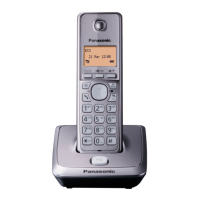
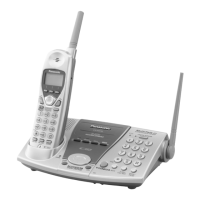
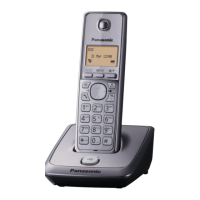
Model shown is KX-TG2711.
Before initial use, see “Getting Started”
on page 11.
Thank you for purchasing a Panasonic product.
Please read these operating instructions before using the unit and save them for
future reference.
Please access our online customer survey:
http://panasonic.net/pcc/tel/q
TG2711_21E(en)_0725_ver022.pdf 1TG2711_21E(en)_0725_ver022.pdf 1 2012/07/25 16:04:122012/07/25 16:04:12

Questions and Answers

  • J
    John RiddleSep 22, 2025
    Why is the name stored in the phonebook not fully displayed while an outside call is being received on my Panasonic KX-TG2711E Cordless Telephone?
    • P
      patrickperezSep 22, 2025
      If the name stored in your Panasonic Cordless Telephone's phonebook is not fully displayed during an incoming call, edit the phonebook entry name to fit on one line of text.
  • D
    Dean BakerAug 23, 2025
    How to fix a Panasonic KX-TG2711E Cordless Telephone when I cannot hear a dial tone?
    • T
      Tiffany ClarkAug 23, 2025
      If you cannot hear a dial tone on your Panasonic Cordless Telephone, ensure that you are using the supplied telephone line cord, as older cords may have different wiring. Also, check that the base unit’s AC adapter and telephone line cord are properly connected. If the issue persists, disconnect the base unit and connect the telephone line to a known working telephone to determine if the problem lies with the phone or the service provider.
  • L
    Laura CarrollAug 25, 2025
    What to do if I cannot hear a dial tone on my Panasonic KX-TG2711E?
    • K
      Kimberly MaloneAug 25, 2025
      First, ensure you're using the telephone line cord that came with your Panasonic Cordless Telephone, as older cords might have different wiring. Also, check that the base unit’s AC adapter and telephone line cord are properly connected. If the issue persists, disconnect the base unit and connect the telephone line to a working phone. If that phone works, your unit may need repair; if not, contact your service provider.
  • C
    Clifford BanksAug 26, 2025
    What to do if my Panasonic KX-TG2711E Cordless Telephone unit does not work?
    • C
      Christine Johnson MDAug 26, 2025
      If your Panasonic Cordless Telephone is not working, ensure the batteries are correctly installed and fully charged. Check all connections. Try resetting the unit by unplugging the base unit’s AC adapter, turning off the handset, reconnecting the adapter, and turning the handset back on. Also, verify that the handset is registered to the base unit.
  • L
    Lisa RobinsonAug 27, 2025
    What to do if my Panasonic KX-TG2711E unit does not record new messages?
    • D
      Daniel CurtisAug 27, 2025
      If your Panasonic Cordless Telephone unit isn't recording new messages, first, check if the answering system is turned off and turn it on. If it is on, the message memory might be full, so erase unwanted messages. Also, ensure the recording time isn't set to “Greeting Only”. If you subscribe to a voice mail service, messages are recorded by your service provider, not your telephone, consider changing the unit’s number of rings setting.
  • G
    Gregory BennettSep 18, 2025
    Why I cannot activate the eco mode on my Panasonic KX-TG2711E?
    • A
      areeseSep 18, 2025
      You cannot set eco mode on your Panasonic Cordless Telephone when you set the repeater mode to “On”. If required, set the repeater mode to “Off”.
  • J
    Jeffery WebbSep 15, 2025
    How to change the PIN on my Panasonic Cordless Telephone?
    • C
      Caroline CohenSep 15, 2025
      To change the PIN on your Panasonic Cordless Telephone, use the following method: 1 M N 2 MbN: “Base Unit Setup” a M N 3 MbN: “Base Unit PIN” a M N 4 *7000 5 Enter the new 4-digit base unit PIN. a M N a M N
  • J
    Johnathan HowardSep 16, 2025
    Why I cannot use the intercom or phonebook copy feature on my Panasonic KX-TG2711E?
    • A
      Amanda RamosSep 16, 2025
      The intercom and phonebook copy features on your Panasonic Cordless Telephone are available between handsets. If you have a single handset model, these features are not available, even if the handset displays “Intercom”, “Copy All”, or “Copy”.
  • E
    Eric MorseSep 6, 2025
    What to do if my Panasonic KX-TG2711E handset does not turn on?
    • D
      David JohnsonSep 6, 2025
      If your Panasonic Cordless Telephone handset does not turn on even after installing charged batteries, place the handset on the base unit or charger to turn it on.
  • S
    Sarah GillSep 3, 2025
    Why I cannot activate eco mode on my Panasonic Cordless Telephone?
    • C
      Chad ShahSep 3, 2025
      You cannot activate eco mode on your Panasonic Cordless Telephone if the repeater mode is set to “On”. If you want to use eco mode, set the repeater mode to “Off”.

Panasonic KX-TG2711E Specifications

General IconGeneral
Number of Handsets1
Frequency1.9 GHz
Range (indoors)50 meters
Call Durationup to 10 hours
DisplayLCD
Display Lines1
Phonebook Capacity50 entries
Ringtones10
SpeakerphoneYes
Caller IDYes
Call WaitingYes
Answering MachineNo
IntercomYes
Power SourceAC Adapter
GAP compatibleYes
TypeDECT
Standby Time120 hours
Battery TypeNiMH

Related product manuals