
 To Next Page
K
Katherine SerranoSep 18, 2025
Why can't I use voice paging on my Panasonic KX-TGF850?
- Mmichael12Sep 19, 2025
You cannot use voice paging on your Panasonic Telephone if other units are in use.

Why can't I use voice paging on my Panasonic KX-TGF850?
You cannot use voice paging on your Panasonic Telephone if other units are in use.
What to do if my Panasonic Telephone is not working?
If your Panasonic telephone is not working, first ensure the batteries are installed correctly. Next, fully charge the batteries. Check all connections to make sure they are secure. Try resetting the unit by unplugging the base unit’s AC adapter and then reconnecting it. Finally, ensure the handset is registered to the base unit; if not, register the handset.
What to do if my Panasonic KX-TGF850 Telephone handset beeps and/or flashes?
If your Panasonic telephone handset beeps and/or flashes, it indicates that the battery charge is low. Fully charge the batteries to resolve this issue.
Why is Caller information not displayed on my Panasonic Telephone?
If caller information is not displayed on your Panasonic telephone, ensure that you subscribe to Caller ID service with your phone service provider. If you have additional telephone equipment connected, plug the unit directly into the wall jack. For DSL/ADSL service, use a DSL/ADSL filter between the base unit and the telephone line jack. Note that the name display service may not be available in some areas, and other telephone equipment might be interfering with the unit.
How to fix Panasonic KX-TGF850 Telephone when the caller list/incoming phone numbers are not edited automatically?
If the caller list/incoming phone numbers are not edited automatically on your Panasonic telephone, the Caller ID number auto edit feature might be turned off. Turn it on and try again. You may also need to call back the edited number to activate Caller ID number auto edit.
What to do if I cannot dial the phone number edited in the caller list on my Panasonic KX-TGF850 Telephone?
If you cannot dial the phone number edited in the caller list on your Panasonic telephone, the phone number you dialed might have been edited incorrectly (for example, the long distance “1” or the area code is missing). Edit the phone number with another pattern.
Why can't I hear a dial tone on my Panasonic Telephone?
If you cannot hear a dial tone on your Panasonic telephone, the base unit’s AC adapter or telephone line cord may not be connected properly. Check the connections. You can also disconnect the base unit from the telephone line and connect the line to a known working telephone to determine if the issue is with the unit or your phone service.
Why is Caller information displayed or announced late on my Panasonic KX-TGF850 Telephone?
If caller information is displayed or announced late on your Panasonic telephone, the unit may display or announce the caller’s information at the 2nd ring or later, depending on your phone service provider. Also, try moving closer to the base unit.
Why is the 2nd caller’s information is not displayed during an outside call on my Panasonic KX-TGF850?
In order to use Caller ID, call waiting, or Call Waiting Caller ID (CWID) on your Panasonic telephone, you must first contact your phone service provider and subscribe to the desired service. After subscribing, you may need to contact your phone service provider again to activate this specific service, even if you already subscribed to both Caller ID and Call Waiting with Caller ID services (CWID).
Why can't I register a handset to a base unit on my Panasonic Telephone?
If you cannot register a handset to a base unit on your Panasonic telephone, the maximum number of handsets (6) is already registered to the base unit. Cancel unused handset registrations from the base unit.
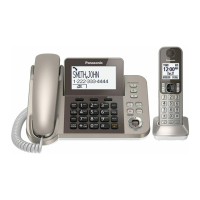
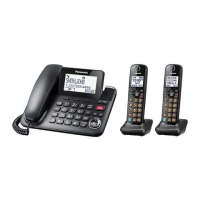
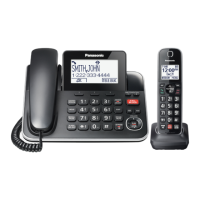
Details the different models and their included components.
Lists supplied accessories and their part numbers for each model.
Explains common symbols used on the equipment and their meanings.
Crucial safety precautions to prevent injury, fire, or property damage.
Guidance on proper placement to avoid electrical hazards and ensure functionality.
Instructions and warnings regarding the use and handling of Ni-MH batteries.
Tips for optimal base unit placement and environmental considerations.
Technical details including standard, frequency range, power source, and operating conditions.
Step-by-step guide for connecting the base unit, charger, and handset.
Identifies and explains the buttons and features on the handset and base unit.
Explains the meaning of various icons shown on the handset and base unit displays.
How to change the display and voice announcement languages.
Procedure for setting the current date and time on the unit.
Guide to recording a custom greeting for the answering system.
Feature that provides voice announcements for low battery status.
Instructions for initiating calls using the handset, base unit, and redial list.
How to answer incoming calls using the handset or base unit.
How to adjust audio volume during a call.
Explains features like Hold and Mute available during an active call.
How to use call waiting and view caller information for the second caller.
Feature to improve audio clarity by reducing background noise.
Enables automatic answering of calls using voice detection.
How to adjust the sensitivity for voice command activation.
Instructions for initiating calls between internal units.
How to respond to an incoming intercom call.
Automatically answers intercom calls without user interaction.
How to block current calls and add numbers to the call block list.
Methods to block calls by number, range, or unknown callers.
How to block numbers directly from the received calls list.
Automatically screens calls based on caller ID, blocking unwanted numbers.
Manages numbers allowed through automated call block after verification.
Configuration options for the automated call blocking feature.
Step-by-step guide to entering names and numbers into the phonebook.
How to save incoming caller details directly into the phonebook.
Assigns phone numbers to speed dial keys for quick dialing.
Process for storing numbers into speed dial keys, manually or from phonebook.
Overview of accessing features via menu scrolling or direct command codes.
Provides a structured list of menu options, codes, and corresponding page references.
Settings for ringer volume and tone for incoming and intercom calls.
Allows setting periods when the unit will not ring for outside calls.
How to set up alarms with text memos, tones, and snooze options.
Configuration for monitoring a room remotely via handset or base unit.
Process for adding or removing handsets from the base unit.
Prerequisites and basic features of the Caller ID service.
Details on displaying caller info, missed calls, and phonebook name display.
Feature to announce caller name or number audibly.
How to view received calls and call back entries.
Overview of the answering system's capabilities for recording calls.
How to enable or disable the answering system on the base unit and handset.
Information on using own or pre-recorded greeting messages for callers.
Step-by-step guide to recording a personalized greeting.
Notifies you via phone call when new messages are recorded.
Accessing answering system features remotely using a touch-tone phone.
Setting and using a code to prevent unauthorized remote access.
Configuring call screening, ring count, and recording time.
Allows listening to a caller's message in progress.
Information on using external voicemail services instead of the unit's answering system.
Procedure to save the number for accessing your phone service provider's voicemail.
How to access and listen to messages left via the phone company's voicemail service.
Lists common error messages and their corresponding causes and solutions.
Solutions for common operational problems with the unit.
Regulatory compliance information, including FCC rules and RF exposure warnings.
A dedicated mode for charging base unit backup batteries, disabling other functions.
Instructions for physically mounting the base unit onto a wall.
Basic connection steps for the base unit, charger, and handset installation.
Connecting the AC adapter to the power outlet for the charger.
Instructions for charging the portable unit's battery.
Tips on using function keys, navigator keys, and volume controls.
Steps to change the display and voice guide languages.
Procedure to set the date and time.
How to record a custom greeting message for the answering machine.
Fundamental operations like making, answering calls, and using the directory.
Turning the answering system on/off and listening to messages.
Addresses common user questions and provides solutions.
Information on obtaining support, accessories, and parts from Panasonic.
Details the terms and conditions of the product's limited warranty for US customers.
Outlines what is covered and not covered by the product warranty.


 General