Frequently asked questions
If you still have difficulties after following the instructions in this section, disconnect
the base unit’s AC adaptor, then reconnect the base unit’s AC adaptor. Remove
the batteries from the handset, and then insert them into the handset again.
Question Cause/solution
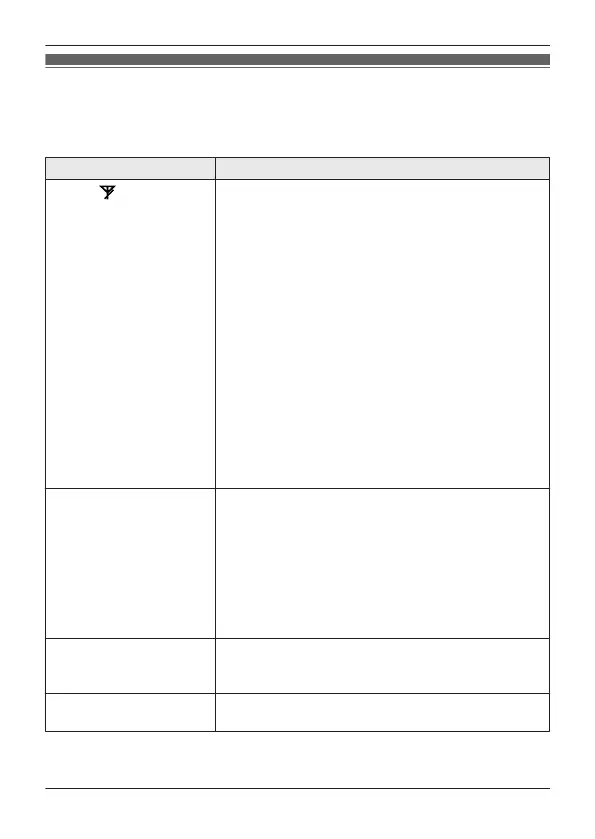
Why is displayed?
R T
he handset is too far from the base unit.
Move closer.
R The base unit’s AC adaptor is not properly
connected. Reconnect AC adaptor to the base
unit.
R The handset is not registered to the base unit.
Register it.
1 Handset:
MMENUN#130
2 Base unit:
Press and hold MLOCATORN for about 5
seconds.
R If all registered handsets start ringing,
press MLOCATORN again to stop, then
repeat this step.
3 Handset:
Press MOKN, then wait until a long beep
sounds.
Main unit
n
o power
or
No link. Re-
connect base
AC adaptor.
is displayed. How do I
remove this message
from the display?
R C
onfirm the base unit’s AC adaptor is connected
to the unit and the power outlet correctly.
R The handset has lost communication with the
base unit. Move closer to the base unit and try
again.
R Unplug the base unit’s AC adaptor to reset the
unit. Reconnect the adaptor and try again.
R The handset’s registration may have been
canceled. Re-register the handset.
Can I keep the batteries
c
harging all the time?
R You can leave the handset on the base unit or
charger anytime.
This will not harm the batteries.
How can I answer a call
w
aiting call (2nd call)?
R Press MFLASHN on the handset when you hear
the call waiting tone.
For assistance, please visit https://shop.panasonic.com/support
21
Useful Information
TGU43x(en)_Basic OI_1227_ver025.pdf 21 2023/12/27 9:42:55









 To Next Page