EasyManua.ls Logo

Panasonic KX-TS560FX - User Manual

Panasonic KX-TS560FX
56 pages
Print Icon
To Next Page IconTo Next Page
Loading...
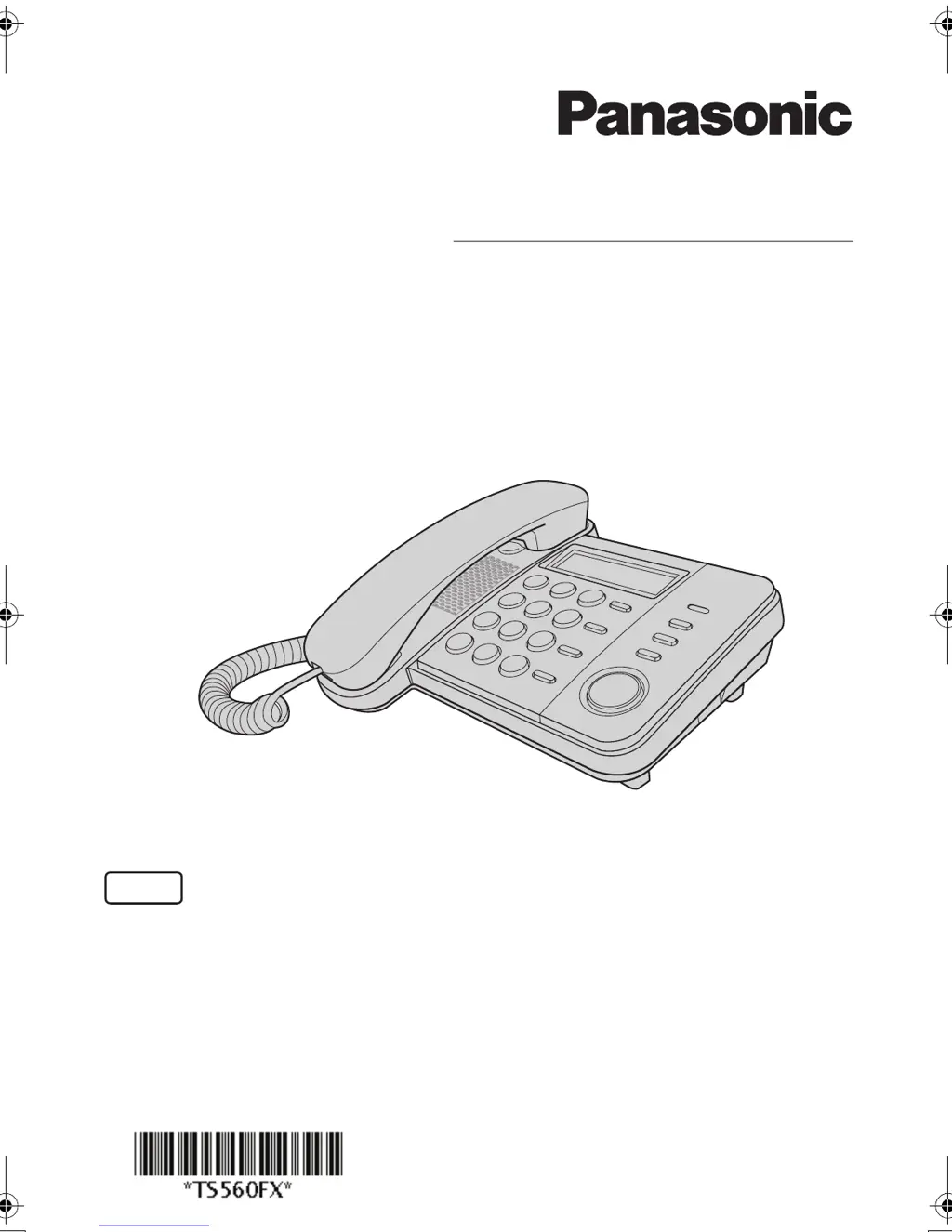
Operating Instructions
Integrated Telephone System
Model No. KX-TS560FX
KX-TS580FX
This unit is compatible with Caller ID. You must subscribe to the appropriate service offered
by your service provider/telephone company.
Please read these operating instructions before using the unit and save them for future
reference.
PNQX1367ZA FM1008NE0
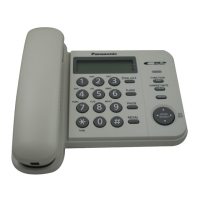
Model shown is KX-TS580FX
English
KX-TS560_580FX.book Page 1 Tuesday, December 16, 2008 10:12 AM

Table of Contents

Questions and Answers

  • R
    Riley VillanuevaAug 19, 2025
    What to do if the other party cannot hear my voice on Panasonic KX-TS560FX Telephone Accessories?
    • T
      tinaandersonAug 19, 2025
      If the other party cannot hear you during a call on your Panasonic Telephone Accessories, it might be because the {HANDSET MUTE} (KX-TS560FX) or {MUTE} (KX-TS580FX) button was accidentally pressed. Press {HANDSET MUTE} or {MUTE} again to cancel the mute function.
  • N
    Nicole RichardsonAug 21, 2025
    Why is caller information not displayed on my Panasonic Telephone Accessories?
    • M
      Melissa WellsAug 21, 2025
      If your Panasonic Telephone Accessories unit's caller information is not displayed, consider the following: * You may need to subscribe to a Caller ID service. * Install or replace the batteries. * Connect the unit directly into the wall jack, disconnecting any additional telephone equipment. * If you use a DSL/ADSL service, connecting a DSL/ADSL filter between the unit and the telephone line jack might help. * Other telephone equipment may be interfering with your phone. Disconnect it and try again.
  • D
    Daniel StoneAug 23, 2025
    What to do if I cannot dial with my Panasonic KX-TS560FX Telephone Accessories?
    • B
      Brittany SpencerAug 25, 2025
      If you cannot dial with your Panasonic Telephone Accessories, make sure to check for a dial tone. If there isn't one, inspect the connections. Also, verify that the dialing mode is correctly set. If dial lock is active, you will need to turn it off. Finally, the dialed number may be restricted, so you will need to cancel the restriction.
  • C
    Charles CervantesAug 26, 2025
    Why is the display blank on my Panasonic KX-TS560FX Telephone Accessories?
    • F
      francisco74Aug 26, 2025
      If the display on your Panasonic Telephone Accessories is blank, try installing new batteries.
  • B
    Brittany RojasAug 28, 2025
    How to fix a Panasonic KX-TS560FX unit that does not ring?
    • J
      Justin JonesAug 28, 2025
      If your Panasonic Telephone Accessories unit does not ring, the RINGER selector might be set to OFF. Change it to HIGH or LOW.
  • M
    Mark BaileyAug 30, 2025
    Why can't I store a name and number in my Panasonic Telephone Accessories?
    • J
      Jessica HillAug 30, 2025
      If you are trying to store a name and phone number in the memory of your Panasonic Telephone Accessories and it's not working, keep in mind the following: * Programming is not possible when the handset is off the cradle. * Check that the batteries are installed in the unit and that the battery power is not low. * Do not pause for over 60 seconds while storing. * Do not enter a phone number more than 32 digits long. * When using the dial lock or call restriction feature, you cannot store emergency numbers (#). * If “PHONEBOOK FULL” is displayed, erase other stored items from the phonebook memory.
  • D
    Dr. Ricky KennedySep 2, 2025
    What happens when my Panasonic Telephone Accessories rings during programming?
    • K
      Kimberly WattsSep 2, 2025
      If you are programming or searching on your Panasonic Telephone Accessories, and the unit starts to ring, it means a call is coming in. Answer the call, and after hanging up, you can start the programming or search again.
  • A
    Arthur HuntSep 4, 2025
    Why can't I program items on my Panasonic KX-TS560FX Telephone Accessories?
    • K
      karenthomasSep 4, 2025
      If you are trying to program items on your Panasonic Telephone Accessories such as the dialing mode and it's not working, programming is not possible when the handset is off the cradle, while viewing caller information, or when “ ” is displayed (KX-TS580FX). Also, do not pause for over 60 seconds while programming.
  • E
    Eric MaddenSep 6, 2025
    What to do if liquid entered my Panasonic Telephone Accessories?
    • A
      Anna BassSep 6, 2025
      If liquid or other moisture has entered your Panasonic Telephone Accessories unit, disconnect the telephone line cord. Then, remove the batteries and let the unit dry for at least 3 days. Once completely dry, reconnect the phone line and reinsert the batteries.
  • L
    lewisthomasSep 8, 2025
    Why doesn't the number of missed calls display on my Panasonic KX-TS560FX Telephone Accessories?
    • E
      Emma CobbSep 9, 2025
      If the number of missed calls does not display during standby mode on your Panasonic Telephone Accessories, it means you have already entered the caller list and there are no new missed calls since then. If there are unviewed missed calls, the number of missed calls will be displayed when you enter the caller list.

Panasonic KX-TS560FX Specifications

General IconGeneral
BrandPanasonic
ModelKX-TS560FX
CategoryTelephone Accessories
LanguageEnglish

Related product manuals