15
2-2 Screen Configuration
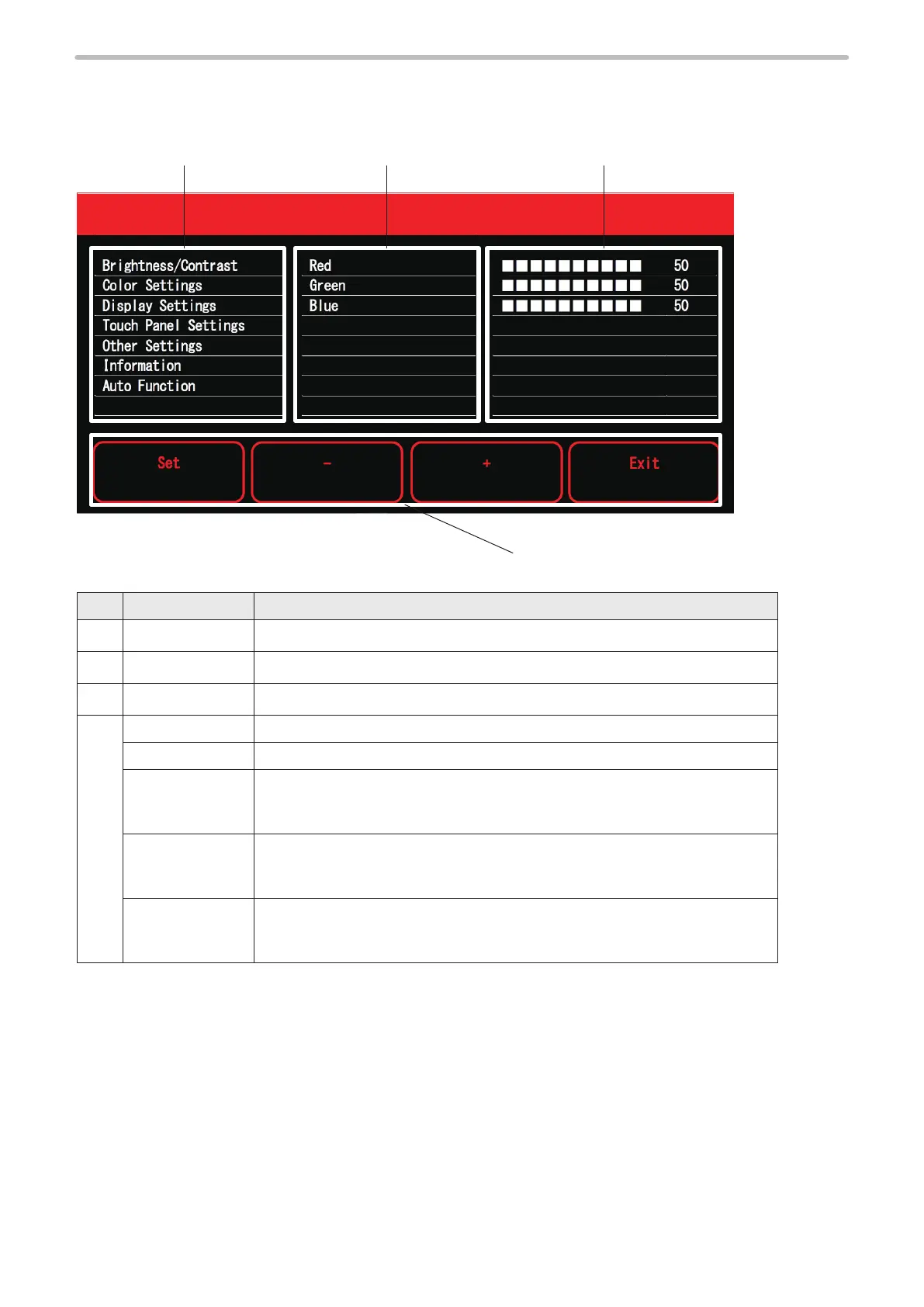
The configuration of the setting panel for screen adjustment is shown below.
q
No. Name Description
q
Menu The menu for the screen adjustment is displayed.
Adjustment items The adjustment items for the selected menu are displayed.
Setting value The setting values for the selected adjustment item are displayed.
r
Operation button Operate the following buttons to adjust the screen.
Set Confirm the selected item or setting value.
-
Moves the cursor downward.
When the cursor is on the setting value, every touch of the button decreases the
setting value by one.
+
Moves the cursor upward.
When the cursor is on the setting value, every touch of the button increases the
setting value by one.
Exit You can cancel the selected item or setting value.
When the cursor is on the menu, one touch of the button ends the screen
adjustment.



 To Next Page