Wi-Fi/NFC
46
SQT0775 (ENG)
Connecting to a smartphone/tablet
You can easily set up a direct connection to your smartphone without entering a password.
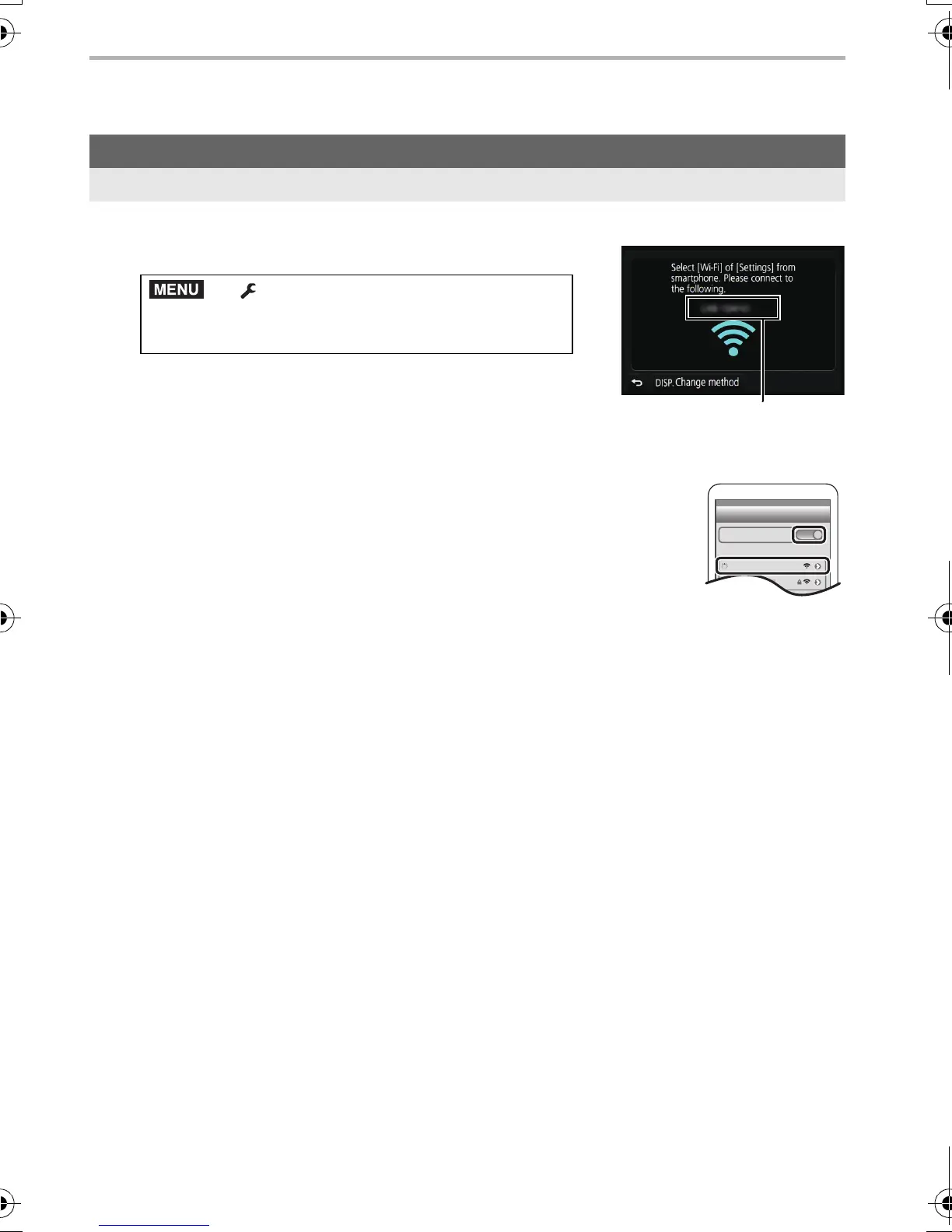
1 Select the menu on the camera. (P24)
•
When the camera is ready to be connected to the
smartphone, the SSID is displayed.
A SSID
• You can also display the information by pressing [Wi-Fi] on
the camera.
2 Turn on the Wi-Fi function in the setting menu of the
smartphone.
3 On the Wi-Fi setting screen of the smartphone, select the
SSID displayed on the camera.
4 On the smartphone, start “Image App”.
5 When the connection confirmation screen is displayed on the
camera, select [Yes] to connect. (For first time connection only)
•
When [Wi-Fi Password] is set to the default setting [OFF], third parties may intercept
Wi-Fi radio waves and collect the content of communications. Set [Wi-Fi Password] to
[ON] to enable the password.
• For details, refer to the “Owner’s Manual for advanced features (PDF format)”.
For both iOS devices (iPhone/iPod touch/iPad) and Android devices
Connecting without using the password
> [Setup] > [Wi-Fi] > [Wi-Fi
Function] > [New Connection] > [Remote
Shooting & View]
DMC-GX8_PP-SQT0775_eng.book 46 ページ 2015年7月7日 火曜日 午後5時1分


 To Next Page
 Loading...