EasyManua.ls Logo

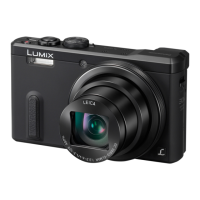
Panasonic Lumix DMC-TZ70GN - User Manual

Panasonic Lumix DMC-TZ70GN
305 pages
Print Icon
To Next Page IconTo Next Page
Loading...
SQW0215
M0115KZ0
Operating Instructions
for advanced features
Digital Camera
Model No. DMC-TZ70/DMC-ZS50
Please read these instructions carefully before using this product, and
save this manual for future use.

Table of Contents

Questions and Answers

  • K
    Kathryn BellSep 10, 2025
    Why is the monitor/viewfinder turned off although the camera is turned on, on my Panasonic Lumix DMC-TZ70GN Digital Camera?
    • M
      Michael FloresSep 10, 2025
      If the monitor/viewfinder is turned off although the camera is turned on, it could be that a hand or object is close to the eye sensor, which switches the monitor display mode to viewfinder display mode.
  • J
    Julie MolinaAug 22, 2025
    Why are recorded pictures blurred on my Panasonic Lumix DMC-TZ70GN Digital Camera and the stabiliser function ineffective?
    • V
      Victor NelsonAug 22, 2025
      If recorded pictures appear blurred and the stabiliser function is ineffective, hold the camera firmly with both hands, keeping your arms close to your body. This issue can occur because the shutter speed is slower in dark locations, making the stabiliser function less effective.
  • S
    smillerAug 25, 2025
    Why is the charging lamp flashing on my Panasonic Lumix DMC-TZ70GN Digital Camera?
    • A
      Ashley TurnerAug 25, 2025
      If the charging lamp is flashing, it might be due to charging in a place with extremely high or low temperatures. Reconnect the USB connection cable and retry charging in a place where the ambient temperature is 10 °C to 30 °C (50 °F to 86 °F). Note that these temperature conditions also apply to the battery itself.
  • D
    Diana DaltonAug 26, 2025
    What to do if no images appear on TV from my Panasonic Lumix DMC-TZ70GN, or the image is blurred or not coloured?
    • P
      Philip SmithAug 26, 2025
      If no images appear on TV, and the image is blurred or not coloured, ensure that the television has been switched to auxiliary input and that the connection is correct.
  • C
    Crystal HendrixAug 27, 2025
    Why can't I record pictures on my Panasonic Digital Camera?
    • R
      Robert NashAug 27, 2025
      If you cannot record pictures, it is likely because the built-in memory/card is full. Free up space by deleting unwanted pictures.
  • T
    Tammy BrownAug 29, 2025
    Why do recorded pictures look white on my Panasonic Lumix DMC-TZ70GN Digital Camera?
    • E
      emilykelleyAug 29, 2025
      If recorded pictures look white, the lens may be dirty (fingerprints, etc.). Turn the camera on to extract the lens barrel, and clean the lens surface with a soft, dry cloth.
  • E
    Evan MoodySep 18, 2025
    Why do reddish horizontal streaks appear on the screen during recording with my Panasonic Digital Camera?
    • K
      Kelsey MooreSep 18, 2025
      If reddish horizontal streaks appear on the screen during recording, this is characteristic of the MOS sensors, which serve as the camera’s pickup sensors. The streaks appear when the subject has a bright part. It is recommended that you take pictures while taking care not to expose the screen to sunlight or any other source of strong light.
  • J
    Jessica HarrellSep 12, 2025
    What to do if my Panasonic Lumix DMC-TZ70GN Digital Camera does not work even if it is turned on?
    • T
      tinamccoySep 12, 2025
      If the camera does not work even if it is turned on, the battery may not be inserted correctly, or it needs recharging.
  • A
    Adrian FlemingSep 8, 2025
    What to do if pictures do not show on the LCD monitor of my Panasonic Lumix DMC-TZ70GN?
    • A
      Anna WilliamsSep 8, 2025
      If pictures do not show on the LCD monitor, the camera may be set for viewfinder display. Press the [LVF] button and switch to LCD monitor display.
  • W
    williamsrobinSep 5, 2025
    Why is no flash emitted from my Panasonic Lumix DMC-TZ70GN?
    • B
      Brian MaxwellSep 5, 2025
      If no flash is emitted, the flash may be set to [ ] ([Forced Flash Off]). The flash becomes unavailable in certain modes such as [Auto Bracket], [Burst] (excluding [ ] ([Flash Burst])), Scene Modes ([Scenery], [Night Scenery], [Handheld Night Shot], [HDR], [Sunset], [Starry Sky], [Glass Through], [High Speed Video], [3D Photo Mode]), [Creative Control] Mode, and [Panorama Shot] Mode.

Panasonic Lumix DMC-TZ70GN Specifications

General IconGeneral
BrandPanasonic
ModelLumix DMC-TZ70GN
CategoryDigital Camera
LanguageEnglish

Related product manuals