19
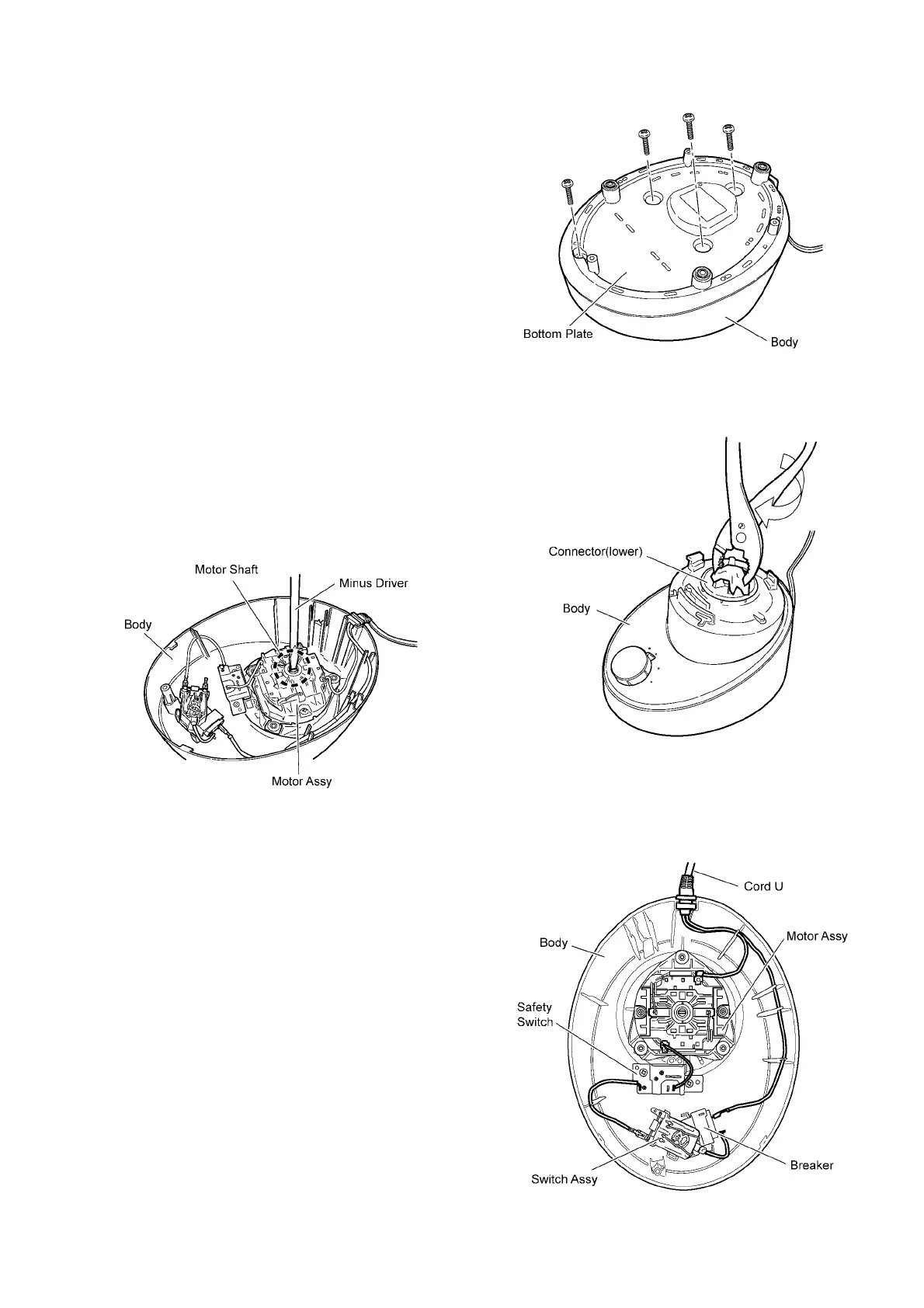
6.3. Bottom plate
1. The bottom plate can be removed when its four screws
are lossened.
6.4. Connector(Lower)
1. Hold the part under the motor shaft by means of a
screws-driver, then turn the connector (lower) clockwise.
The connector (lower) can be removed.
• The connector (lower) can be relatively easily removed
by means of hitting its projecting section clockwise with
use of a screwdriver grip in a forceful manner.
6.5. Cord U
1. Pull out while the faston terminal with the part of the Cord
U.




 To Next Page