Playback Mode
-36-
2
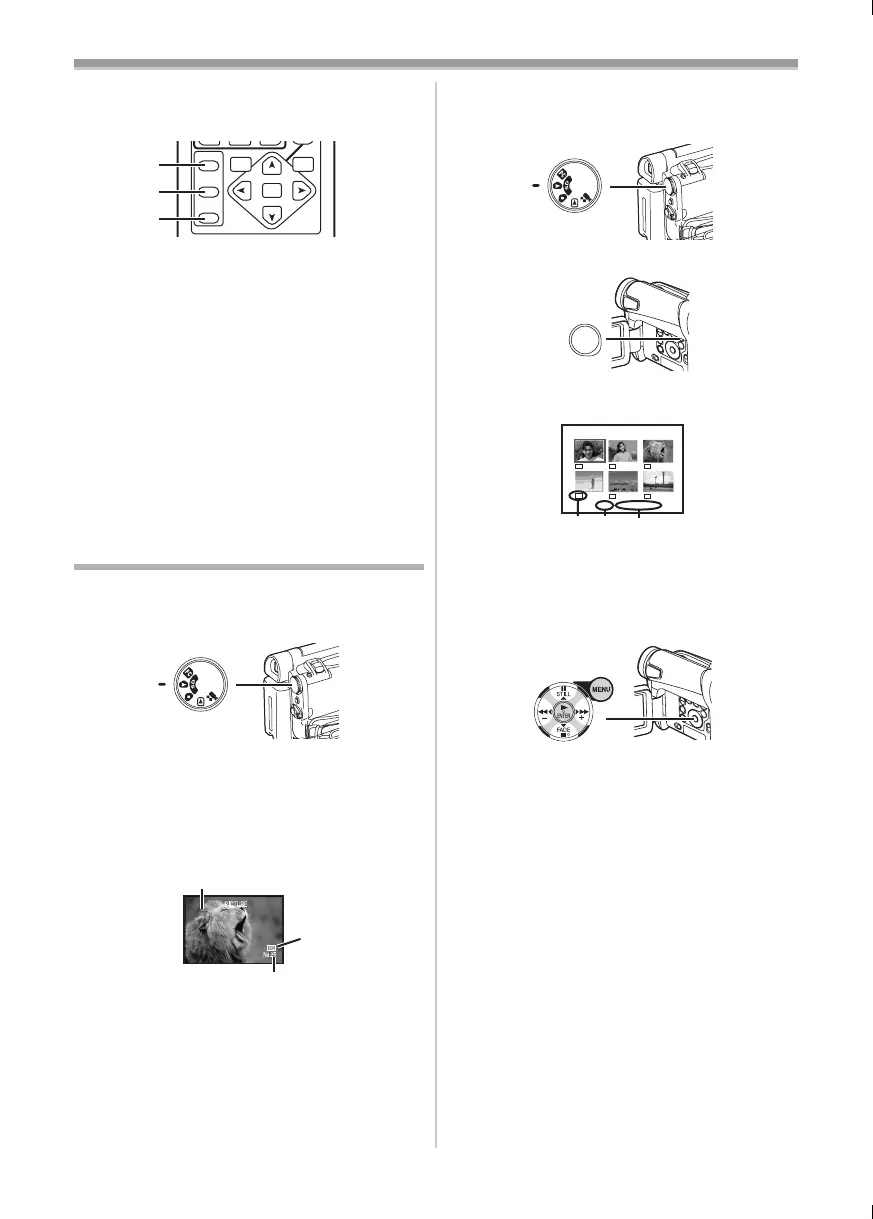
Press the [SELECT] Button (60) on the
Remote Controller and select [WIPE] or
[MIX].
3 Press the [STORE] Button (61) at the
moment you want to save as a still picture.
≥The [B] or [C] Indication appears, and
the image is saved.
4 Press the [OFF/ON] Button (62) in the scene
in which you want to use the Wipe or Mix
effect.
≥The scene changes as a result of the Wipe or
Mix effect.
≥If the [OFF/ON] Button
(62) is pressed while
Wipe or Mix is carried out, the effect will stop
temporarily at that point. Pressing the [OFF/ON]
Button
(62) again will bring back the effect.
≥For other notes concerning this item, see
-52-.
Playing Back a Card (NV-GS15 only)
It plays back files recorded on a Card.
1 Set the Mode Dial (39) to Picture Playback
Mode.
2 Start Playback.
1: Starting the Slide Show
5: Playing back the next picture
6: Playing back the previous picture
∫: Stop the Slide Show
;: Pause the Slide Show
1 Folder File Number
2 Picture Size (
-47-)
3 File Number
SELECT
STORE
OFF/ON
P.B.DIGITAL
ENTER
VAR.
SEARCH
MENU
(60)
(61)
(62)
(39)
100-0001
3
2
1
To Select a Desired File and Playing Back
1 Set the Mode Dial (39) to Picture Playback
Mode.
2 Press the [MULTI] Button (10).
≥The files recorded on the Card are displayed
in Multi-Picture Mode.
1 Picture Size
2 File Number
3 Folder File Number
3 Press the [;/∫/6/5] Button to select a
desired file.
≥The selected file is marked with a frame.
4 Press either the [ENTER] Button (17) or the
[MULTI] Button
(10).
≥The selected file is shown on the entire
screen.
≥For other notes concerning this item, see
-52-.
(39)
MULTI/
P-IN-P
(10)
PICTURE
1 23
No.25 100-0014
640
640
640
640
640
640
15B-ENG.book 36 ページ 2004年2月2日 月曜日 午後4時45分





 To Next Page