Camera Mode
-23-
≥Adjust focus manually when using this mode. (-21-)
7) Trailing Effect Mode [TRACER]
≥It records images with a trailing effect.
8) Mosaic Mode [MOSAIC]
≥It produces a mosaic-like image.
9) Mirror Mode [MIRROR]
≥The right half of an image becomes a mirror image of
the left half.
Digital Effects 2 [EFFECT2]
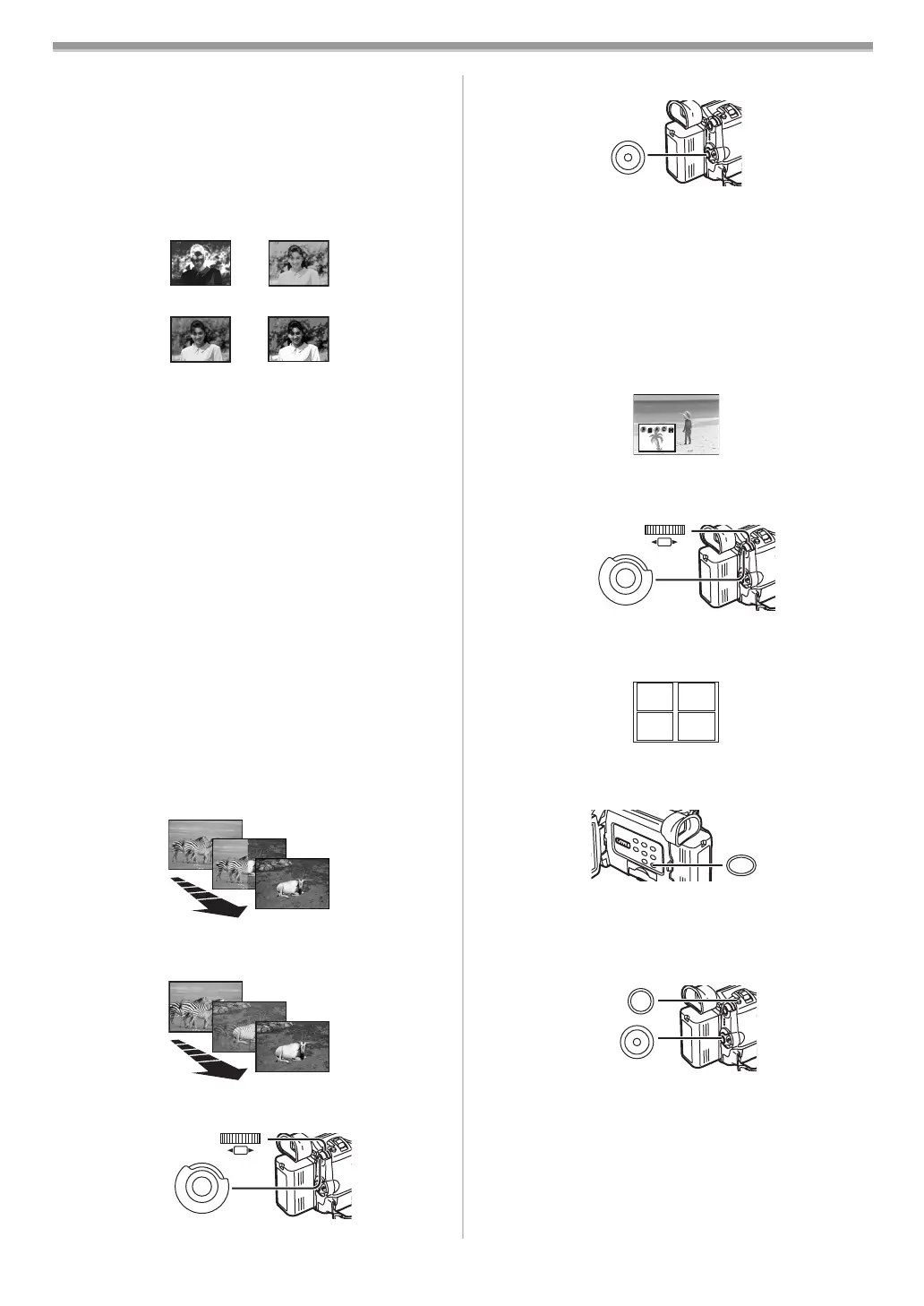
10) Negative Mode [NEGA]
≥The colours of the recorded image are inverted as seen
in a negative.
11) Sepia Mode [SEPIA]
≥It records a scene with a brownish tint, like the colour of
old pictures.
12) Black & White Mode [B/W]
≥It records an image in black and white.
13) Solarisation Mode [SOLARI]
≥It records an image with a painting-like effect.
To Select a Desired Digital Effect
Set [CAMERA FUNCTIONS] >> [DIGITAL EFFECT] >>
[EFFECT1] or [EFFECT2] >> a desired Digital Effect.
To Cancel the Digital Effect
Set [CAMERA FUNCTIONS] >> [DIGITAL EFFECT] >>
[EFFECT1] or [EFFECT2] >> [OFF].
≥If the Movie Camera is turned off, the [EFFECT2] settings
are cancelled.
≥For other notes concerning this item, see
-45-.
ª Wipe Mode and Mix Mode
Wipe Mode:
Like a curtain is being pulled, the still picture of the last
recorded scene gradually changes to the moving image of a
new scene.
Mix Mode:
While the moving image of a new scene fades in, the still
image of the last recorded scene gradually fades out.
1 Set [CAMERA FUNCTIONS] >> [DIGITAL EFFECT] >>
[EFFECT1] >> [WIPE] or [MIX].
≥The [WIPE] or [MIX] Indication appears.
10) NEGA
11) SEPIA
12) B/W
13) SOLARI
WIPE
WIPE
WIPE
MIX
MIX
MIX
M
E
N
U
PUSH
SHUTTER/IRIS/
VOL/JOG
(26)
(51)
2 Press the Recording Start/Stop Button to start
recording.
3 Press the Recording Start/Stop Button (32) to pause
the recording.
≥The last scene is stored in memory. The [WIPE] or [MIX]
Indication changes to [B] or [C].
4 Press the Recording Start/Stop Button (32) to restart
the recording.
≥The last image of the previous scene gradually changes
to the new scene.
≥For other notes concerning this item, see -45-.
ª Picture-in-Picture Mode
You can display a sub-screen (still picture) inside the screen.
1 Set [CAMERA FUNCTIONS] >> [DIGITAL EFFECT] >>
[EFFECT1] >> [P-IN-P].
2 Set [CAMERA FUNCTIONS] >> [MULTI-PICTURES] >>
[P-IN-P] >> a position (1, 2, 3, 4) where you want to
insert a small still picture.
3 Aim the Movie Camera at the scene you want to
capture and press the [P-IN-P] Button
(24) to insert a
small still picture.
≥A small still picture is displayed in a normal picture.
≥If the [P-IN-P] Button is pressed again, the small still
picture is cleared.
4 Press the Recording Start/Stop Button (32) or the
[PHOTO SHOT] Button
(25) to record on the Cassette.
≥For other notes concerning this item, see
-45-.
(32)
M
E
N
U
PUSH
SHUTTER/IRIS/
VOL/JOG
(26)
(51)
12
34
MULTI/P-IN-P
(24)
PHOTO
SHOT
(25)
(32)
B5-B.book 23 ページ 2002年8月6日 火曜日 午前11時33分



 To Next Page