CARD Mode
-36-
To Delete the Selected Picture
1 Set [CARD FUNCTIONS] >> [CARD EDITING] >>
[SLIDE SHOW] >> [YES] >> [DELETE] >> [YES].
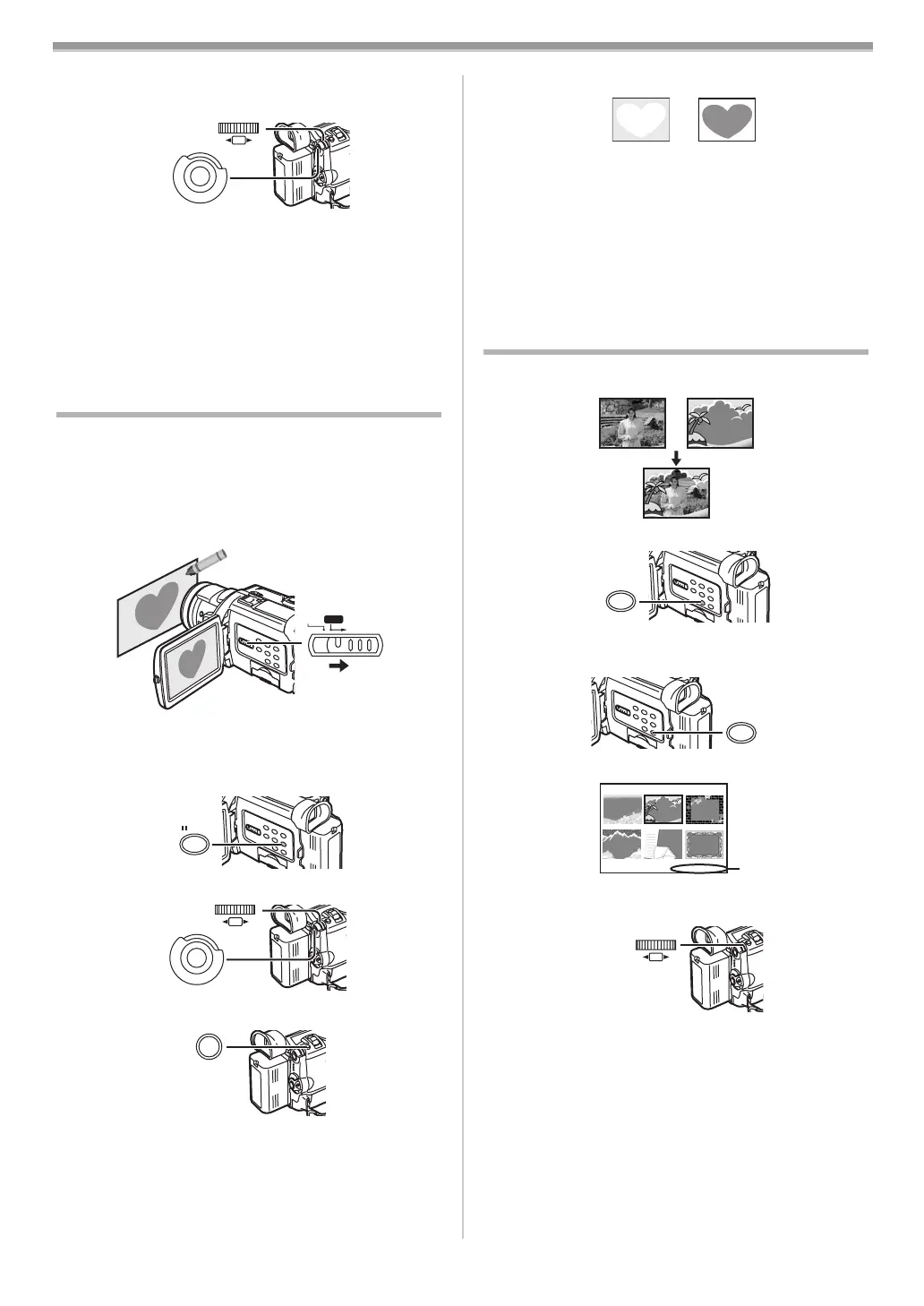
2 Select the picture you wish to delete and press the
[PUSH] Dial
(26).
≥The selected picture is marked with a frame.
To Reset the Slide Show Setup
Set [CARD FUNCTIONS] >> [CARD EDITING] >>
[SLIDE SHOW] >> [YES] >> [RESET] >> [YES] >> [YES].
≥Slide Show settings are reset.
≥For other notes concerning this item, see
-47-.
Creating a Title
You can create a title and record on a Card.
1 Camera Mode:
Slide the [TAPE/CARD/CARD MODE] Selector
(13) to
[CARD MODE] until [PICTURE] Indication appears
first.
Set the Lens to the image you want to use for creating
a title.
1 VCR Mode:
Search for the image you want to use for creating a
title and set the Movie Camera to the Still Playback
Mode.
2 Set [CARD SETUP] >> [CREATE TITLE] >> [YES].
3 Press the [PHOTO SHOT] Button (25).
≥The title is stored.
≥To perform Photoshot again, select [RETURN].
4 Select [LUMINANCE] and press the [PUSH] Dial (26),
turn it to adjust the title contrast and press it.
(26)
(51)
M
E
N
U
PUSH
SHUTTER/IRIS/
VOL/JOG
CARD MODE
TAPE
CARD
(13)
STILL
(23)
(26)
(51)
M
E
N
U
PUSH
SHUTTER/IRIS/
VOL/JOG
PHOTO
SHOT
(25)
5 Select [COLOUR] and press the [PUSH] Dial (26), turn
it to adjust the colour and press it.
≥The dark portion of the image is missing 1, and the
colours of the bright portion change in order of black,
blue, green, cyan, red, magenta, yellow and white, after
which the bright portion of the image is missing 2 and
the colours of the dark portion change in the above
order.
6 Select [RECORD] and press the [PUSH] Dial (26).
≥The title is recorded on the Card.
≥For other notes concerning this item, see
-47-.
Adding a Title
A title can be added to the picture. It is displayed in Camera
Mode, VCR Mode and Card Playback Mode.
1 Press the [TITLE] Button (22).
≥The title is displayed.
2 Press the [MULTI] Button (24).
≥A list of titles is displayed.
≥File Name 1
3 Turn the [PUSH] Dial (26) to select a desired title.
≥The selected title is marked with a frame.
4 Press the [PUSH] Dial (26) or press the [MULTI] Button
(24).
≥The selected title is displayed.
≥Recording and Photoshot Recording can be done with
pictures that have titles.
To Clear the Title Display
Press the [TITLE] Button (22).
≥The [ACCESS] Indication appears until the titles are
displayed completely. Perform the Recording after the
[ACCESS] Indication disappears.
12
r
TITLE
(22)
MULTI/P-IN-P
(24)
TITLE
1
USR00002.TTL
PUSH
SHUTTER/IRIS/
VOL/JOG
(26)
B5-B.book 36 ページ 2002年8月6日 火曜日 午前11時33分



 To Next Page