8
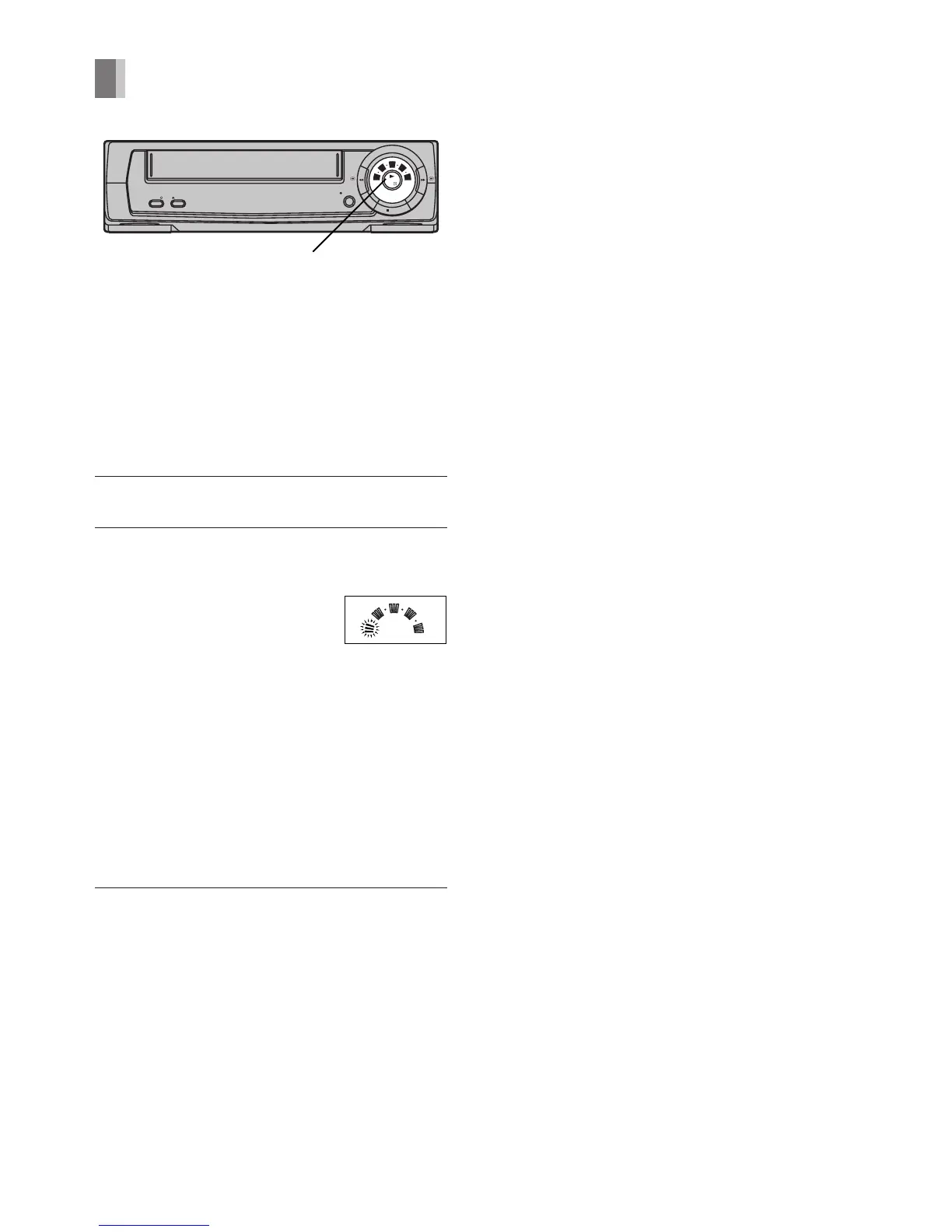
POWER EJECT
REC/OTR
STOP
PLAY/
OFF
REW FF
/I
30
60
180
240
120
REC/
STANDBY
LP(EP)
1,2
30
60
180
240
120
REC/
STANDBY
LP(EP)
Play-Off Timer
Whenever you are playing back a tape and
wish to stop the tape automatically, simply
set the playback duration up to 240 minutes
using [PLAY/OFF].
Preparation
Insert a recorded cassette.
Operations
1 Start playback by pressing [PLAY].
2 Press [PLAY/OFF] on the main unit
repeatedly to select the desired playback
duration.
– At the press of the button,
indicators of selected timer
duration flash.
– At every press of the button, flashing
indicators change as follows:
30 (min.)>60 (min.)>120 (min.)>
180 (min.)>240 (min.)>No flash (normal
playback mode)
– The VCR (Line Recording) will
automatically switch off when Play-Off
Timer is completed.
To turn the VCR (Line Recording) on again,
press [POWER].
Notes:
– If the tape reaches the end during Play-Off
Timer, the VCR (Line Recording) will
automatically be rewound to the beginning
and turn itself off.
– To stop Play-Off Timer part-way, press
[STOP] or [POWER].




 To Next Page