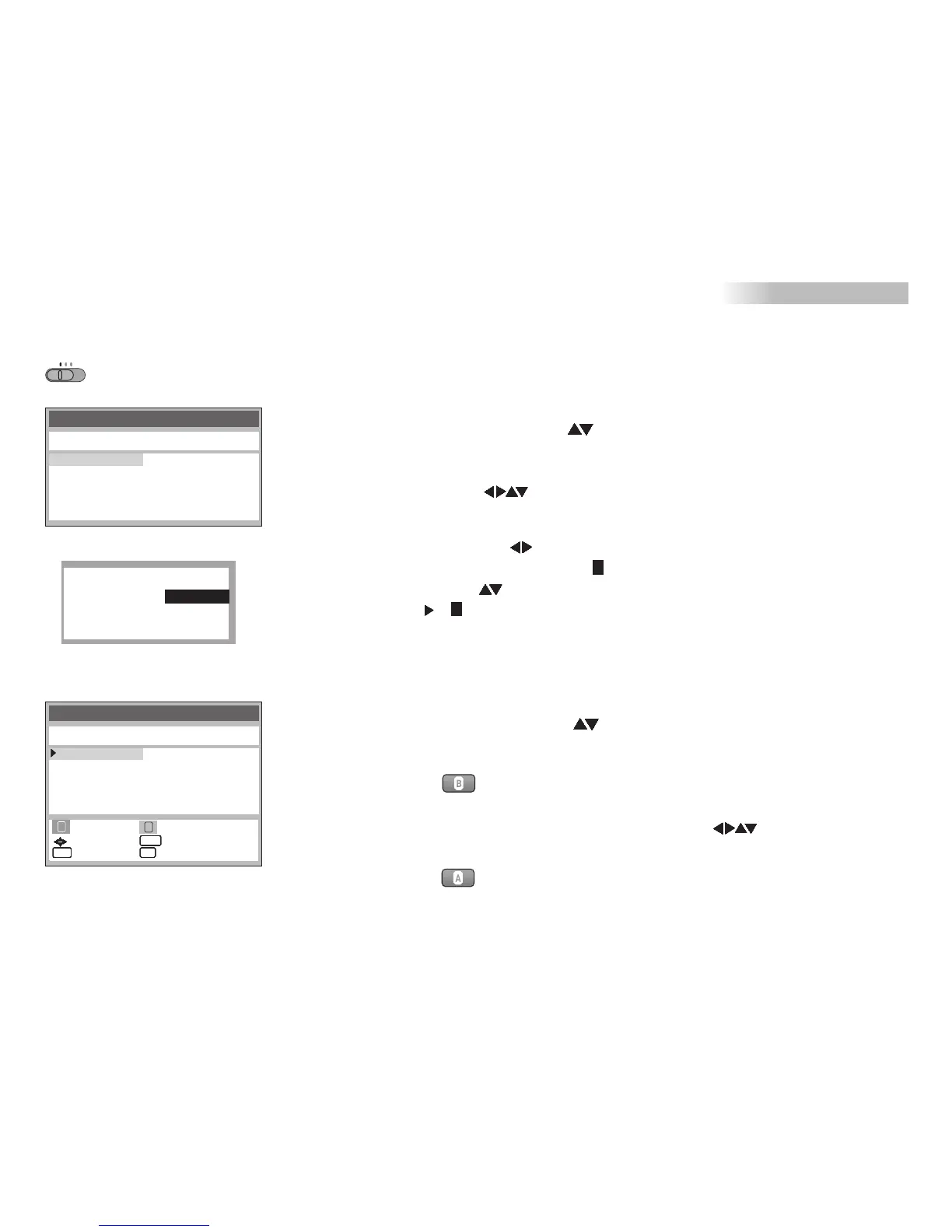
Tuning
Pos Name Ch Pos Name Ch
Changing the name of TV stations
!
!
!
!
!
Press and select Tuning
Select Manual and press
Menu
Press
Select a TV station
Press
ENTER
ENTER
ENTER
!
!
!
!
.
,
Select the Name entry
The cursor will mark the first letter .
Change that letter
Next letter
Press
The new name will be stored in the station table.
MENU
BBC1
BC1B
6 ---- ---
7 ---- ---
8 ---- ---
9 ---- ---
10 ---- ---
1 BBC1 7
2 BBC2 4
3 ITV 2
4 CH4 12
5 CH5 13
Pos
Name
Channel
NICAM
: 1
:
:7
: AUTO
BBC1
Tuning
Pos Name Ch Pos Name Ch
Changing the order of TV stations or deleting a station
!
!
!
!
!
!
Press and select Tuning
Press
Select Manual and press
Press button , an arrow at the left edge indicates which field
has been selected.
You can now move the station to any other location .
Press
MENU
ENTER
ENTER
ENTER
!
Press button to delete the station.
6 ---- ---
7 ---- ---
8 ---- ---
9 ---- ---
10 ---- ---
1 BBC1 7
2 BBC2 4
3 ITV 2
4 CH4 12
5 CH5 13
Manual setup
DVD
TV
VCR
31
::
move
store
return exit
::
ENTERENTERENTERENTERENTERENTERENTERENTER
MENUMENUMENUMENUMENUMENUMENUMENU
EXITEXITEXITEXITEXITEXITEXITEXIT
::delete move
A
B
VCR DVD





 To Next Page