EasyManua.ls Logo

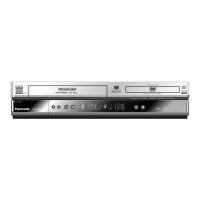
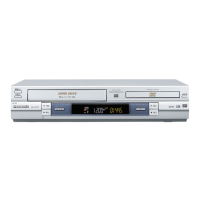
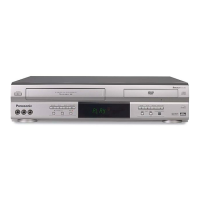
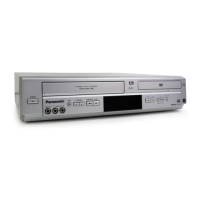
Panasonic NV-VP30EB - User Manual

Panasonic NV-VP30EB
64 pages
Print Icon
To Next Page IconTo Next Page
Loading...
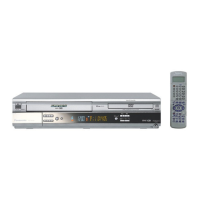
DVD/CD Player / Video Cassette Recorder
Operating Instructions
NV-VP30EB/EBL
Before attempting to connect, operate or adjust this
product, please read these instructions completely.
OPEN / CLOSE
EJECT
/I
VCR
NV-VP30
TIMER CHECK
MUSIC WITH PICTURE
PROG PLAY
REC CHECK
QUICK ERASE
PAL
DVD -RAM VIDEO PLAYBACK
DVD / CD PLAYER
PULL-OPEN
DVD
(Model suffix: 'EB' for UK model, 'EBL' for Ireland model)
Question and Answer IconNeed help?

Do you have a question about the Panasonic NV-VP30EB and is the answer not in the manual?

Summary

Precautions and Safety

Product Safety Warnings

Details about product placement, ventilation, and laser safety warnings.

Initial Setup and Checks

Check List for Accessories

Confirms presence of all included accessories and items before use.

Automatic Setup Process

Guides the automatic setup process for tuning TV channels.

Remote Control Usage

Remote Control Codes and Setup

Lists codes for operating various TV brands with the VCR remote.

Basic Operations

Explains fundamental operations like standby, menu navigation, and playback.

VCR and DVD Functions

Describes the functions of remote control buttons for VCR and DVD operations.

Connections and External Units

Rear Panel Sockets

Details the various input and output sockets found on the rear of the unit.

Scart and Non-Scart Connections

Step-by-step guides for connecting the VCR/DVD using different cable types.

Connecting External Devices

Instructions for connecting external units like decoders or camcorders.

VCR Recording and Playback

Playback Modes

Explains standard playback, fast-forward, rewind, pause, and slow-motion controls.

Timer Recording Features

Guides on programming TV recordings using the timer function.

Advanced Recording Functions

Details features like repeat playback, finding recordings, and erasing cassettes.

DVD Playback and Setup

Quick Setup Guide

Initial setup for menu language, audio, subtitles, and TV aspect ratio.

Disc and Video Settings

Configuring playback options for discs, including audio and subtitle languages.

Audio and Display Options

Setting up digital audio output formats and configuring display options.

General DVD Playback Features

Playback Controls and Modes

Explains controls for slow motion, search, skipping tracks, and basic playback.

File Format Playback

Features for playing Programme Play, JPEG, MP3/WMA, and DVD-RAM discs.

On-Screen Display Information

Displaying disc content details like track info, audio, subtitles, and camera angles.

Troubleshooting and Service

Common Distortions and Issues

Troubleshooting common problems like no audio, distorted sound, and display issues.

VCR and DVD Specific Problems

Troubleshooting VCR and DVD playback errors like picture shift and unresponsiveness.

Informations and Specifications

Disc Information and Care

Explains region codes, disc handling, and cleaning procedures.

Tape Care Instructions

Guidelines for proper handling, storage, and protection of video tapes.

Technical Specifications

Detailed technical data including power, dimensions, and supported formats.

Summary

Precautions and Safety

Product Safety Warnings

Details about product placement, ventilation, and laser safety warnings.

Initial Setup and Checks

Check List for Accessories

Confirms presence of all included accessories and items before use.

Automatic Setup Process

Guides the automatic setup process for tuning TV channels.

Remote Control Usage

Remote Control Codes and Setup

Lists codes for operating various TV brands with the VCR remote.

Basic Operations

Explains fundamental operations like standby, menu navigation, and playback.

VCR and DVD Functions

Describes the functions of remote control buttons for VCR and DVD operations.

Connections and External Units

Rear Panel Sockets

Details the various input and output sockets found on the rear of the unit.

Scart and Non-Scart Connections

Step-by-step guides for connecting the VCR/DVD using different cable types.

Connecting External Devices

Instructions for connecting external units like decoders or camcorders.

VCR Recording and Playback

Playback Modes

Explains standard playback, fast-forward, rewind, pause, and slow-motion controls.

Timer Recording Features

Guides on programming TV recordings using the timer function.

Advanced Recording Functions

Details features like repeat playback, finding recordings, and erasing cassettes.

DVD Playback and Setup

Quick Setup Guide

Initial setup for menu language, audio, subtitles, and TV aspect ratio.

Disc and Video Settings

Configuring playback options for discs, including audio and subtitle languages.

Audio and Display Options

Setting up digital audio output formats and configuring display options.

General DVD Playback Features

Playback Controls and Modes

Explains controls for slow motion, search, skipping tracks, and basic playback.

File Format Playback

Features for playing Programme Play, JPEG, MP3/WMA, and DVD-RAM discs.

On-Screen Display Information

Displaying disc content details like track info, audio, subtitles, and camera angles.

Troubleshooting and Service

Common Distortions and Issues

Troubleshooting common problems like no audio, distorted sound, and display issues.

VCR and DVD Specific Problems

Troubleshooting VCR and DVD playback errors like picture shift and unresponsiveness.

Informations and Specifications

Disc Information and Care

Explains region codes, disc handling, and cleaning procedures.

Tape Care Instructions

Guidelines for proper handling, storage, and protection of video tapes.

Technical Specifications

Detailed technical data including power, dimensions, and supported formats.

Panasonic NV-VP30EB Specifications

General IconGeneral
BrandPanasonic
ModelNV-VP30EB
CategoryDVD VCR Combo
LanguageEnglish

Related product manuals