OFF
148/155
148
1
1
G
P
Total
Slideshow
5 secON
--:--
1
2
P
G
JPEG
DVD
TV
VCR
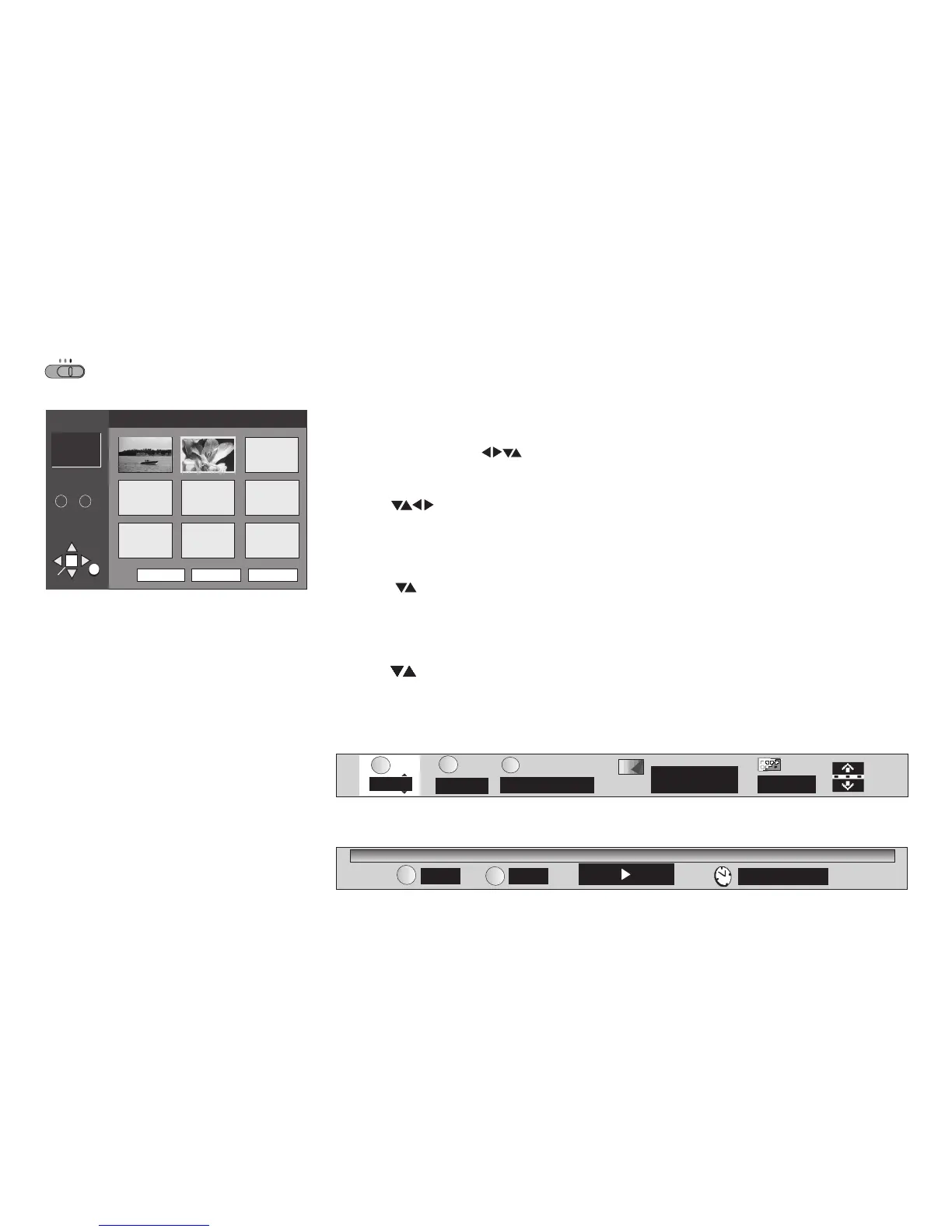
JPEG ALBUM
RETURN
ENTER
SELECT
SELECT
NUMBER
~
0
9
Group : 021112-1620 Picture : Flower
G1
P2
Total 2
Prev Tree
Next
3
4
5
6
7
8
9
1
2
1
2
Refer to pages 55-57 to learn more about how to use the on-screen displays (OSD).
Your VCR/DVD player can output JPEG pictures (Exif version 2.1) that were taken with a digital
camera, for example, or generated by means of any other system. The resolution should range
between 320 x 240 pixels and max. 6144 x 4096 pixels. Note that JPEG files must be extended
by ".JPG", ".jpg", ".JPEG" or ".jpeg" and compressed in format 4:2:2 or 4:2:0.
!
!
Press to display the album of JPEG pictures.
pictures
Press " " or " " and to page through the album.
Press or to quit the menu screen.
MENU
Prev Next ENTER
RETURN MENU
!
!
!
!
Use the cursor keys and to select the .
Menu item " " controls the group directory.
Press and to take your pick.
ENTER
Tree
ENTER
To rotate
ENTER
pictures
ANGLE/PAGE
RETURN
!
!
Press while the picture is being displayed.
picture
Press to quit this menu.
!
!
Press to select the direction of rotation.
Press to actually rotate the to the desired position.
To skip groups
Press in mode to skip forwards and backwards.picture
!
To activate the JPEG on-screen displays
!
Press while pictures are being displayed.
The on-screen displays will appear.
DISPLAY
!
Press .DISPLAY
The Progress Indicator will be displayed.
52








 To Next Page