Rotate pictures
!
Press FUNCTIONS during playback. The Functions menu will be displayed.
The available options depend on the current disc.
!
Press and ENTER to select [Rotate Picture].
!
Press and ENTER to specify the direction of rotation.
!
Press RETURN or FUNCTIONS to quit the menu.
JPEG
JPEG
HighMAT
JPEG
WMAMP3
34
Group Pictures 5
Content P1010002
Date 2004/01/25 17:26
Camera DMC-LC20
HighMAT
JPEG
Navigation Menu
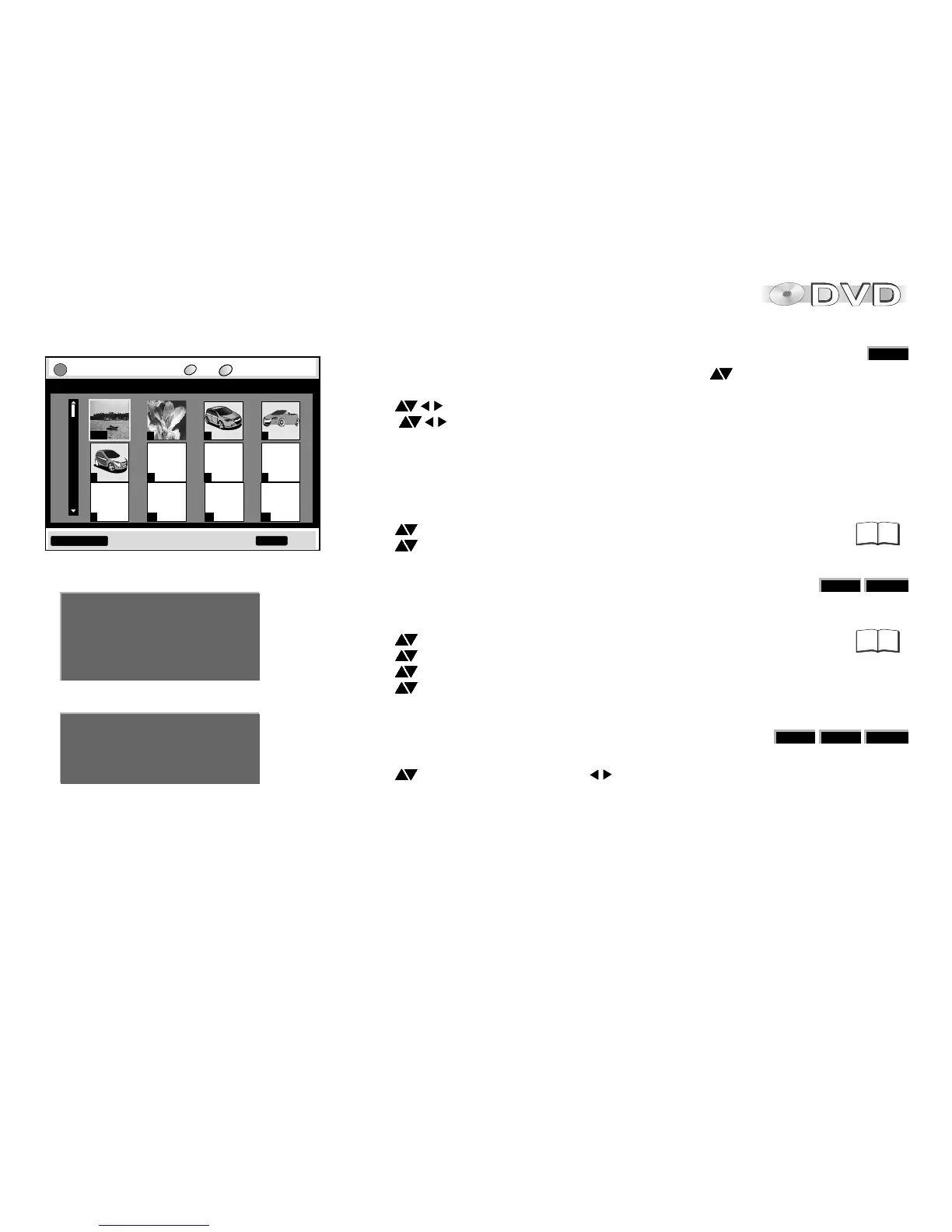
JPEG Thumbnail Menu
!
Pick FUNCTIONS from the Navigation Menu and press to select Thumbnail.
!
Press ENTER to confirm. The Thumbnail Menu is displayed.
!
Press to select a picture.
Press to page up or down. When you have browsed the pictures of a group,
the pictures of the next group are shown.
!
Press ENTER to confirm. The selected picture is shown full size.
Select Group/Content
!
Play back a disc and select the group or content on it.
!
Press to select the Group, press to select the Content.
D
WMA: You cannot play copy-protected WMA files.
This unit is not compatible with MBR. (Multiple Bit Rate (MBR): a file that contains the
same content encoded at several different bit rates.)
D
MP3: The appliance is incompatible with ID3 tags.
D
WMA, MP3, JPEG (CD-R / CD-RW): Make sure the discs are
compatible with ISO 9660 (level 1 or level 2).
Activate on-screen displays
!
Press FUNCTIONS during playback. The Functions menu will be displayed.
The available options depend on the current disc.
!
Press and ENTER to select Other Settings.
!
Press and ENTER to select Display Menu.
!
Press and ENTER to select Information.
!
Press and ENTER to select the respective option. JPEG: [Date], [Details].
!
Press RETURN or FUNCTIONS to quit the menu.
Thumbnail Menu 1 1 JPEG --:--
CC
P1000001
1/68
2 3 4
76
5
9
8
10
11 12
GG
FUNCTIONS to display the sub menu to exit
RETURN
Playlist List 1
Group Name
Content Song 1
Artist Name
Album Title
37
39





 To Next Page