erutciP e
s
ioNerutciP esioNerutciP oN
loC r
a
l
u
gerrI
o
r
)
GN o
s
la DSO
(
e
n
i
L l
acitre
V
en
iL
latnoz
iroH
)
erut
c
iP
l
anigi
r
O
(
en
iL
l
a
t
noz
i
ro
H
rol
oC ra
lug
errI
)
G
N
osla
D
SO(
eru
tci
P
e
sio
N
)
G
N
o
s
la
DSO
(
20
<Caused Possibility>
A, D Board
<Diagnosis Procedure>
1. Disconnect A5 connector
2. Enter to the Test pattern
<Counter Measure>
(*1)
White Pattern and Test Pattern are generated by IC9300/IC9400 of D Board.
When these patterns are normally displayed on the screen, It can be seem
good processing circuit between the D board and panel drive circuit.
Notice:
Regarding information for test pattern in detail,
Please refer to Page 26, 27.
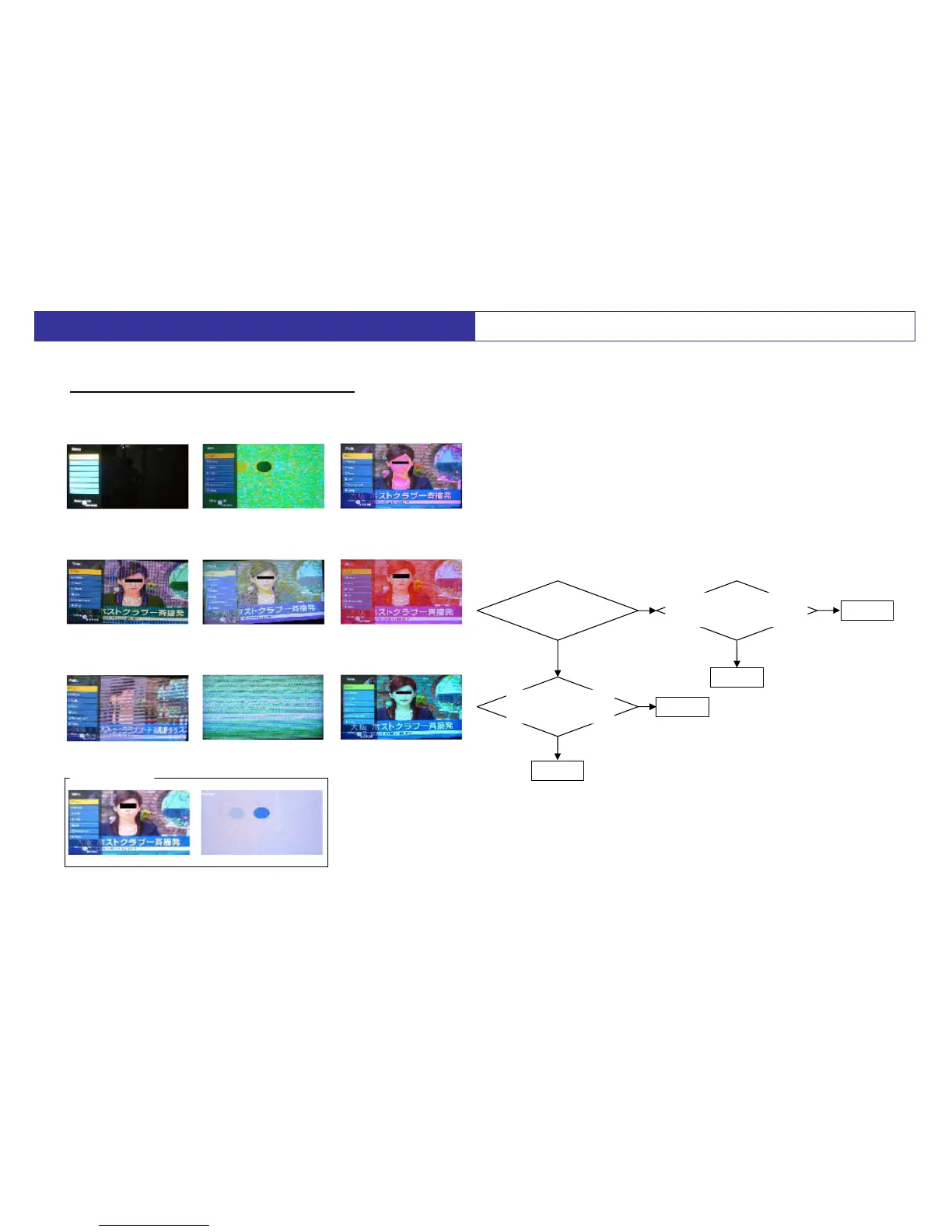
Can you see the
OSD on the screen?
After disconnect A5 connector
then Power ON.
Can you see the white pattern (*1)?
Enter to the test pattern.
Can you see the
pattern (*1) normally?
A Board
A Board
D Board
D Board
Yes
Yes
Yes
No
No
No
<Symptom>
Abnormal Picture (All over the screen)
<Trouble Picture Example>
Picture Problem (1-1)
5. Troubleshooting
(except PX80 series)









 To Next Page