EasyManua.ls Logo

Panasonic PT-RCQ80 - User Manual

Panasonic PT-RCQ80
265 pages
Print Icon
To Next Page IconTo Next Page
Loading...
Thank you for purchasing this Panasonic product.
This manual is common to all the models regardless of sufxes of the Model No.
z
for USA, Canada, EU countries
B: Black model, the standard zoom lens supplied
LB: Black model, the lens sold separately
W: White model, the standard zoom lens supplied LW: White model, the lens sold separately
z
for Korea
B: Black model, the standard zoom lens supplied W: White model, the standard zoom lens supplied
z
for India
BD: Black model, the standard zoom lens supplied LBD: Black model, the lens sold separately
z
for Taiwan
B: Black model, the standard zoom lens supplied
z
for other countries or regions with power cord for 100 V - 120 V
BX: Black model, the standard zoom lens supplied
LBX: Black model, the lens sold separately
WX: White model, the standard zoom lens supplied
LWX: White model, the lens sold separately
z
for other countries or regions with power cord for 200 V - 240 V
BE: Black model, the standard zoom lens supplied LBE: Black model, the lens sold separately
WE: White model, the standard zoom lens supplied
LWE: White model, the lens sold separately
Before operating this product, please read the instructions carefully and save this manual
for future use.
Before using this product, be sure to read “Read this rst!” (
x
pages 5 to 16).
DPQP1295ZA/X1
DLP™ Projector
Commercial Use
Operating Instructions
Functional Manual
ENGLISH
Model No.
PT-RCQ10
PT-RCQ80

Table of Contents

Question and Answer IconNeed help?

Do you have a question about the Panasonic PT-RCQ80 and is the answer not in the manual?

Overview

This document describes the Panasonic PT-RCQ10 and PT-RCQ80 DLP™ Projectors, designed for commercial use.

Function Description

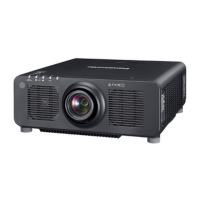
The Panasonic PT-RCQ10 and PT-RCQ80 projectors are designed to project video signals from imaging equipment or computers onto a screen or other surface, displaying both still and moving images. They feature a new-generation laser light source and a unique optical system that enhances color reproduction. The projectors support a wide range of installation modes, including desk/floor, ceiling, and portrait orientations, and allow for projection in all 360° directions.

Key functions include:

  • High Picture Quality: Achieves high luminance (10,000 lm for PT-RCQ10, 8,000 lm for PT-RCQ80) and high contrast (10,000:1) with a compact size. The SMOOTH PIXEL DRIVE technology provides a realistic sensation image by rapidly shifting pixels diagonally and processing video signals.
  • Easy and Highly Flexible Setup: Supports DIGITAL LINK and Art-Net, offering a wide lineup of optional lenses. The projectors are equipped with a slot for mounting Interface Boards, providing flexibility for various signal input structures.
  • Long Life and High Reliability: Utilizes a solid-state laser light source for extended life and enhanced dust resistance in the optical unit, eliminating the need for filters and reducing maintenance costs. A backup function ensures stable operation by switching to a backup input signal if the primary signal is interrupted.
  • Network Functionality: Allows for setting, adjustment, and display of projector status from a computer via web control. It supports Smart Projector Control for smartphone/tablet operation, Multi Monitoring & Control Software for managing multiple display devices on an intranet, PJLink protocol for operation and status queries, and Art-Net protocol for DMX controller and application software control.
  • Data Cloning: Settings and adjustment values can be copied to multiple projectors via LAN or USB memory.
  • Firmware Update: Firmware can be updated via LAN or USB memory.

Important Technical Specifications

Power Supply: 100 V - 240 V ~ (100 V - 240 V alternating current), 50 Hz/60 Hz. Power Consumption:

  • PT-RCQ10: 1,100 W (11 A - 4.5 A)
  • PT-RCQ80: 880 W (9.0 A - 3.6 A)
  • Standby Mode (ECO): Approx. 0.5 W
  • Standby Mode (NORMAL): Approx. 8 W
  • Quick Startup enabled: Approx. 100 W DLP Chip:
  • Size: 17 mm (0.67") (aspect ratio 16:10)
  • Display System: DLP chip x 1, DLP projection system
  • Number of Pixels: 2,304,000 pixels (1,920 x 1,200 dots) Lens:
  • Electric Zoom: 1.7 to 2.4:1
  • Electric Focus: F = 1.7 to 1.9, f = 25.6 mm to 35.7 mm Light Source: Laser diode x 2 Light Output:
  • PT-RCQ10: 10,000 lm (NORMAL mode)
  • PT-RCQ80: 8,000 lm (NORMAL mode) Contrast Ratio: 10,000:1 (DYNAMIC CONTRAST set to [3]) Projected Image Size: 1.27 m (50") to 15.24 m (600") Image Aspect Ratio: 16:10 Projection Method: [FRONT]/[FLOOR], [FRONT]/[CEILING], [REAR]/[FLOOR], [REAR]/[CEILING] Power Cord Length: 3.0 m (118-1/8") Dimensions (Width x Height x Depth):
  • 498 mm (19-19/32") x 200 mm (7-7/8") (with legs at shortest position) x 581 mm (22-7/8") (including standard zoom lens)
  • PT-RCQ10L, PT-RCQ80L: 538 mm (21-3/16") (excluding Lens Mount Cover and optional lens) Weight:
  • PT-RCQ10, PT-RCQ80: Approx. 24.2 kg (53.4 lbs.) (including standard zoom lens)
  • PT-RCQ10L, PT-RCQ80L: Approx. 23.4 kg (51.6 lbs.) (excluding Lens Mount Cover and optional lens) Noise Level:
  • PT-RCQ10: 43 dB (NORMAL), 40 dB (QUIET1), 38 dB (QUIET2)
  • PT-RCQ80: 40 dB (NORMAL), 38 dB (QUIET) Laser Classification:
  • USA and Canada: Class 3R (IEC 60825-1:2007)
  • Other countries or regions: Class 1 (IEC/EN 60825-1:2014) Risk Group (IEC 62471-5:2015):
  • Risk Group 2: Standard zoom lens, ET-DLE020, ET-DLE035, ET-DLE055, ET-DLE060, ET-DLE085, ET-DLE105, ET-DLE150, ET-DLE170
  • Risk Group 3: ET-DLE250, ET-DLE350, ET-DLE450 (when hazard distance exceeds 1 m) Operating Environment Temperature: 0 °C (32 °F) to 45 °C (113 °F) (0 °C (32 °F) to 40 °C (104 °F) with optional Wireless Module) Operating Environment Humidity: 10 % to 80 % (no condensation)

Connecting Terminals/Slots:

  • DVI-D IN: 1 set, DVI-D 24 p, single link, DVI 1.0 compliant, HDCP compatible
  • HDMI IN: 1 set, HDMI 19 p, HDCP 2.2 compatible, Deep Color compatible
  • SDI IN: 1 set (BNC), HD-SDI signal, 3G-SDI signal
  • MULTI PROJECTOR SYNC IN/OUT: 1 set each (BNC), TTL high impedance/output
  • SERIAL IN/OUT: D-Sub 9 p, 1 set each, RS-232C compliant
  • REMOTE 1 IN/OUT: M3 stereo mini jack, 1 set each
  • REMOTE 2 IN: 1 set, D-Sub 9 p, for contact control
  • DIGITAL LINK: 1 set, RJ-45, HDBaseT™ compliant, PJLink (class 2) compatible, 100Base-TX, Art-Net compatible, HDCP 2.2 compatible, Deep Color compatible
  • LAN: 1 set, RJ-45, PJLink (class 2) compatible, 10Base-T/100Base-TX, Art-Net compatible
  • Slot: 1 set (blank), SLOT NX specification, for installing Interface Board
  • USB: 1 set, USB connector (type A), for optional Wireless Module, USB memory, power supply (DC 5 V, max 500 mA)

Usage Features

  • Remote Control: The projector can be operated via a wireless/wired remote control unit. Functions include power on/off, lens adjustments (focus, zoom, shift), menu navigation, input selection, auto setup, shutter control, test pattern display, status display, and ID setting for multi-projector environments.
  • Control Panel: A control panel on the projector body provides buttons for power, input selection, menu navigation, lens adjustments, and shutter control.
  • Initial Setup: Upon first use or factory reset, the projector guides the user through initial settings, including focus adjustment, display language, operation mode (brightness/runtime priority), installation method (front/rear, floor/ceiling), time zone, date, and time.
  • Image Adjustment: Users can adjust various image parameters such as picture mode, contrast, brightness, color, tint, color temperature, sharpness, noise reduction, and dynamic contrast.
  • Geometric Adjustment: Correction for trapezoidal distortion (keystone), corner distortion, and curved screen distortion is possible. Finer adjustments can be made using a "FREE GRID" function.
  • Lens Management: Projection lenses can be easily removed and attached. The lens type can be set, and the projection lens can be moved to a home position. Lens calibration is available to detect adjustment limits.
  • Input Signal Management: Input signals can be selected directly via buttons or through an on-screen menu. Settings for HDMI, DVI-D, SDI, and DIGITAL LINK inputs, including signal level and EDID modes, are configurable.
  • On-Screen Display (OSD): The OSD language, position, rotation, design (color), and memory settings can be customized. An input guide and warning messages can also be displayed or hidden.
  • Startup Logo: Users can set a custom logo to be displayed when the projector powers on.
  • Uniformity Correction: Brightness and color unevenness across the screen can be corrected.
  • Shutter Function: Temporarily turns off the image, with configurable fade-in/fade-out times and startup behavior.
  • Waveform Monitor: Displays input signals in a waveform to check luminance signal levels.
  • Network Control: Comprehensive network settings for wired and wireless LAN, including IP address, subnet mask, default gateway, DNS servers, and connection keys. Web control allows for remote management, and Art-Net enables DMX control.
  • Security: Password protection for projector access and control device operations.

Maintenance Features

  • Indicator Status: Light source and temperature indicators (LIGHT1, LIGHT2, TEMP) provide visual cues for operational status and potential problems, blinking or lighting up to indicate issues like light source failure, high internal temperature, or cooling fan malfunction.
  • Cleaning:
    • Outer Case: Wipe with a soft, dry cloth. For persistent dirt, use a damp cloth and then dry. Avoid benzene, thinner, or harsh solvents.
    • Lens Front Surface: Wipe with a soft, clean cloth. Avoid fluffy, dusty, or oil/water-soaked cloths. Handle with care as the lens is fragile.
  • Internal Cleaning: Panasonic recommends internal cleaning every 20,000 hours of usage to prevent dust accumulation, which can lead to overheating or fire. This service should be performed by a dealer.
  • Battery Replacement: The remote control uses AAA/R03 or AAA/LR03 batteries. Instructions are provided for inserting and removing batteries. Prompt removal of depleted batteries is advised to prevent leakage or explosion.
  • Troubleshooting Guide: A comprehensive troubleshooting section lists common problems, potential causes, and solutions, referencing relevant pages in the manual.
  • Self-Diagnosis (SELF TEST): Displays alphanumeric symbols and details for errors and warnings, along with recommended actions.
  • Firmware Updates: Regular firmware updates are available from the Panasonic website to ensure optimal performance and address any issues.
  • Password Management: Provides options to change security passwords for projector access and control devices. If passwords are lost, initialization methods are available (consult a dealer for assistance).

Panasonic PT-RCQ80 Specifications

General IconGeneral
BrandPanasonic
ModelPT-RCQ80
CategoryProjector
LanguageEnglish

Related product manuals